Link clicks
Who clicked your tracked links, which links did best, and following up with the people who clicked or didn't.
When a campaign has a tracked link, each person gets their own short link, so you can see who opened it. The Links tab in Reports puts every tracked link together: how many people clicked, which links did best, and who to follow up with. It shows once you’ve sent a campaign with a tracked link. How links are tracked is in Links in your texts.
The numbers#
Open Reports and click Links. It follows the business and dates at the top; links have no carrier or type, so those two filters aren’t there.
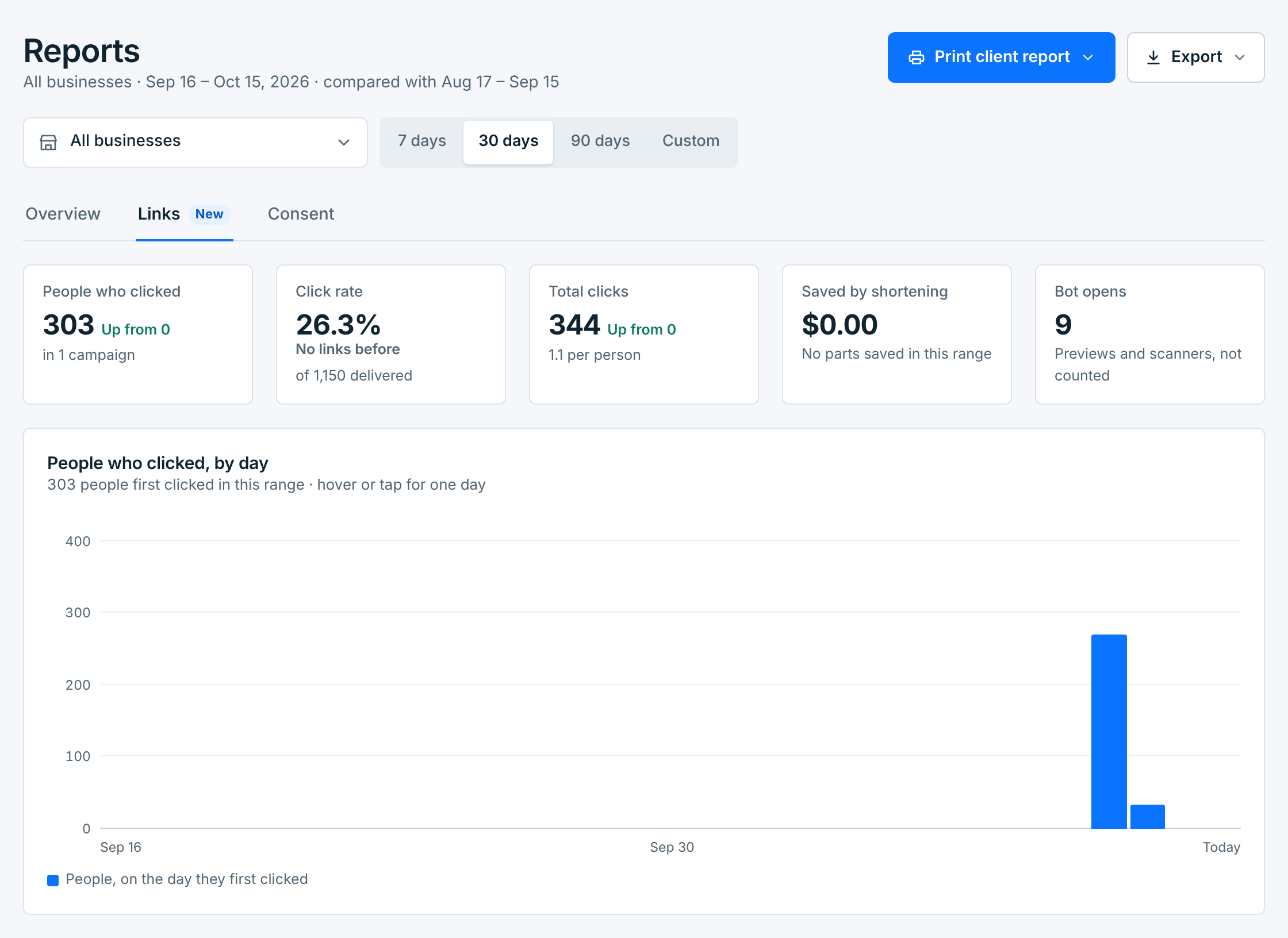
| Tile | What it counts |
|---|---|
People who clicked |
People who opened a link at least once, each counted once per campaign, and how many campaigns that was. |
Click rate |
Those people, as a share of the texts delivered with a link. |
Total clicks |
Every open, repeat taps included, and how many per person. |
Saved by shortening |
A long link sent short can mean fewer parts per text, and so a smaller carrier bill. What that saved. |
Bot opens |
Link previews and spam scanners that open links by themselves. They aren’t in any other number. |
The campaigns counted are the ones that went out in these dates, with all their clicks, even ones after the last date. So a campaign’s rate here is the same as on its own page.
Under the tiles, People who clicked, by day charts each person on the day they first clicked. Most clicks come in the first hours after a campaign goes out.
Every link you sent#
A row for each link, across the campaigns that used it: its name and where it opens, the campaigns, people, click rate, clicks, bot opens and the last click.
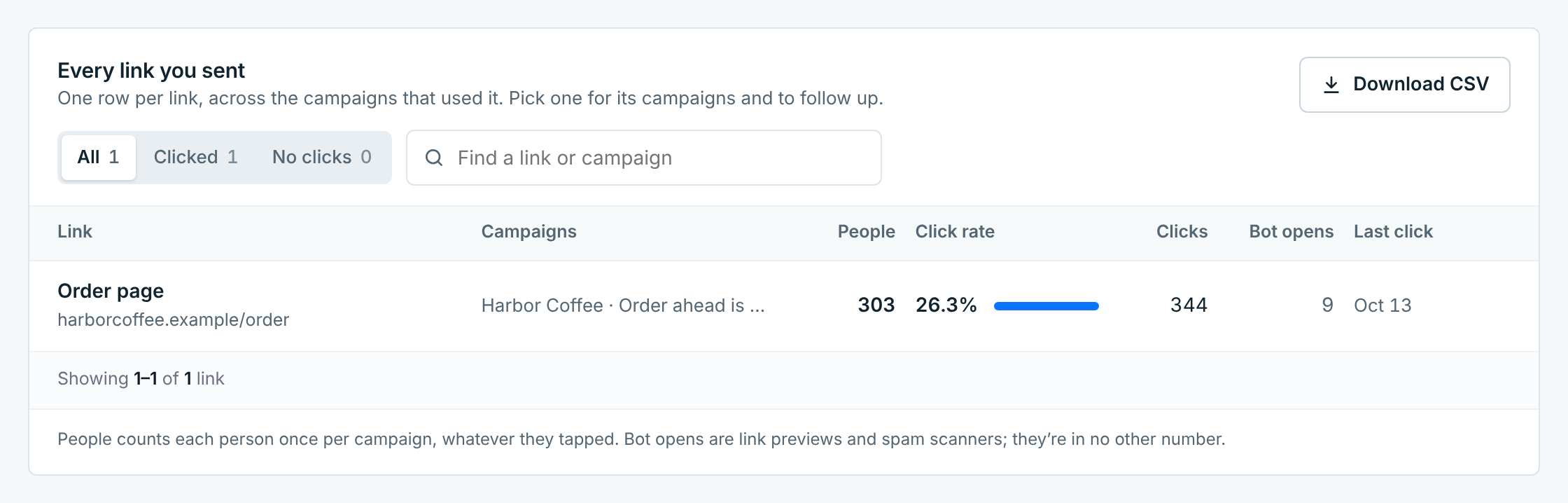
Clicked and No clicks narrow the list, and the search finds a link by its address, its name or a campaign. Download CSV saves the list.
One link#
Click a link to open it on the right:
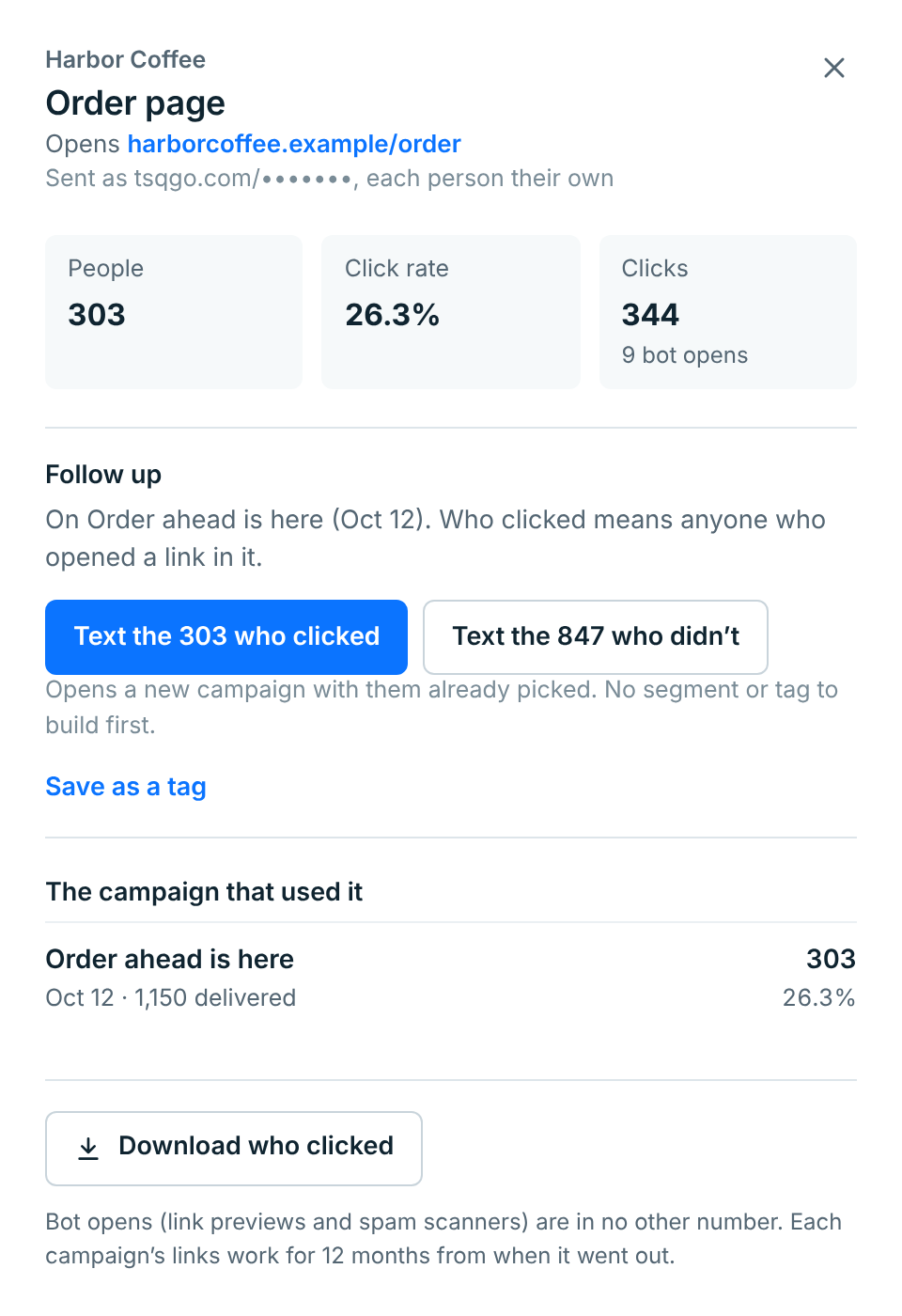
| Part | What it does |
|---|---|
Follow up |
Text the people who clicked or Text the people who didn’t opens a new campaign with them already picked, for the campaign named above the buttons. No tag or list to build first. |
Save as a tag |
Makes a new tag, named Clicked: and the campaign’s name unless you change it, and puts it on everyone who clicked, to send to them again later. See Your tags. |
The campaigns that used it |
Each campaign with its people and click rate. Click one to open it. |
Download who clicked |
A spreadsheet of the people who clicked this link: name, number, clicks, and their first and last click. |
Each campaign’s links work for 12 months from when it went out.
On the Overview#
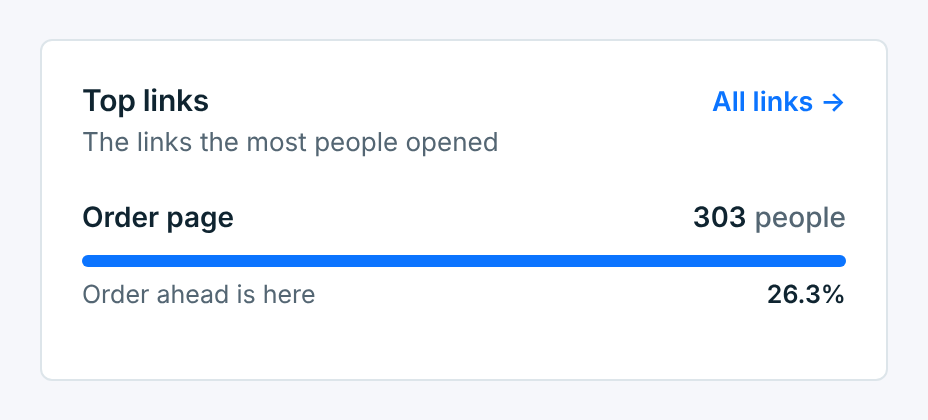
Once you’ve sent a tracked link, the Overview has a Click rate tile, a Clicked figure on each recent campaign, and Top links: the three links the most people opened.
The client report has the clicks too: how many people clicked, each campaign’s clicks and its best link, never who. See Client reports.