Make a plan with AI
Tell the AI about the business, pick the plan's length and days, and get weeks of texts drafted for your review.
A plan is a few weeks of promotional texts for one business, drafted by the AI from what you tell it about the business. Making one takes two steps: the brand profile (once per business), then the plan’s length and timing. The AI drafts it in a minute or two, and every message waits for your review.
The examples here make Lakeview Dental’s first plan.
Start a plan#
Open AI Promos and pick the business. With no plan running, its page offers two ways to start:
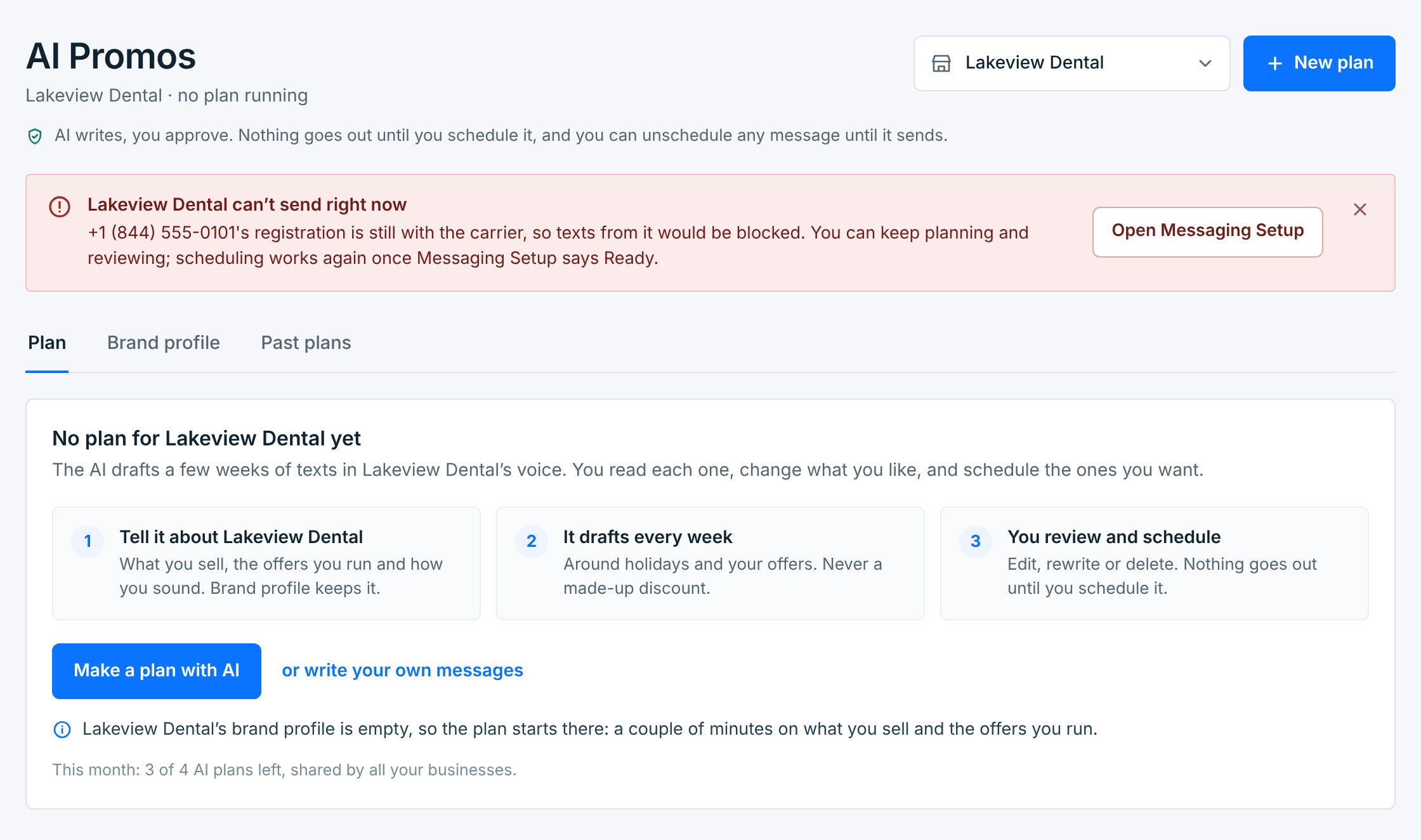
| Button | What it does |
|---|---|
Make a plan with AI |
Opens New plan. The AI drafts the messages. This guide. |
or write your own messages |
Makes an empty four-week plan for you to fill in, with no AI. It’s free. See Manage your plans. |
New plan at the top of AI Promos does the same for any business. A business that already has a plan running can have the next one drafted: it takes over when it’s ready.
Step 1: what the AI knows#
The first time, New plan starts with the business’s brand profile. Every message the AI writes for the business, now and later, starts from it, so a few specific lines make a big difference:
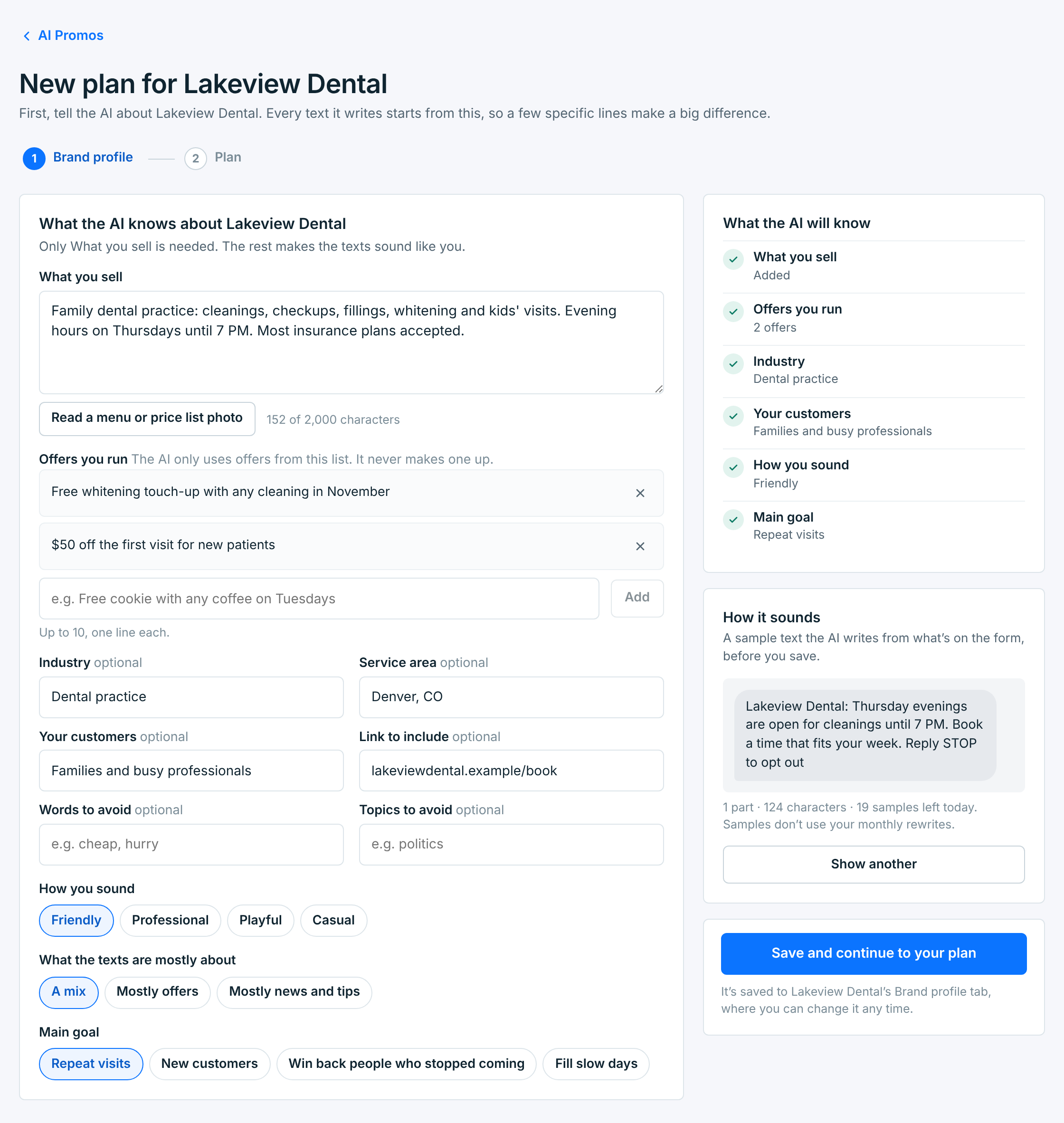
| Field | What it’s for |
|---|---|
What you sellRequired |
Your products or services, prices, hours, anything that sets you apart, in plain sentences. The AI writes only from this, so it never invents a product. Up to 2,000 characters. |
Offers you runOptional |
Up to 10 offers, one line each, with their terms. The AI only uses offers from this list and never makes one up. With none, the texts don’t mention deals. |
IndustryOptional |
Helps it sound like your trade. |
Service areaOptional |
Your town or area, for local seasons and events. |
Your customersOptional |
Who you serve. It shapes what the texts speak to. |
Link to includeOptional |
A booking, menu or order page the texts can point to. Links become tracked short links when they’re sent. |
Words to avoid and Topics to avoidOptional |
Words the texts must not use, separated by commas, and subjects to stay away from. |
How you sound |
Friendly, Professional, Playful or Casual. |
What the texts are mostly about |
A mix, Mostly offers, or Mostly news and tips. |
Main goal |
Repeat visits, New customers, Win back people who stopped coming, or Fill slow days. |
Got a menu or price list? Read a menu or price list photo takes up to four photos and adds what they say to What you sell. Check the words before you save: a blurry price can come back wrong. Reading a photo doesn’t use your AI plans or rewrites.
On the right, What the AI will know ticks off what’s filled in, and How it sounds shows a sample text written from the form as it is, before you save. Show a sample again after a change to hear the difference. Samples are free, 20 a day for each business.
Save and continue to your plan saves the profile to the business’s Brand profile tab and goes on to step 2. Next time, New plan starts at step 2, with Edit to go back.
Step 2: the plan#
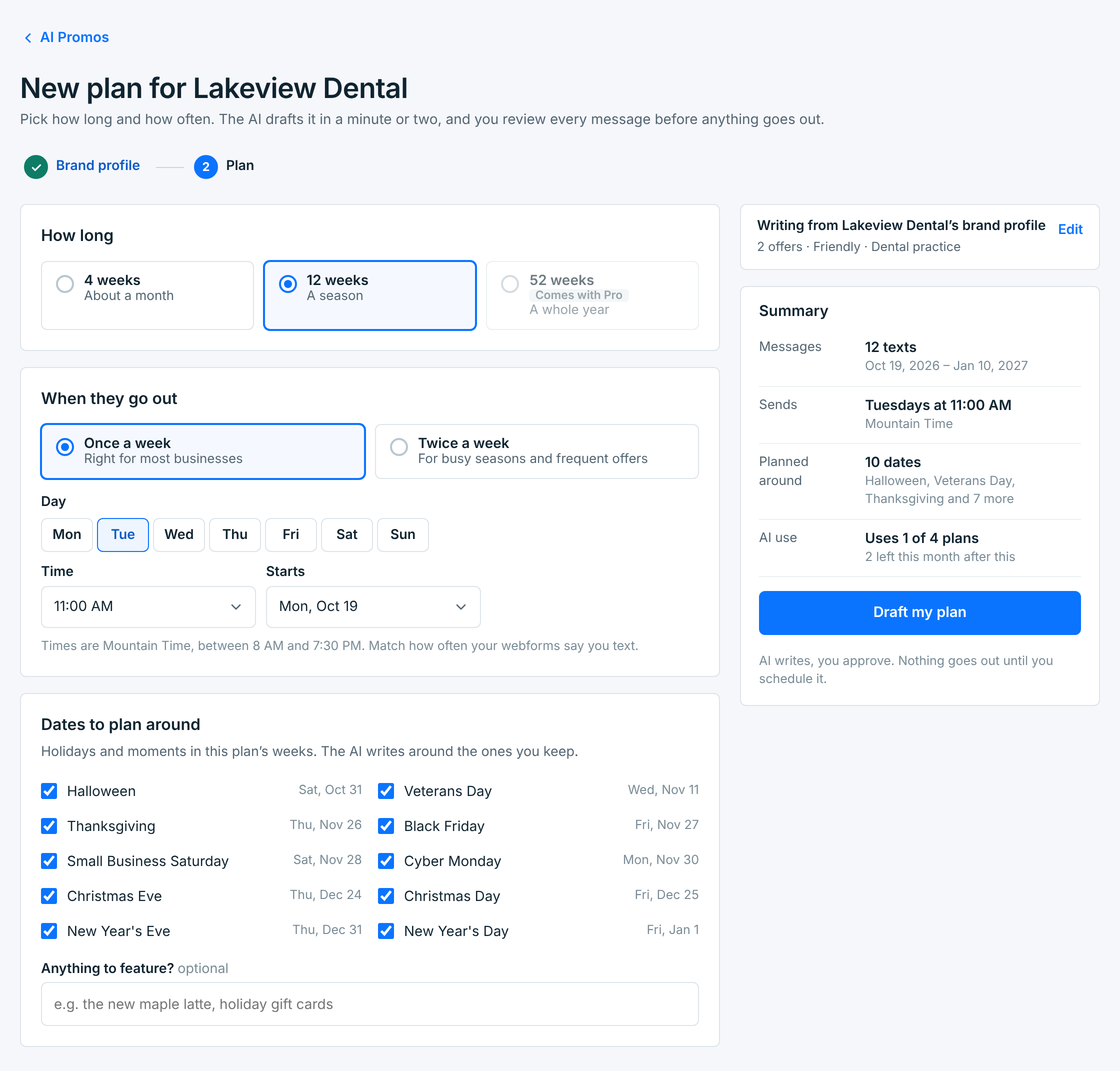
| Setting | What it does |
|---|---|
How long |
4 weeks, 12 weeks or 52 weeks. A length your plan doesn’t include says which plan it comes with. |
When they go out |
Once or twice a week, on the day or days you pick, at one time. Times run from 8 AM to 7:30 PM in the business’s time zone. When that’s more texts a month than the business’s webforms tell people (or, with no live webform, its HELP reply; once a week is about 4, twice about 9), an amber note says so. See When texts go out. |
Starts |
The Monday the plan’s first week starts: next Monday, or one of the three after it. If the business’s running plan still has messages scheduled, the new plan starts after the last of them. |
Dates to plan around |
The holidays and moments in the plan’s weeks. The AI writes around the ones you keep ticked, and its weeks show them as labels. |
Anything to feature?Optional |
Something new or seasonal the texts should mention, like a new product. |
The Summary counts the texts and gives the plan’s dates and send times, and AI use says how many of this month’s AI plans it uses. A plan uses one, however long it is.
Press Draft my plan.
While it drafts#
The AI writes the first weeks straight away, then the rest a few weeks at a time:
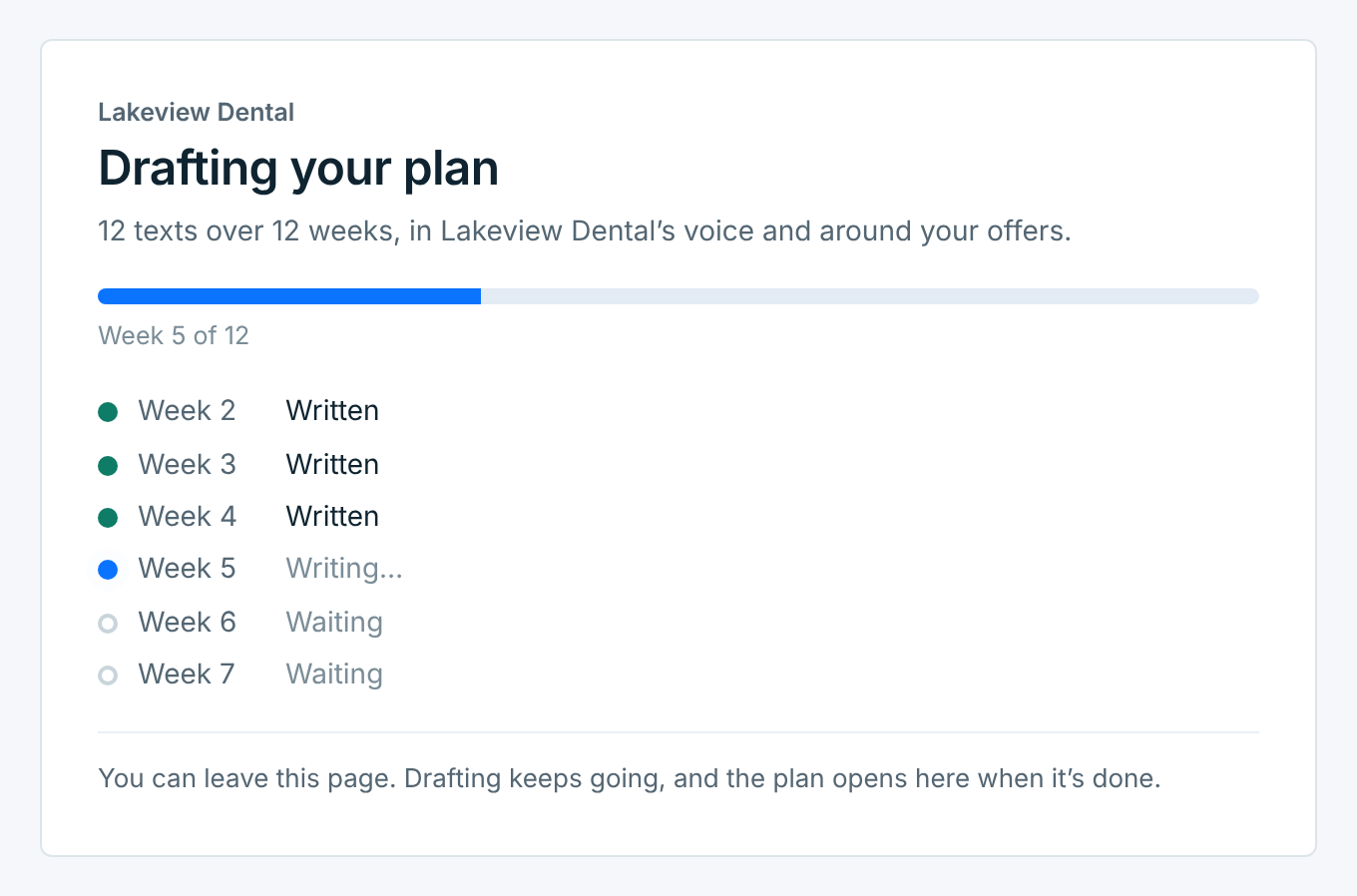
You can leave the page. Drafting keeps going, and the business’s AI Promos page opens on the plan when it’s done. You also get a notification. While it drafts, All businesses says Drafting a plan on the business’s row.
When it’s ready#
The plan opens with every message waiting for your review:
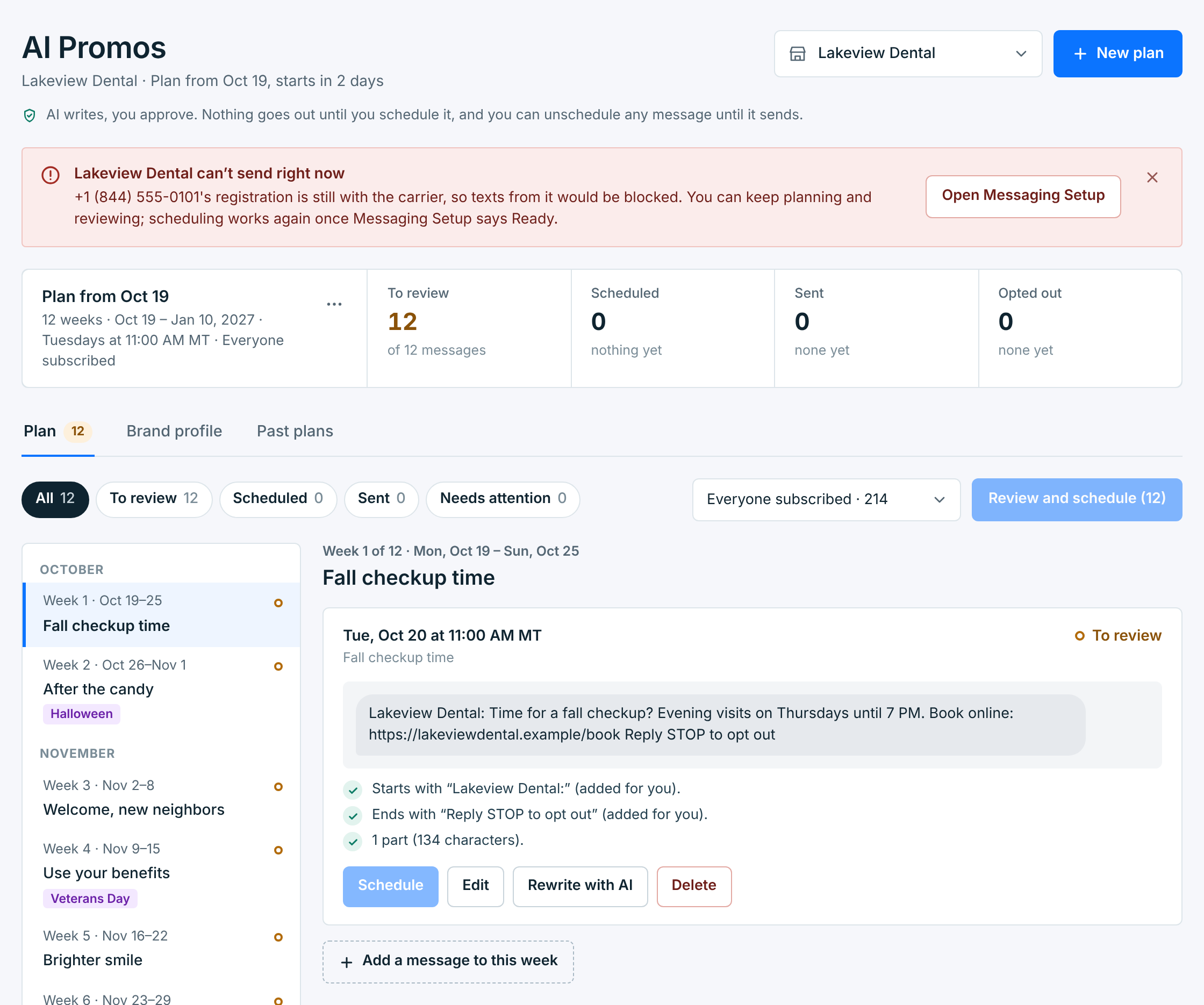
Each week has its message, written for that week: the holidays in it, your offers, the season. Nothing goes out yet. Read them, change what you like, and schedule them. See Review and schedule a plan.
If the business had a plan running, the new one takes its place now, and the old one moves to Past plans. Its scheduled messages still go out.
Lakeview Dental can’t send yet: its number’s registration is still with the carrier. Its plan can still be drafted and reviewed. Scheduling waits until Messaging Setup says Ready.
If drafting doesn’t work#
| Message | What it means |
|---|---|
| The AI couldn’t write the first weeks, so the plan was given back. Try again. | Nothing was made, and it didn’t use one of your AI plans. |
| The AI couldn’t finish drafting this plan, so it wasn’t kept. It didn’t use one of your AI plans. | The AI stopped part way and kept failing. The weeks it wrote weren’t kept, and the plan running before is still there. Try again in a few minutes. |
| You’ve used this month’s 4 AI plans. More on Sun, Nov 1. | Draft my plan waits until the 1st. Writing your own messages is free meanwhile. |
| Tell the AI what you sell first. | What you sell is empty, or too short. A sentence or two is enough. |
| AI isn’t set up yet. Contact support. | Something on our side, not yours. |
Use a past plan again#
On the Past plans tab, Use again opens New plan set up like that plan: its length, how often it sends and what it featured. The AI writes new texts, so it uses one of your AI plans. See Manage your plans.