Your webhook
The URL, business ID and secret, what to send, tags and consent, testing it, what it answers, and rotating the secret.
Every business has its own webhook: an address your other apps send new contacts to. Zapier, Make, a form tool or your own website posts one contact at a time, and that person is added to the business, tagged, with their consent on record. This guide covers what the webhook needs, what to send, and what it answers.
For step-by-step setups, see Connect Zapier, Connect Make, or Forms, Facebook Lead Ads, Shopify and your own code.
Only send people who agreed to get texts from this business. Every sign-up has to say so, with "consent": 1, and it’s kept in your consent record. An opt-out sent as "status": "unsubscribed" doesn’t need it.
Connection details#
Open Integrations, pick the business, and stay on Setup. Until its first contact arrives, a blue note says it’s waiting.
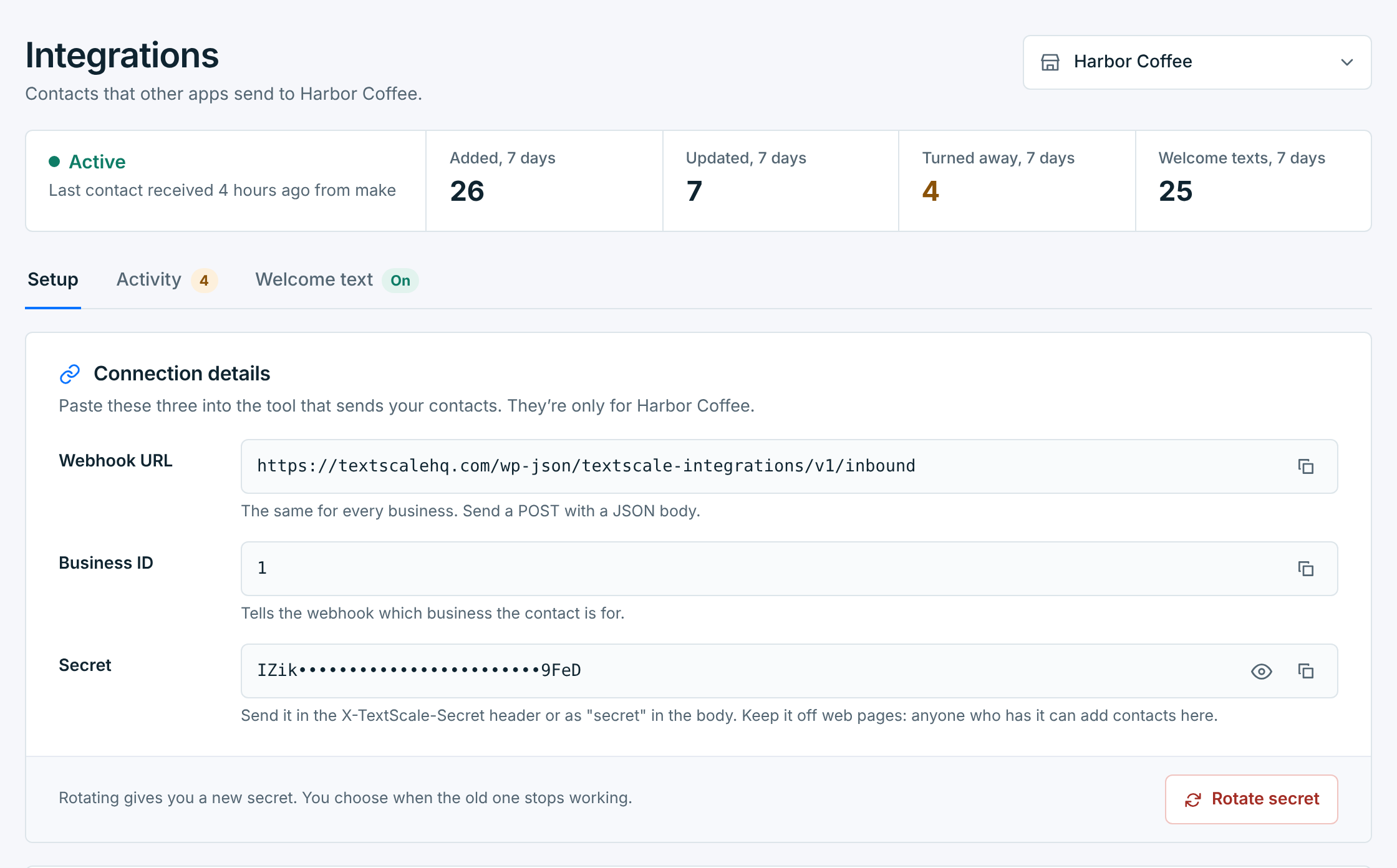
| Detail | What it’s for |
|---|---|
Webhook URL |
Where your app sends each contact, as a POST with a JSON body. The same for every business. |
Business ID |
Which business the contact is for. Send it as business_id. |
Secret |
Proves the request comes from you. Hidden until you click the eye; the copy button copies it without showing it. |
Each business has its own secret, so a secret that leaks only affects its own business. Keep it out of web pages and anything a visitor’s browser can see: anyone who has it can add contacts.
What to send#
One contact per request, as JSON, with a Content-Type of application/json. Fields you can send, under Test it, lists them:
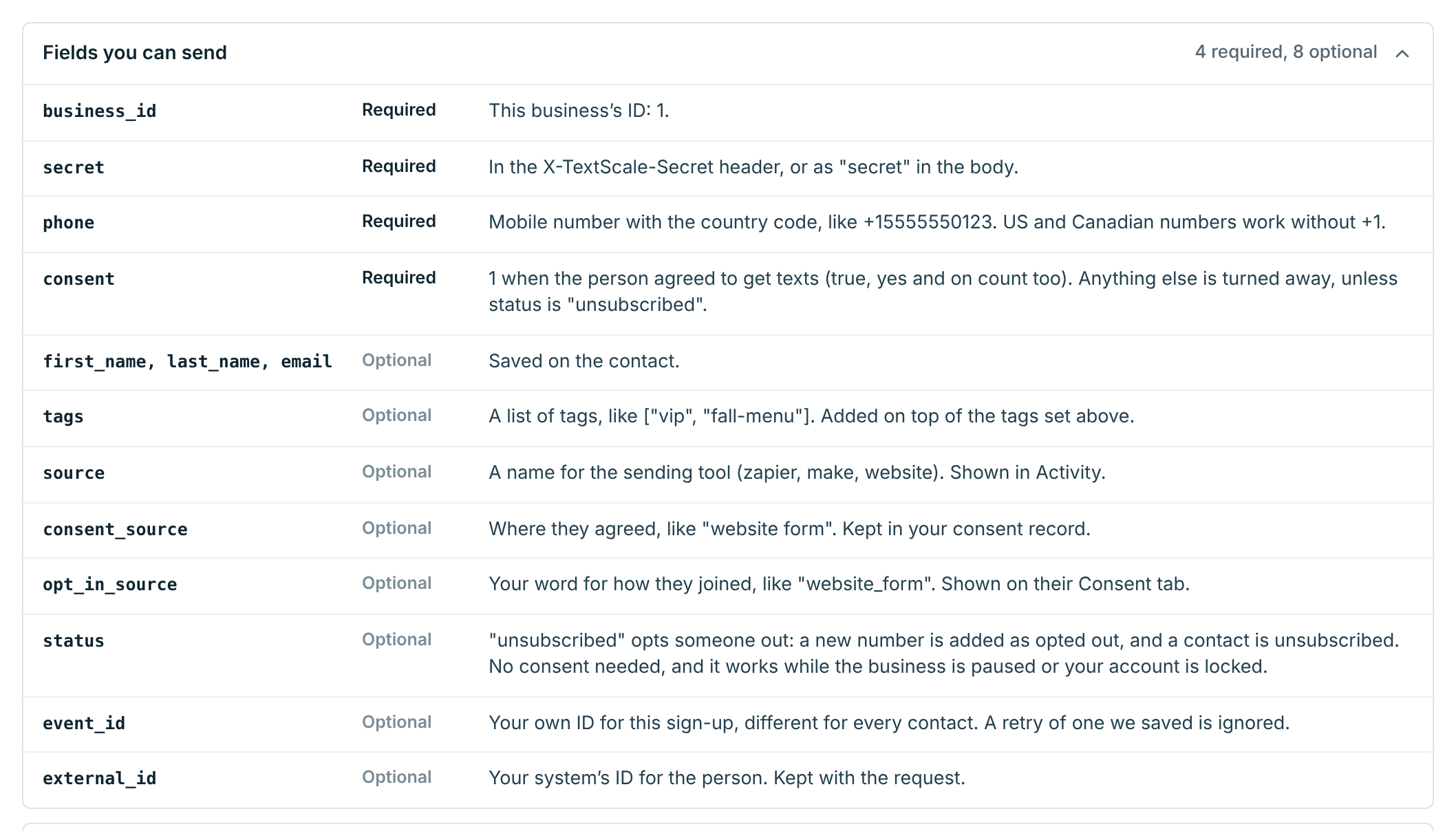
| Field | Description |
|---|---|
business_idRequired |
The business’s ID, from Connection details. |
secretRequired |
In the X-TextScale-Secret header (best), or as "secret" in the body. See The secret. |
phoneRequired |
The mobile number with its country code, like +12075550123. US and Canadian numbers also work without the +1, with or without spaces, dashes and brackets. |
consentRequired |
1 when the person agreed to get texts (true, yes and on count too). Anything else, or nothing, and they aren’t added. Not needed with "status": "unsubscribed". |
first_name, last_name, emailOptional |
Saved on the contact. |
tagsOptional |
A list like ["VIP", "Pastry box"], or one string separated by commas. See Tags. |
sourceOptional |
A name for the app that sends it, like zapier, make or website. Activity shows it and filters by it, so give each app its own. |
consent_sourceOptional |
Where they agreed, in your words, like website form or online order checkout. Kept in your consent record: worth sending. |
opt_in_sourceOptional |
Your word for how they joined, like website_form. It’s shown on their Consent tab; they still count as joined through Integrations. |
statusOptional |
unsubscribed to opt someone out, like a customer who unsubscribed in your shop. A new number is added as opted out, and a contact is unsubscribed. No consent is needed for it, and it works while the business is paused or your account is locked (then only the opt-out is saved, not the name, email or tags). Leave it out for sign-ups. |
event_idOptional |
Your own ID for this sign-up, different for every contact, like the form entry’s or order’s own ID. A retry of one we saved is ignored, so retries are safe. An opt-out is never taken for a retry of a sign-up, even with the same ID. If you don’t have one, leave it out. |
external_idOptional |
Your system’s ID for the person. Kept with the request. |
The sample request under Test it is filled in with the business’s ID and its default tags. Copy it and swap in your own values:
{
  "business_id": 1,
  "phone": "+12075550123",
  "first_name": "Jane",
  "last_name": "Doe",
  "email": "[email protected]",
  "consent": 1,
  "consent_source": "website form",
  "source": "website",
  "tags": ["online-order"]
}
Sending the same number again doesn’t add a second contact. It updates the one you have: new name or email, and any new tags. Their welcome text isn’t sent again. If you send an event_id, give the update a new one: the same one is taken for a repeat and ignored.
The secret#
Send it in a header:
X-TextScale-Secret: YOUR_SECRETA tool that can’t set headers can put "secret": "YOUR_SECRET" in the JSON body instead. The header is better: bodies end up in more logs.
Never put the secret in the URL. It isn’t read from there, because addresses are written to server and proxy logs in full.
Tags#
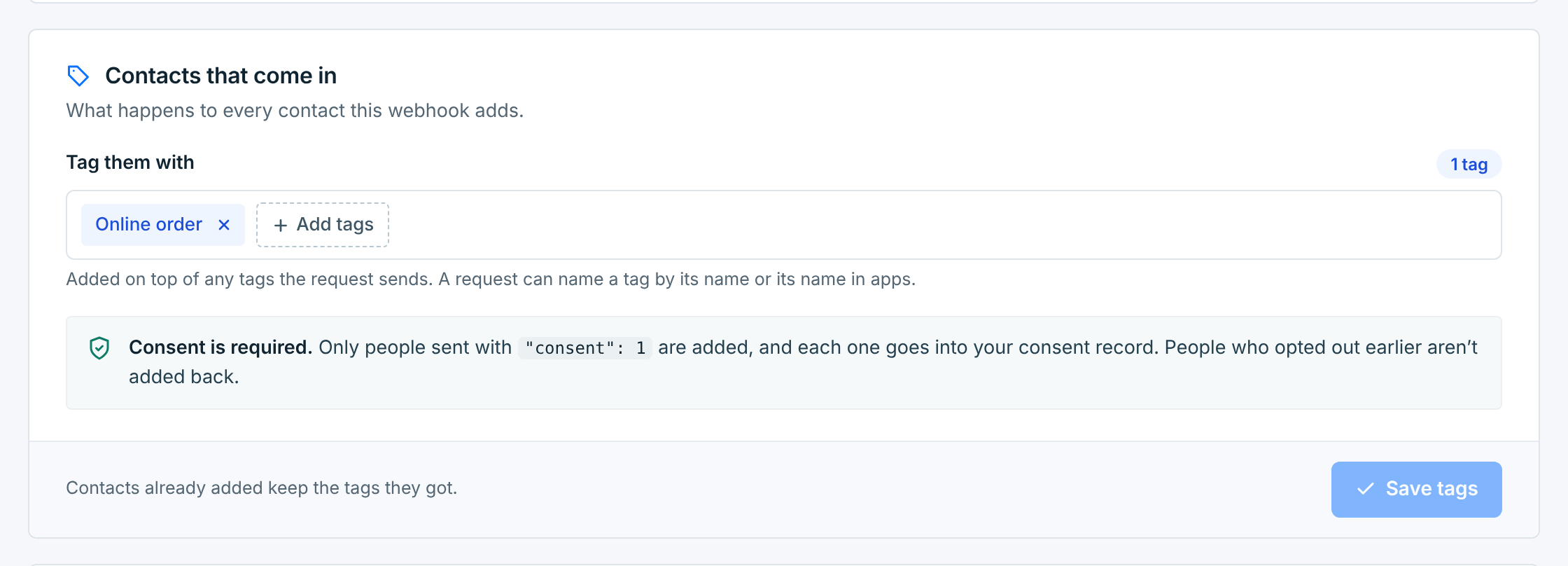
Contacts that come in sets the tags every contact from this webhook gets. Click Add tags, tick them, click Apply, then Save tags. Contacts already added keep the tags they got.
A request can name more tags in tags. They’re added on top of these. Each one can be the tag’s name, in any capitals, or its Name in apps from the tag’s page on Lists / Tags. After you rename a tag, both its new name and its name in apps work.
A tag the business doesn’t have isn’t made. The contact is still added without it, the answer ends with Tag not found: catering-list., and the request’s page in Activity says which one.
Test it#
Send a test contact sends the sample contact through your webhook with your real secret, and says what would have happened. Nothing is saved and no text goes out.
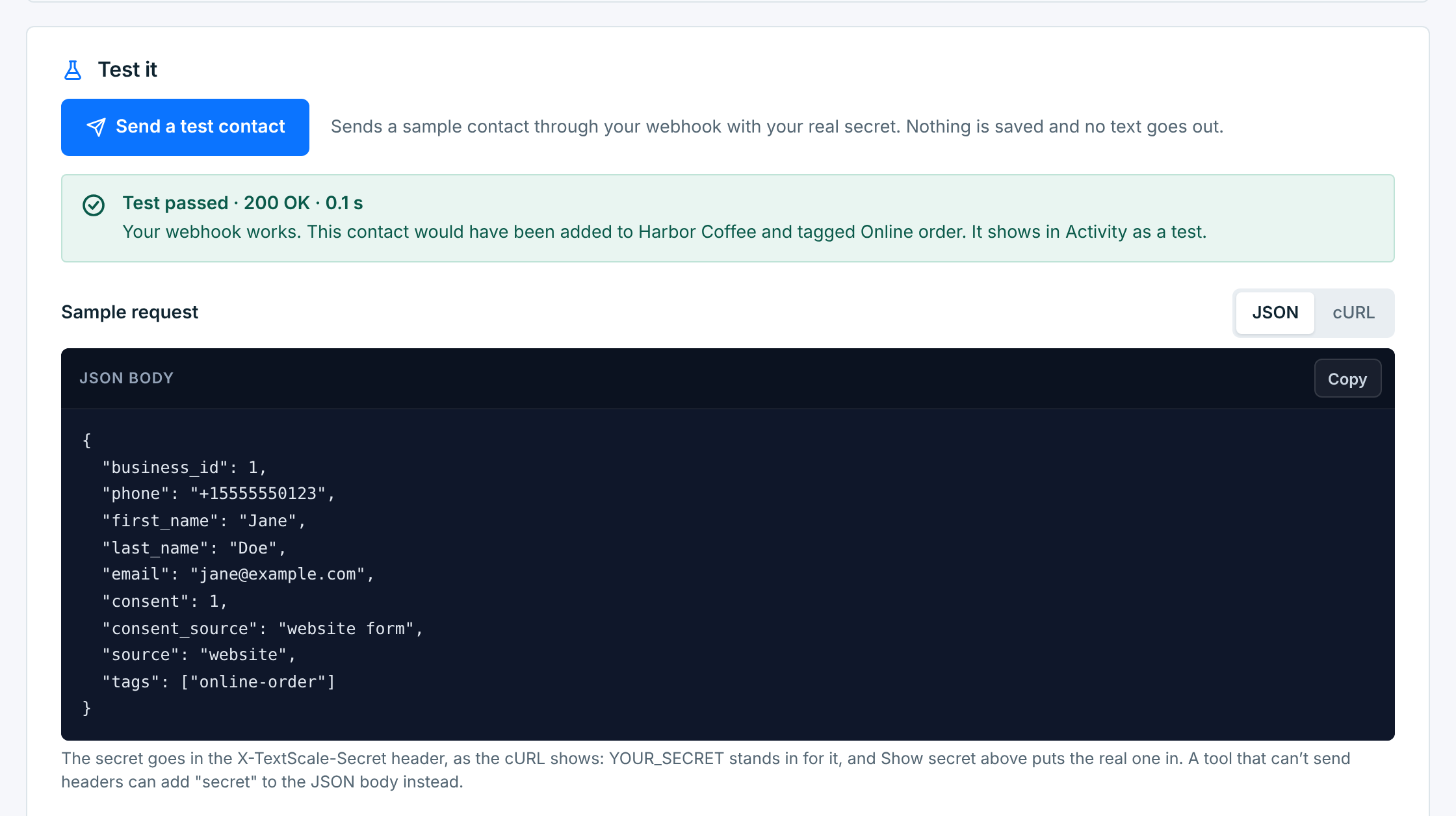
It shows in Activity as a test. To test from your own app, add the header X-TextScale-Test: 1 (or "textscale_test": 1 in the body): every check runs, and nothing is saved.
What the webhook answers#
Every answer is JSON with ok, a code and a message:
{"ok": true, "code": "created", "message": "Contact created."}Anything other than a 200 means nothing was saved, so have your app treat it as a failure. What the webhook answers, under Test it, lists them all:
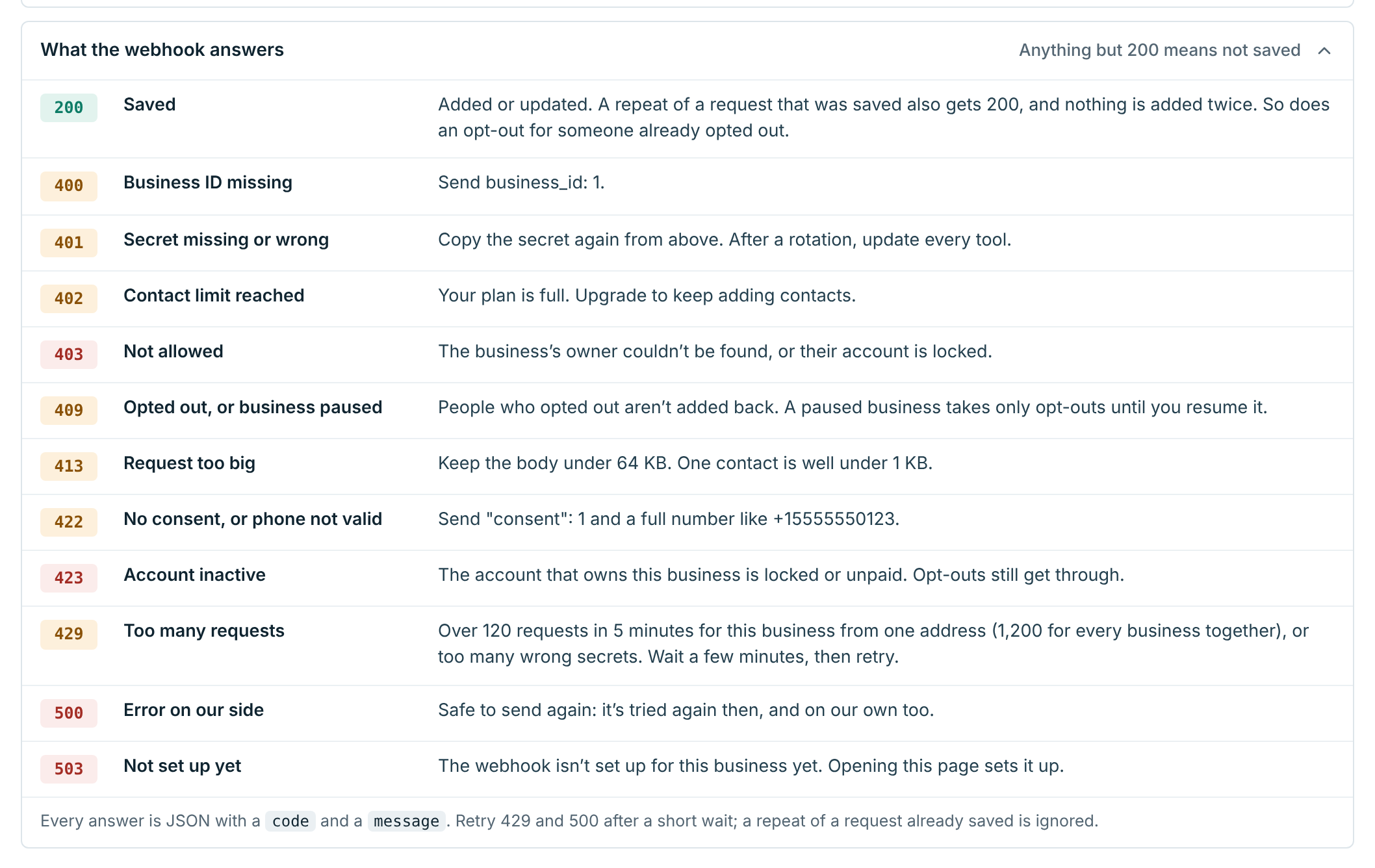
| Status | What it means |
|---|---|
200 |
Saved. created for a new contact, updated for one you had or one you’d deleted, already_unsubscribed for an opt-out of someone who had already opted out (nothing changes), duplicate for a repeat of a request we already have: the same event_id and number, already saved. |
400 |
The business ID is missing or wrong, or the body isn’t valid JSON (invalid_json; usually a missing quote around a mapped value). |
401 |
The secret is missing or wrong. |
402 |
Your plan’s contact limit is full. |
403 |
The business’s owner couldn’t be found. |
409 |
The person opted out earlier, or the business is paused or being deleted. Opt-outs still get through. |
413 |
The request is over 64 KB. One contact is well under 1 KB. |
422 |
No consent was sent, or the phone number isn’t valid. |
423 |
The account that owns the business is locked or unpaid. Opt-outs still get through. |
429 |
Too many requests. Wait a few minutes, then send it again. |
500 |
Something failed on our side. Safe to send again: it’s tried again then, and we try again on our own too. |
503 |
The webhook isn’t set up for this business yet. Opening its Setup tab sets it up. |
A 422, 409 or 401 won’t fix itself: the request or the person’s choice has to change. Once it’s fixed, send it again, with the same event_id or without one. A 429 or 500 is worth sending again. Activity has the same answer for every request it can tie to your business, with what to do about it. It can’t list a body that isn’t valid JSON, a missing or wrong business ID, a request over 64 KB, or too many at once (429). See Why a contact is turned away.
Rotate the secret#
Rotate it if it was shared somewhere it shouldn’t be, someone who had it has left, or it’s in a tool you don’t use any more. Click Rotate secret:
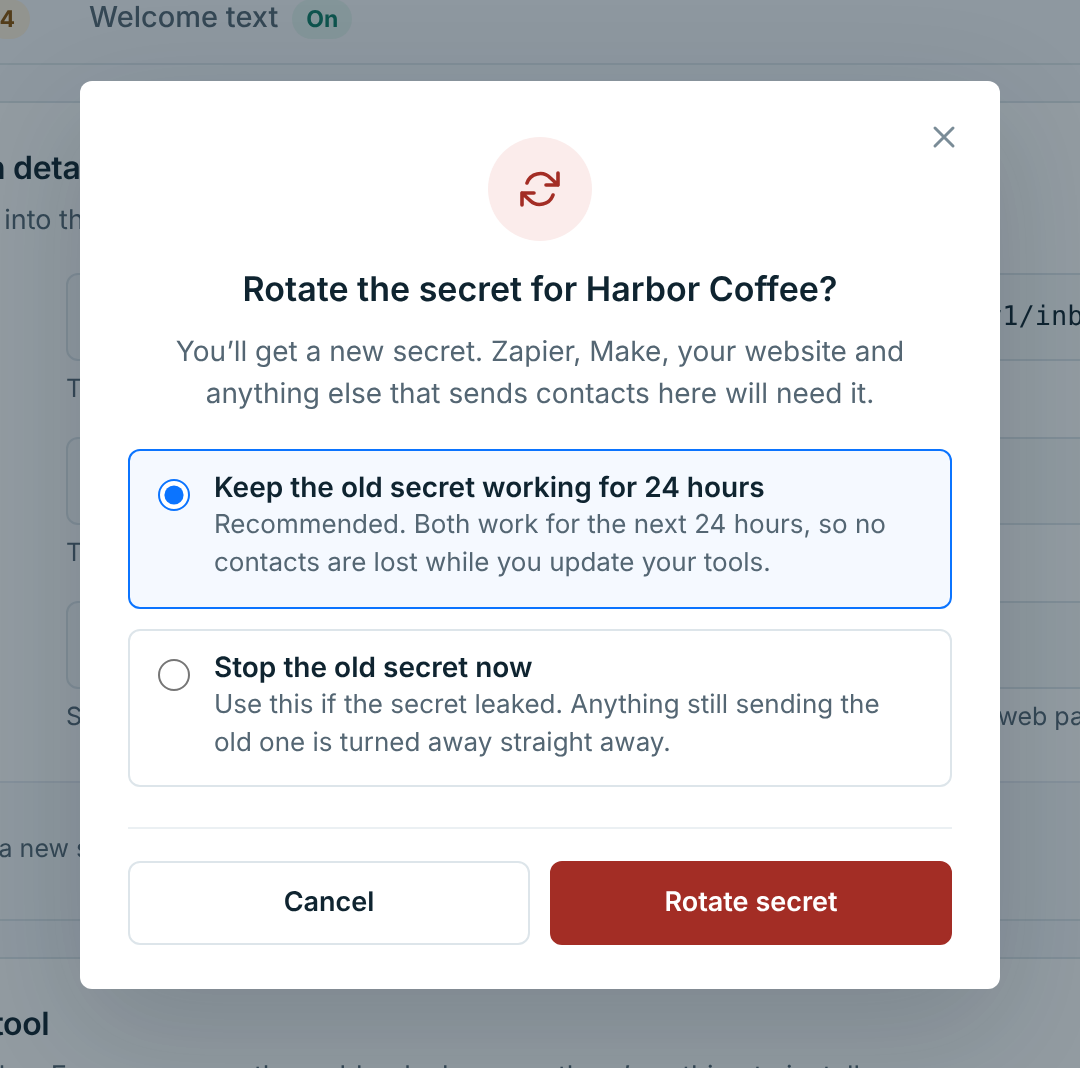
- Keep the old secret working for 24 hours gives you a day to paste the new one into every app. Both work until then.
- Stop the old secret now is for a secret that leaked. Anything still sending the old one is turned away straight away.
With the old one still working, Connection details says until when, and whether anything has sent it since:
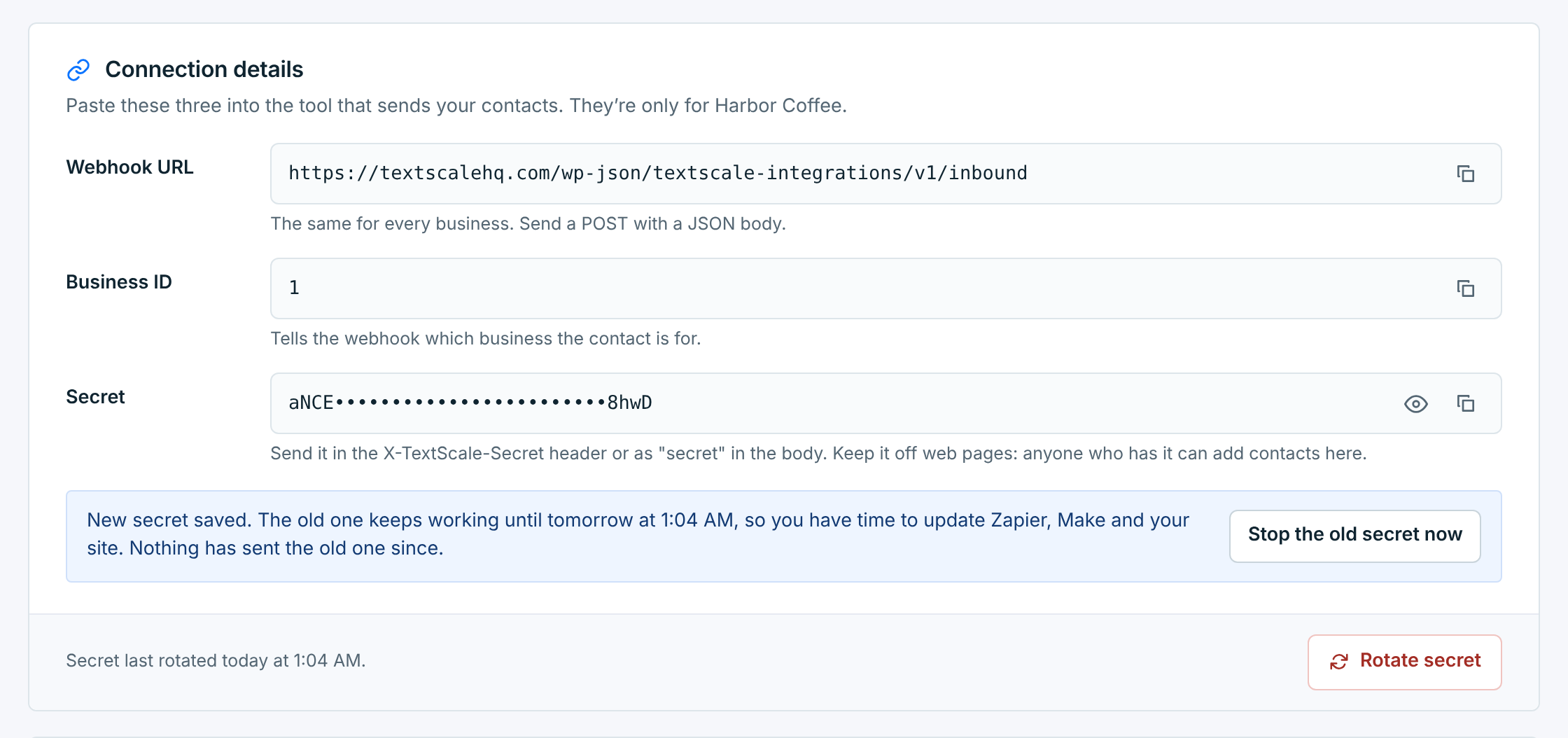
Once every app has the new one, Stop the old secret now ends it early. An app still sending the old secret after that has its contacts turned away, and the webhook shows as needing attention.
Contacts turned away while an app has the wrong secret aren’t saved for later. Once it’s fixed, send them again, or import them.
Limits#
From one address, the webhook takes up to 120 requests in 5 minutes for a business, and 1,200 for all businesses together. Many wrong secrets in a row block that address for a while too. Past that, requests get a 429. Zapier and Make send from shared addresses, so each customer’s own traffic counts on its own. If you’re sending a large backlog, spread it out, or import it as a CSV.