Change or cancel your plan
Upgrade, downgrade or cancel, what changes when, and starting again after your plan ends.
Move to a bigger or smaller plan, or cancel, from Account in the sidebar. This guide covers each, what changes when, and starting again after a plan has ended. For the plans themselves, see Your plan and trial.
Change your plan#
On Plan & usage, press Change plan. Your plan is marked Current plan.
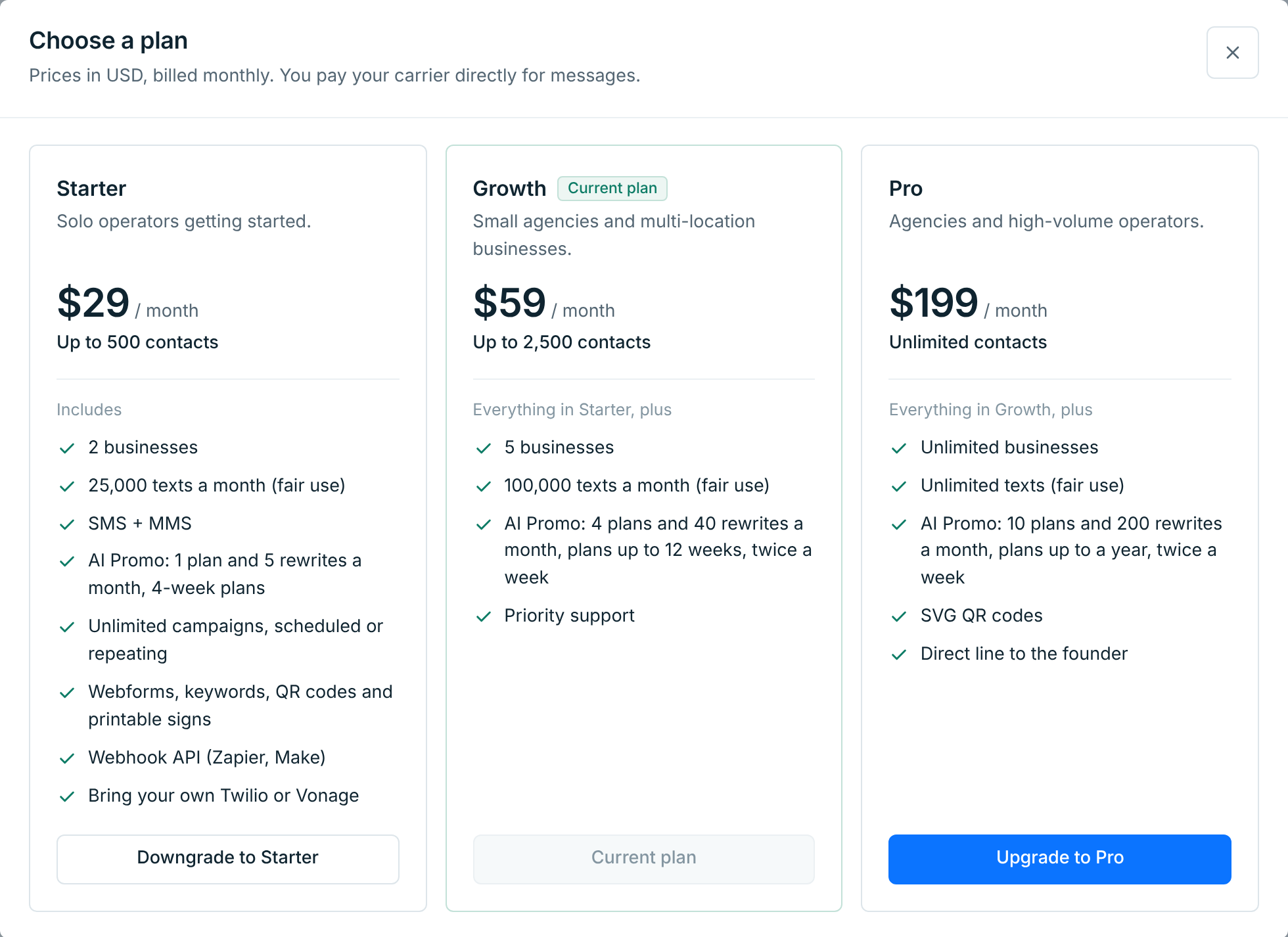
Upgrade#
Press Upgrade to the plan you want, and confirm. The change happens straight away, bigger limits included. You pay the difference for the rest of this billing period on your next invoice, and your billing date stays the same. An upgrade also drops a downgrade you had scheduled.
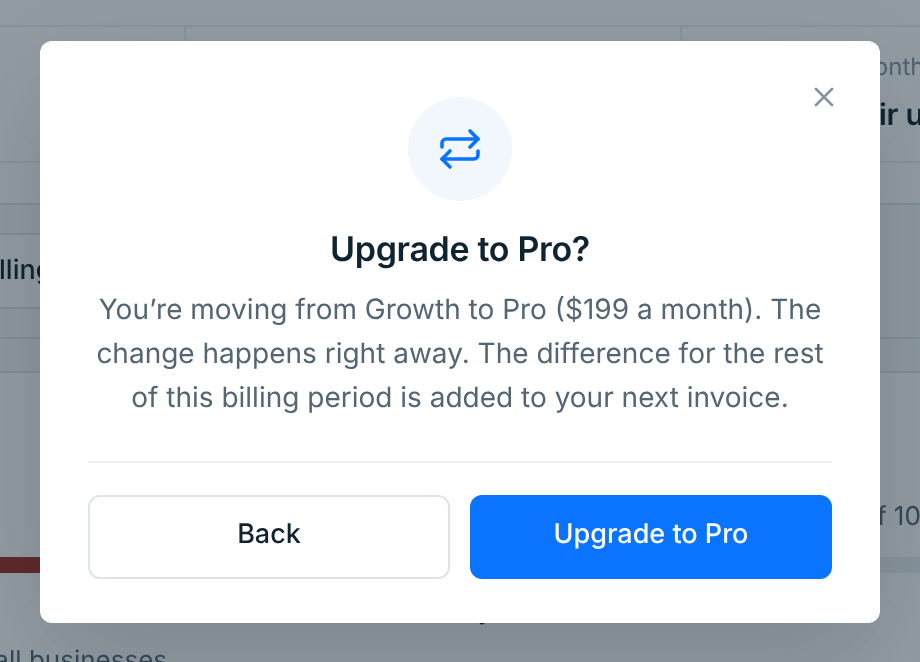
Downgrade#
Press Downgrade to the plan you want. A downgrade happens when your current billing period ends, and you keep your plan until then.
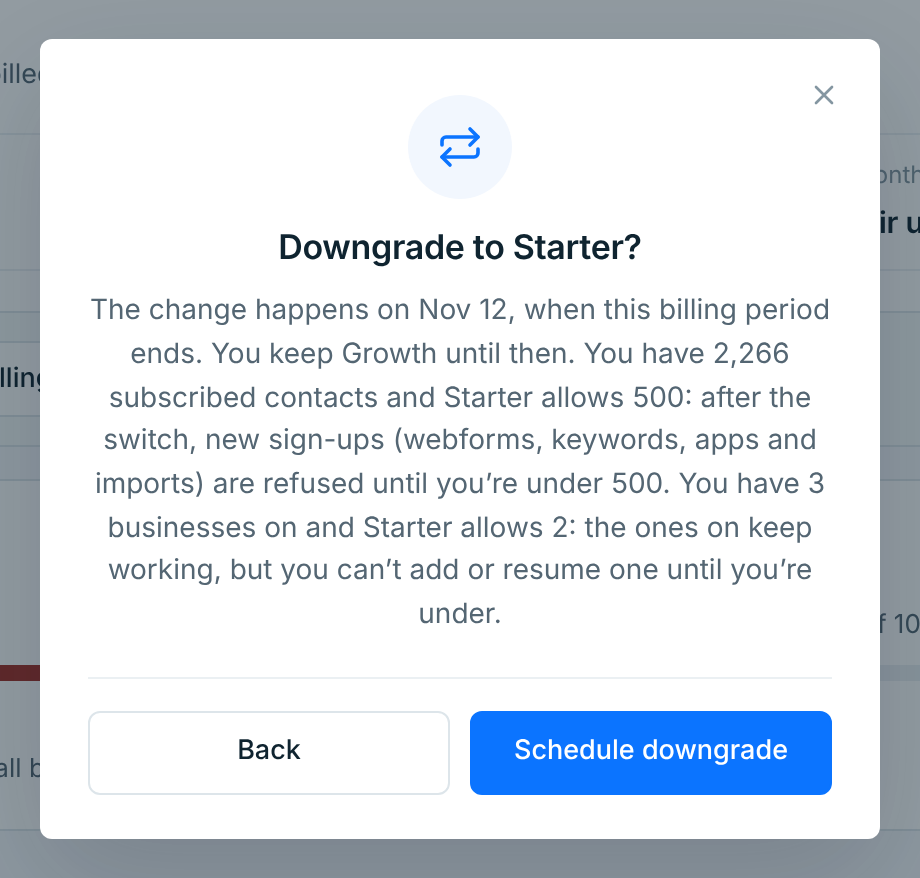
If you’re using more than the smaller plan allows, the dialog says what happens after the switch:
- More contacts than it allows: new sign-ups (webforms, keywords, apps and imports) are turned away until you’re under its limit. Nobody is removed, and everyone subscribed keeps getting your texts.
- More businesses on than it allows: the ones on keep working, but you can’t add or resume one until you’re under its limit.
Press Schedule downgrade. The plan card says when it happens.
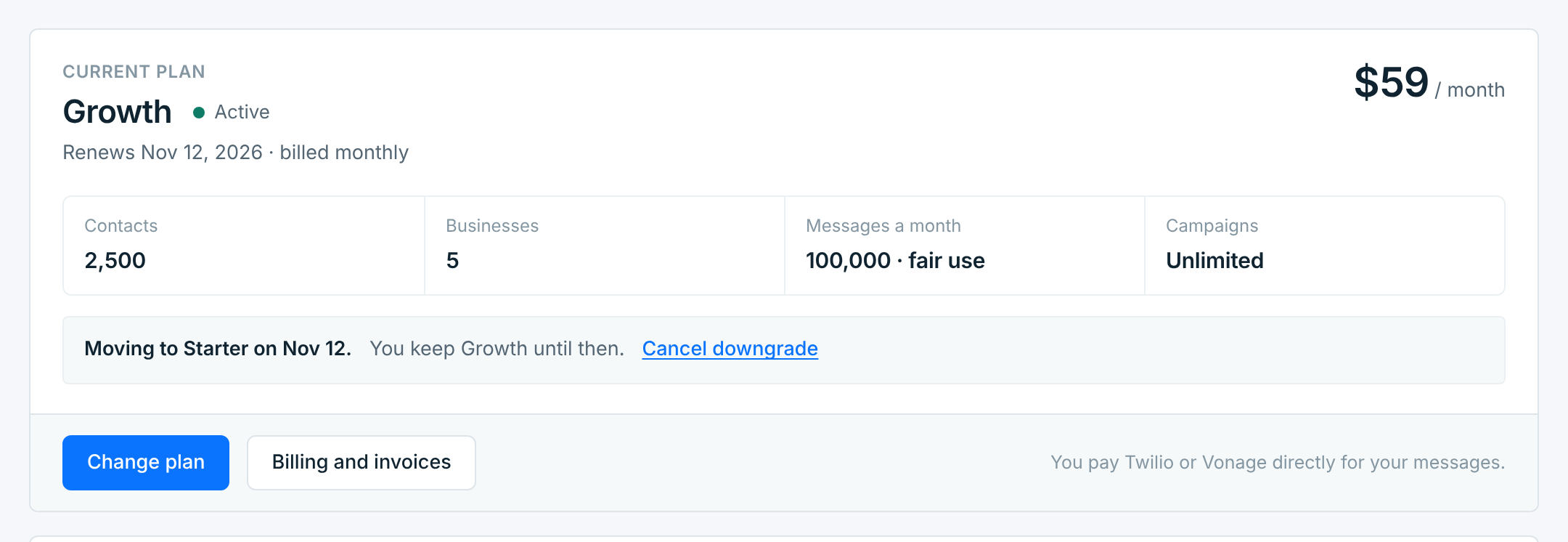
Changed your mind? Press Cancel downgrade, then Cancel downgrade again in the dialog, and nothing changes on that date. Only one downgrade can be scheduled at a time: to pick a different plan, cancel this one first.
Rarely, Stripe doesn’t get the change in time. Your plan then renews as before and carries on, and the bell and an email say so. Pick the plan again if you still want it.
During your free trial#
If you’ve picked a plan in your trial, a change happens straight away, up or down, and nothing is charged until the trial ends. From then you pay the new plan’s price. AI Promo keeps Starter’s allowance until the trial ends.
When you can’t change plans#
The plans say Not available right now:
- while a payment hasn’t gone through. Update your card first; see Payments and invoices.
- while your plan is set to end. Resume it first (below).
Have the Founding rate? Your $10 off goes with you to any plan, for as long as your plan runs: Starter is $19, Growth $49 and Pro $189 a month. The dialog shows your price before you confirm. If your plan ends, the Founding rate ends with it.
Cancel#
On Billing, press Cancel subscription.
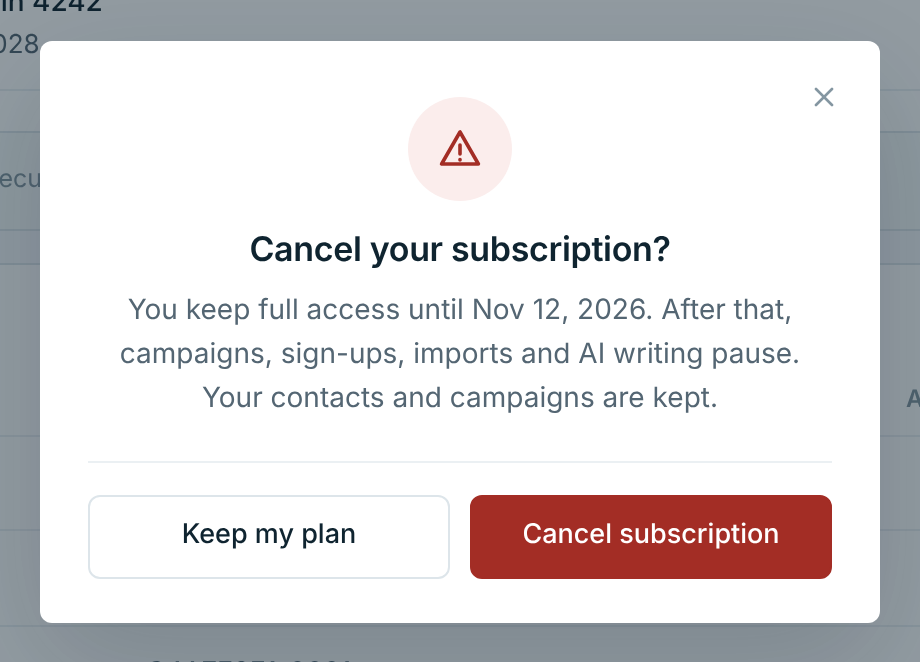
Your plan runs to the end of the period you’ve paid for, and you aren’t charged again. Until then everything works as before. If you upgraded during this period, the difference from the upgrade is still charged on the end date, and nothing after that.
The notice at the top of Plan & usage and the plan card say when your plan ends, and we email you to confirm.
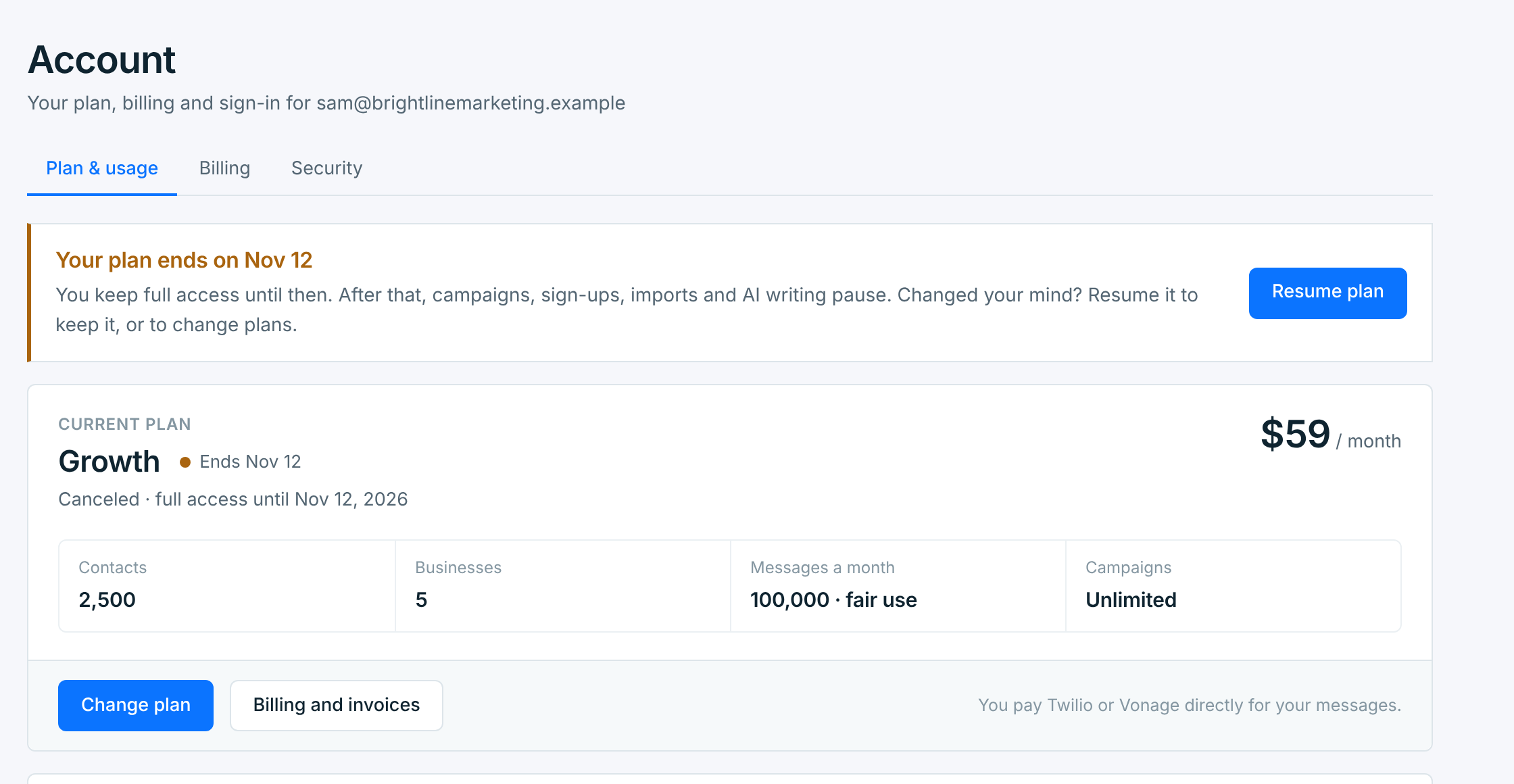
When it ends, the account is locked the same way as when a free trial ends: campaigns, sign-ups, imports and AI writing pause, and your contacts and campaigns are kept. See Your plan and trial for what stops and what keeps working.
You can also cancel from Stripe’s billing portal (Open the billing portal, on Billing). It cancels at the end of the period, the same way. While a payment is failing, the portal isn’t offered: use Cancel now on Billing instead (below).
Changed your mind?#
Before the end date, press Resume plan, on the notice or on Billing. Your plan carries on as before, with the same billing date. A downgrade you had scheduled before you canceled is back on too.
Canceling during the free trial#
Cancel a plan you picked in the trial and you aren’t charged at all. The trial carries on to its end date. After that, the account is locked until you choose a plan. Resume plan works here too, until the trial ends.
A payment that didn’t go through#
While a payment is failing, Billing offers Cancel now instead: your plan ends that day, and nothing more is charged. See Payments and invoices.
Start again after your plan ends#
Press Reactivate on the banner, or Choose a plan on Account, and pick a plan: Choose Growth (or the plan you want), then Continue to checkout. You pay on Stripe’s checkout page. Your card is charged that day, and that becomes your billing date each month.
Sending, sign-ups, imports and AI writing start again straight away. Your businesses, contacts and campaigns are as you left them. A campaign that was blocked while the account was locked doesn’t go out on its own: send it now or schedule it again.
Canceling doesn’t delete anything. To close the account and remove everything in it, see Delete your account.