Replies, STOP and HELP
Make sure replies reach us, what STOP does, and set up your HELP reply on Twilio or Vonage.
Carriers require two replies to work on every number you text from: STOP, so people can opt out, and HELP, so they can find out who you are. TextScaleHQ handles both, as long as your numbers’ replies reach us. This guide covers how to check that they do, what STOP does, and how to set up your HELP reply.
Where replies go#
When you connect Twilio or Vonage, we point every number on the account at the business’s own reply address. You don’t paste anything into your carrier console. The numbers table in Messaging Setup → Numbers shows, for each number, its registration, its HELP reply and whether its replies reach us:
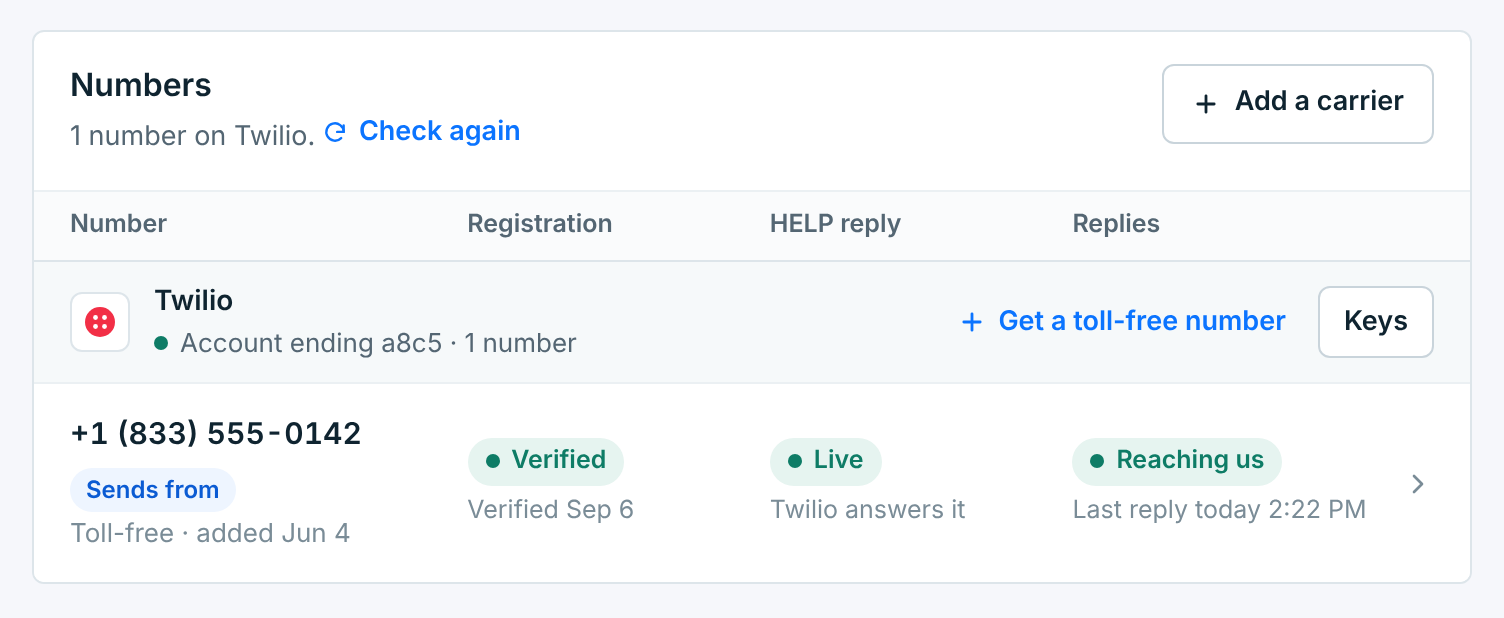
| Replies | What it means |
|---|---|
Reaching us |
Replies arrive and pass the check, with the time of the last one. STOP and HELP are handled. |
None yet |
Pointed at us, but nobody has replied yet. Text HELP to the number from your own phone to check. |
Set by you |
You chose to point the number yourself (More settings on Connection), so we leave it alone. Text HELP to it to check. |
Not pointed yetNot pointed |
Its replies, STOP included, still go wherever your carrier had them set. Click Point it at us. If we couldn’t, the reason shows next to it. |
Rejected |
Replies arrive, but the saved keys don’t work, so we can’t tell they came from your carrier. A STOP is rejected and the person stays subscribed. Fix the keys on Connection straight away. |
STOP#
When someone replies with one of these words on its own, in any capitals, with or without punctuation or a “please”, they are opted out straight away:
STOP, STOPALL, STOP ALL, UNSUBSCRIBE, CANCEL, END, QUIT, OPTOUT, OPT OUT, REVOKE
STOP, UNSUBSCRIBE, OPT OUT (or opt-out) and REVOKE count anywhere in a reply too, so “Please stop texting me” and “Unsubscribe me” opt people out, though “stop by”, “stop in” and “stop over” don’t unless the reply also mentions texts or messages. CANCEL, END and QUIT only count on their own. See Opt-outs, STOP and START.
- Per business. They are opted out of the business that texted them. Your other businesses keep them, if they are subscribed there.
- Every number. A STOP to any of the business’s numbers counts, not only the one that sends.
- Even while paused. STOP is still recorded when a business is paused, so nobody who opts out gets texted later.
- Kept for 4 years. Opt-outs are kept even if you delete the business, so the same person stays opted out if you send from that number again from this account.
To come back, they text START or UNSTOP to the same number. On a local number, YES works too.
HELP#
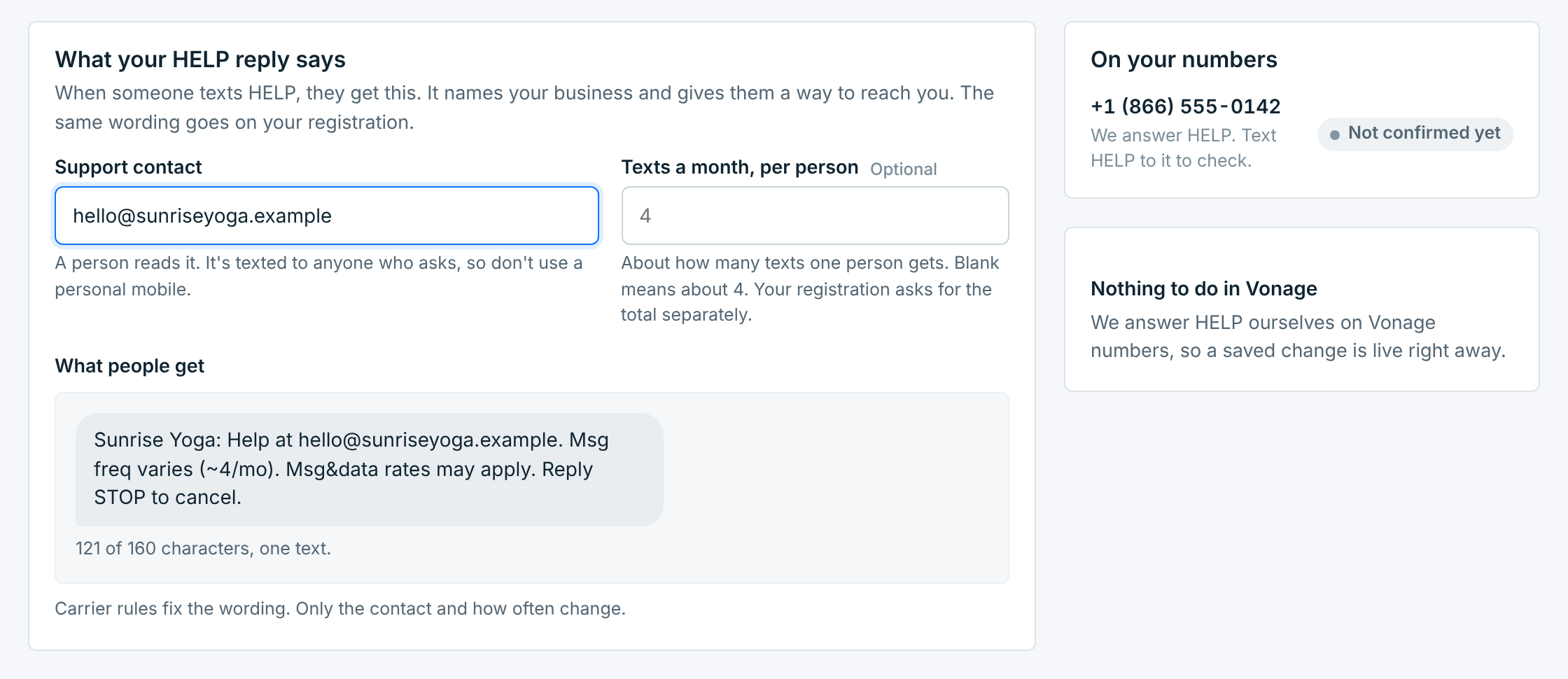
When someone texts HELP, they get a short reply that names your business and says how to reach you. The wording is set by carrier rules; you choose the contact and how often you text. Open Messaging Setup → HELP reply:
| Field | Description |
|---|---|
Support contactRequired |
An email or a phone number. A person reads it, and it’s texted to anyone who asks, so don’t use a personal mobile. Without one the reply has nowhere to send people, and the number shows Needs a contact. |
Texts a month, per personOptional |
About how many texts one person gets. Blank means about 4. Your registration asks for the total separately. |
What people get previews the reply as you type, with its length. It has to fit in one text of 160 characters. The same wording goes on your toll-free registration, and carriers check it.
Who sends the reply depends on the carrier, and the On your numbers panel shows the status of each number.
On Vonage: we answer HELP#
There is nothing to do in Vonage. Save your changes and the new reply is live right away. The number shows Not confirmed yet until someone texts HELP to it, then Live. Text HELP to it from your own phone to check.
Everyone who texts HELP or INFO gets it, even someone who opted out, and even while the business is paused.
If Vonage refuses to send a reply, the number shows Last reply didn’t go out, with Vonage’s reason.
On Twilio: set it once in Twilio#
Twilio answers HELP itself and doesn’t let apps change the reply, us included. You set it once in your Twilio Console and it keeps working. Until you do, the number shows Not set up, and the HELP reply tab walks you through it:
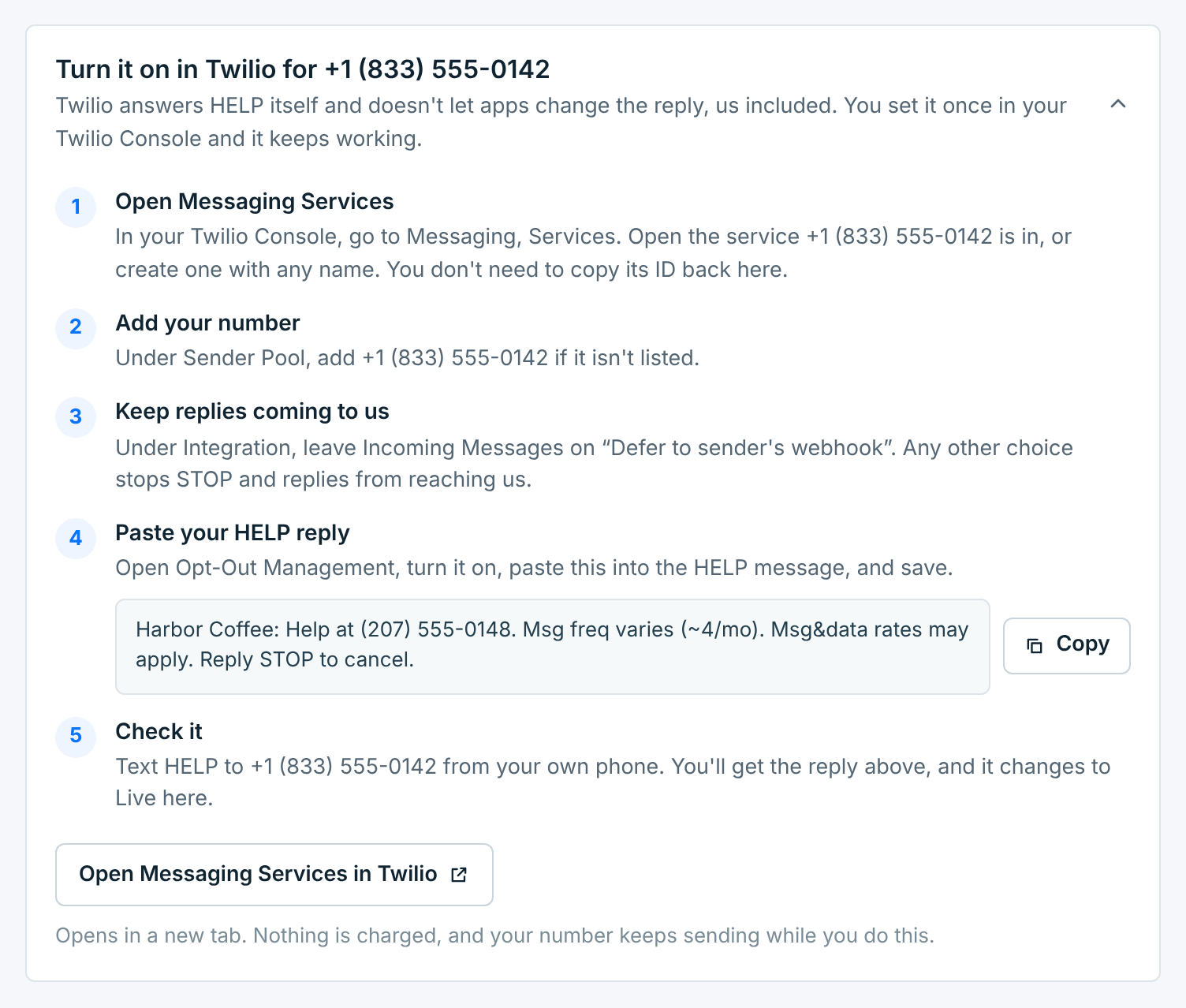
- Open Messaging Services in your Twilio Console. Open the service your number is in, or create one with any name. You don’t need to copy its ID back here.
- Add your number under Sender Pool, if it isn’t listed.
- Keep replies coming to us. Under Integration, leave Incoming Messages on Defer to sender’s webhook. Any other choice stops STOP and replies from reaching us.
- Paste your HELP reply. Open Opt-Out Management, turn it on, paste the reply (the Copy button copies it as saved) into the HELP message, and save.
- Keep Twilio’s opt-in keywords. Leave them as they are (START, UNSTOP, YES). Don’t add your webform keywords there: Twilio would answer them as START.
- Check it. Text HELP to the number from your own phone. You get the reply, and the number changes to Live.
Nothing is charged, and the number keeps sending while you do this.
Change the contact or the wording later and Twilio still has the old reply: the number shows Out of date. Paste the new wording into Opt-Out Management again.
Check a number#
Click a number on Numbers to see all three on its page. When everything works, it reads like this:
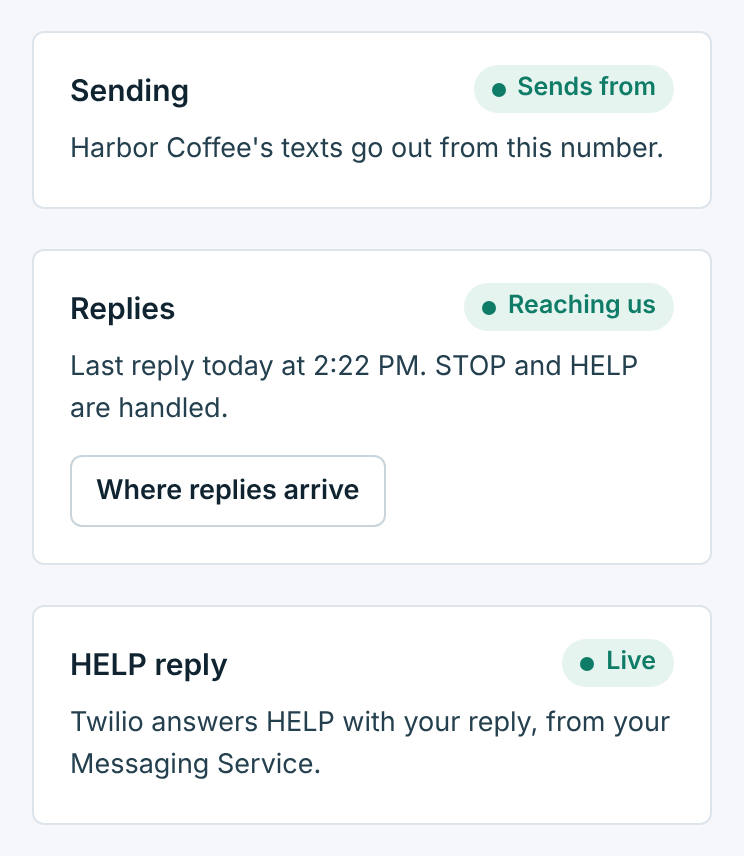
The quickest test of all: text HELP to the number from your own phone. If the reply comes back and the page says Reaching us and Live, STOP works too.