Edit, pause and delete a business
Change a business's details, pause it, and delete it with a 7-day wait or right away.
Everything about a business is changed from its own page: its details, its client contact, and pausing or deleting it. Open Businesses and click the business, or pick Edit details from its … menu.
Details and client contact#
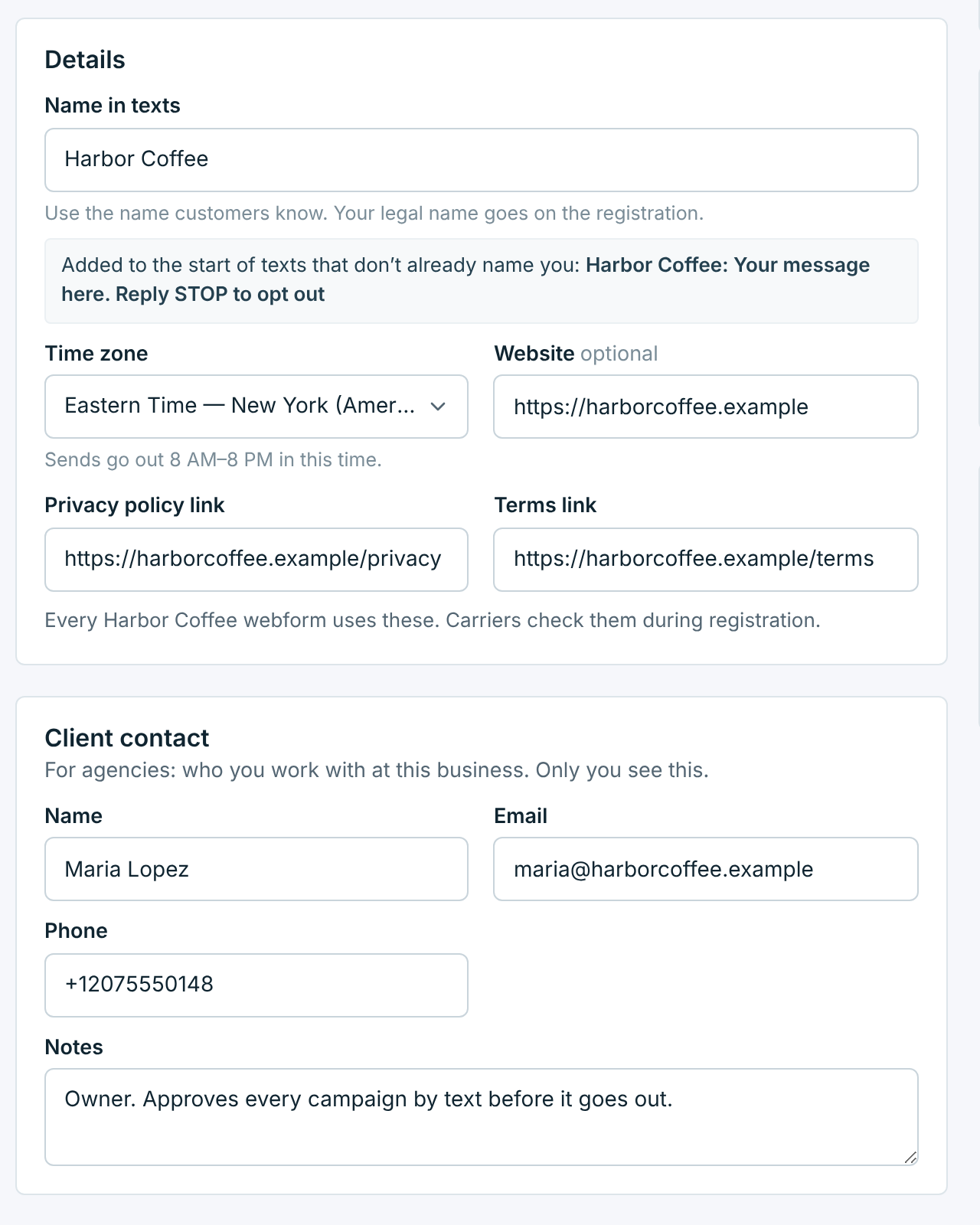
| Field | Description |
|---|---|
Name in texts |
Up to 40 characters, and different from your other businesses. It goes at the start of every text that doesn’t already mention it. |
Time zone |
Texts go out between 8 AM and 8 PM in this time zone. Changing it moves what’s coming up with it: see Changing the time zone. |
Website |
Optional. https:// links only. |
Privacy policy linkTerms link |
Every webform of this business shows these two links, and carriers check them when they review your registration. https:// links only. Change them here and every webform of the business, and your next registration, use the new links. |
Client contact |
For agencies: the name, email, phone and notes of the person you work with at this business. Only you see them. The Businesses search finds a business by its client’s name. |
As soon as you change something, an Unsaved changes bar appears with Discard and Save changes. Ctrl+S (⌘S on a Mac) saves too. If you try to leave with changes unsaved, you are asked first.
Changing the time zone#
Change a business’s time zone and what it has coming up keeps its clock time in the new one: a campaign scheduled for 9:00 AM still goes out at 9:00 AM, now 9:00 AM in the new time zone. That goes for its scheduled campaigns, its repeating campaigns, and its AI Promo messages, scheduled or waiting for review.
- Outside sending hours there. For a business in the US or Canada, a scheduled campaign whose time is now outside 8:00 AM to 7:30 PM moves on to the next 8:00 AM, the earliest a campaign can start. A repeating campaign keeps its time, and each send waits for 8:00 AM; edit it to pick a new time. AI Promo messages stay between 8:00 AM and 7:30 PM for every business: an earlier one moves to 8:00 AM, a later one back to 7:30 PM, the same day.
- Already passed there. A time that has already passed in the new time zone keeps its moment instead: the campaign goes out when it would have. So does anything due in the next few minutes.
- Not moved. Campaigns that are sending or about to start, drafts, blocked campaigns, and everything already sent.
The message after you save says what moved, for example: Saved. 1 scheduled send and 1 repeating campaign keep their clock times, now in Eastern Time. Check the times in Campaigns afterwards. See When texts go out for the sending hours.
Renaming a registered business#
Carriers expect the name at the start of your texts to match the name on your registration. Change the name of a business whose number is registered, and the form warns you before you save:
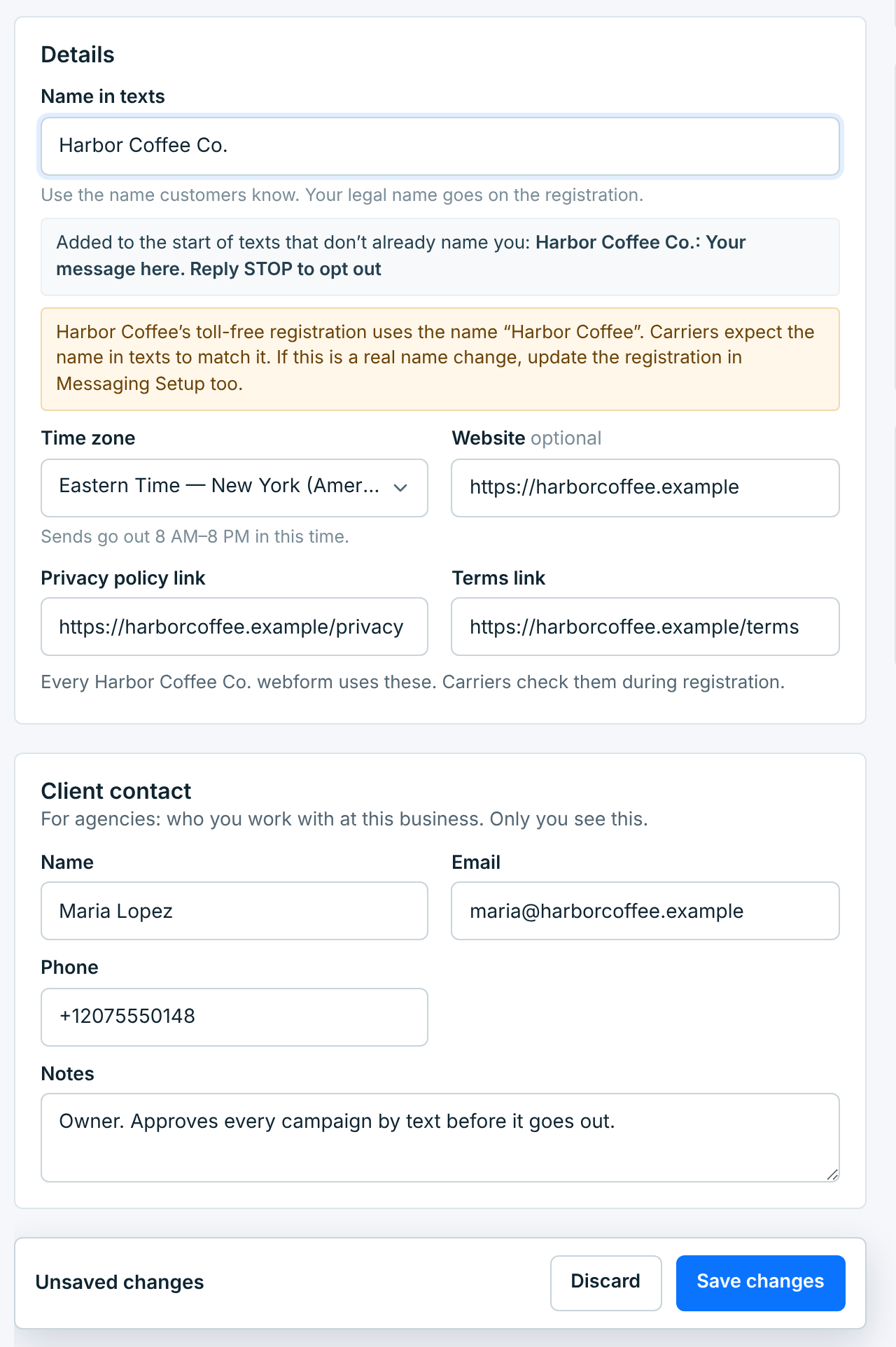
You can still save it; businesses do change names. If it is a real name change, update the registration in Messaging Setup too, so carriers see the same name in both places.
The new name shows everywhere in TextScaleHQ straight away, past campaigns and reports included. Texts that already went out keep the name they were sent with.
Pausing a business#
Pause a business you aren’t using for now: a client between seasons, a location that is closed. Nothing is deleted, and you can resume it at any time. Click Pause on its page (under Pause or delete) or in its … menu.
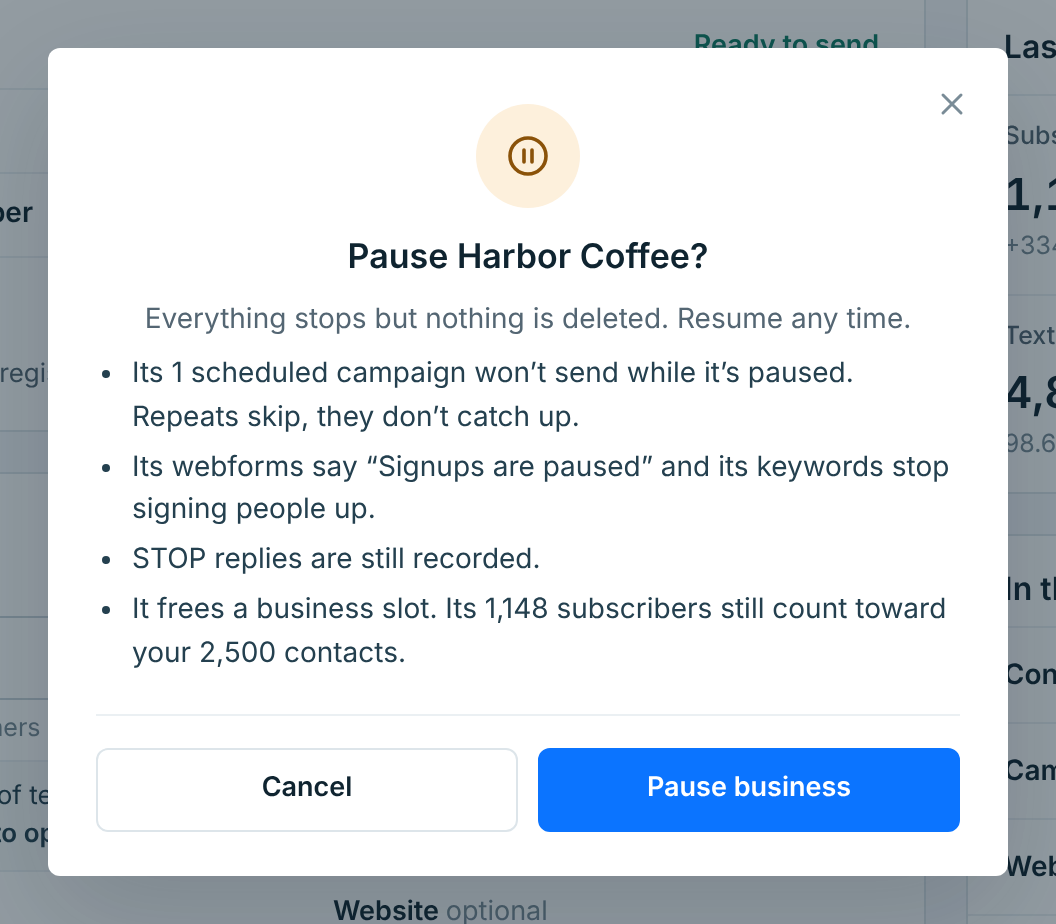
While a business is paused:
- nothing sends. A scheduled campaign whose time comes while the business is paused doesn’t go out (Campaigns marks it blocked, “Business is paused”), and repeating campaigns skip their runs; they don’t catch up when you resume;
- its webforms show “Signups are paused”, and its keywords stop signing people up. Links and printed QR codes keep working, they just say it is paused;
- STOP replies are still recorded, so nobody who opts out while it is paused gets texted later;
- it doesn’t use a business slot. Its subscribers still count toward your contact allowance.
Its page says when it was paused, with a Resume button:
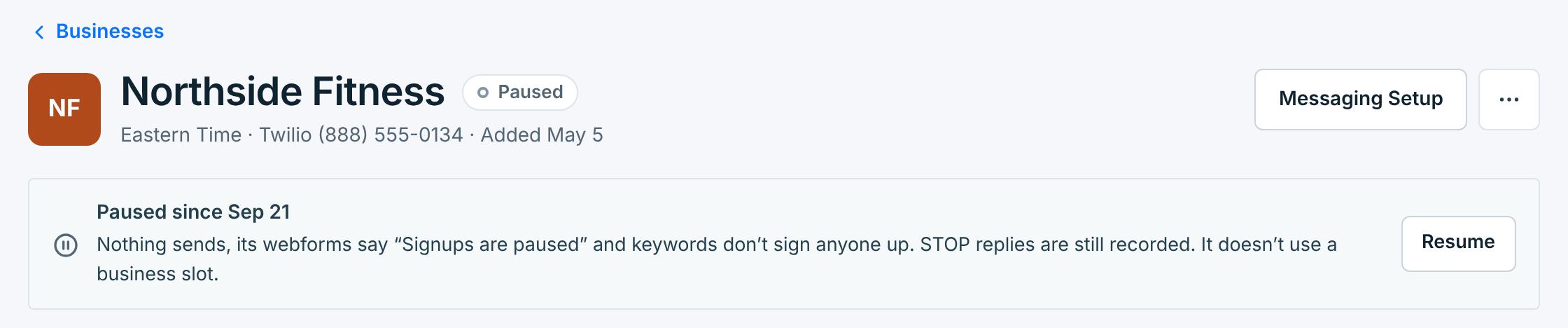
Resuming turns everything back on, and the business uses a slot again. If all your slots are in use, Resume says so; see Business slots and plan limits.
Deleting a business#
Delete a business you won’t need again. It doesn’t go at once: it is paused straight away and deleted 7 days later, so a mistake can be undone. Click Delete on its page or in its … menu.
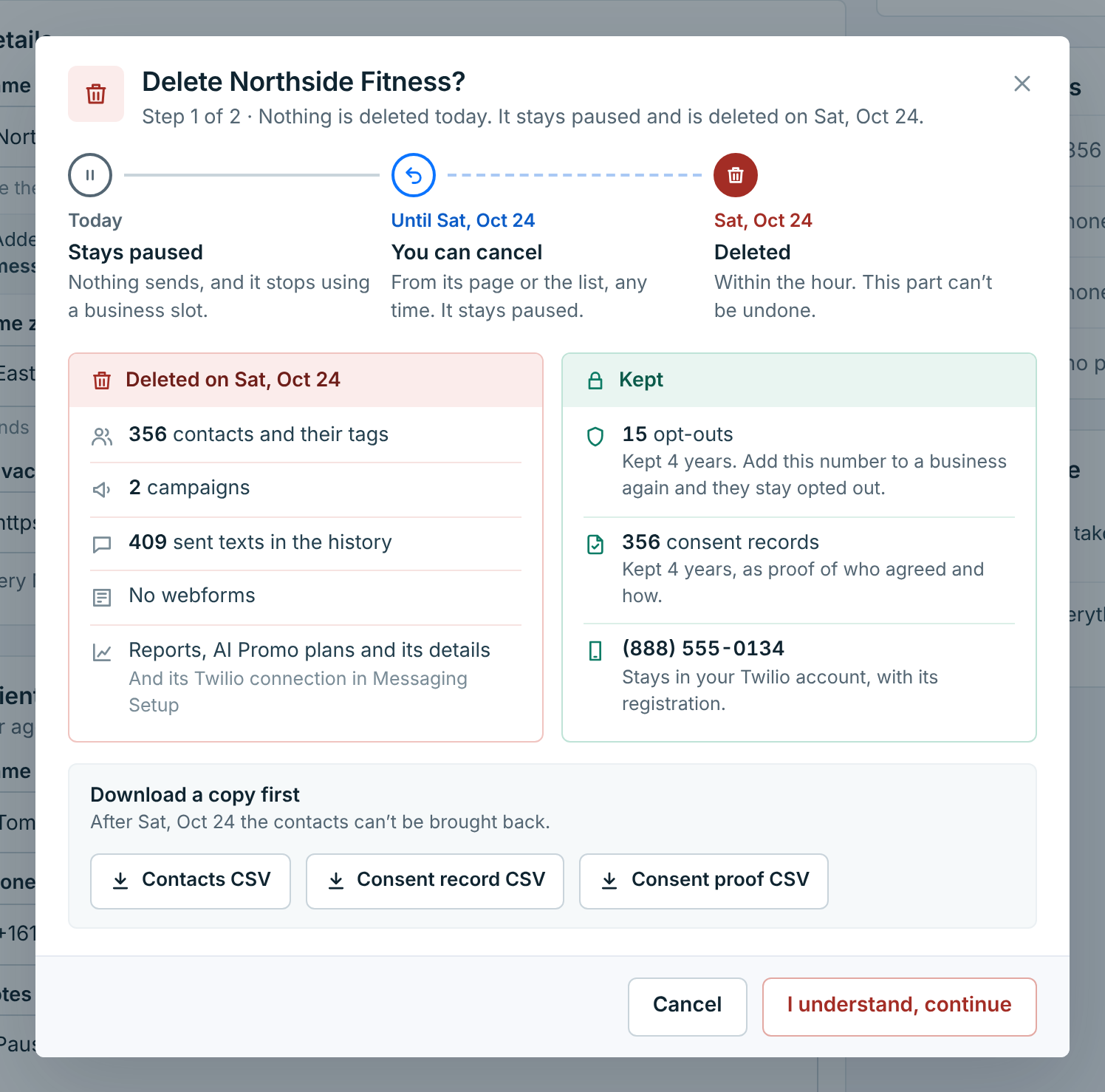
The first step lists exactly what goes and what stays, with the real numbers for this business:
| What | |
|---|---|
Deleted |
Its contacts and their tags, its campaigns and the history of texts it sent, its webforms (their links and QR codes stop working), its reports, AI Promo plans and details, and its carrier connection in Messaging Setup. |
Kept |
Its opt-outs, for 4 years. If you send from the same number again from this account, those people stay opted out. Its consent records, for 4 years, as proof of who agreed and how. Its phone number, which stays in your Twilio or Vonage account with its registration. |
Before you go on, Download a copy first gives you the contacts, the consent record and the consent proof as CSV files. After the business is deleted, its contacts can’t be brought back.
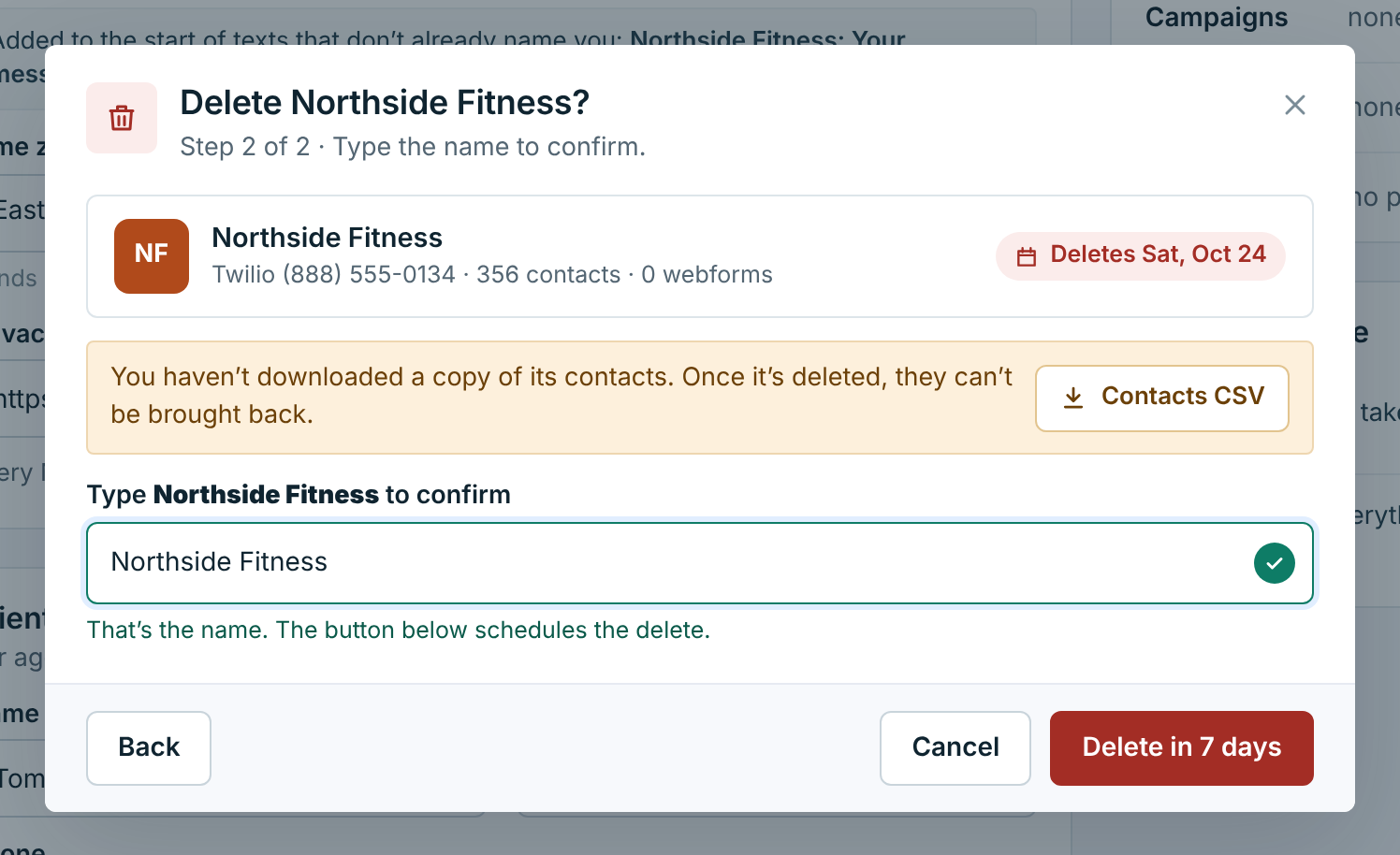
Click I understand, continue, type the business’s name to confirm, and click Delete in 7 days.
While it waits#
The business shows Deleting, with the date and the days left. It stays paused, so nothing sends and it doesn’t use a slot.
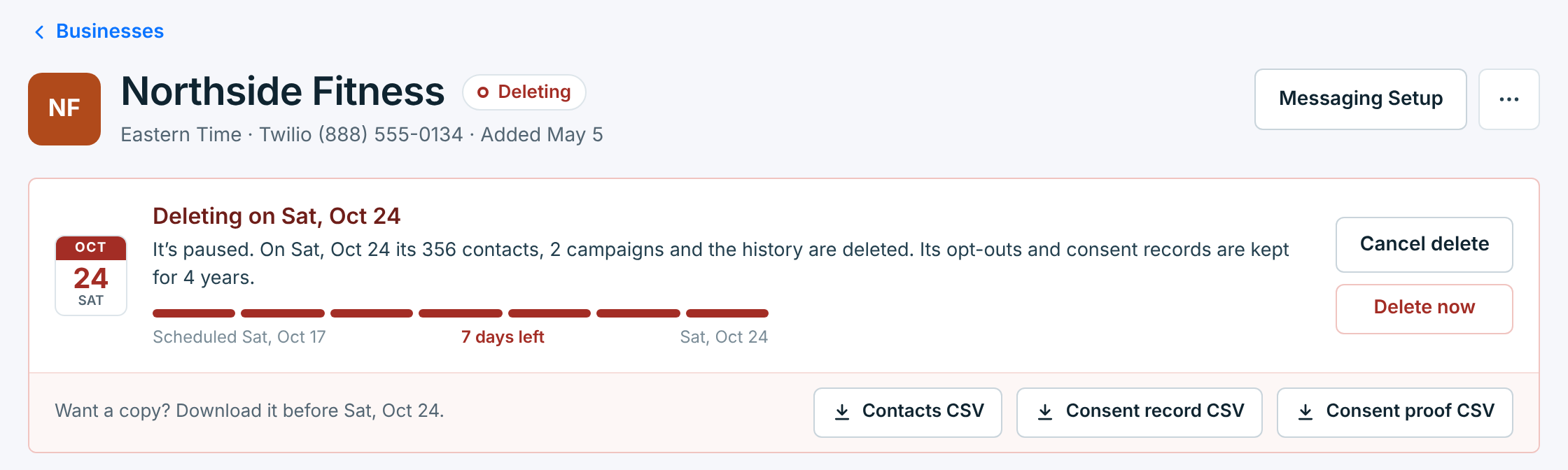
- Cancel delete keeps the business. It stays paused until you resume it.
- Contacts CSV, Consent record CSV and Consent proof CSV are still there if you didn’t download them.
- On the day, the business is deleted within the hour. From then on it can’t be canceled.
Deleting it now#
Don’t want to wait the 7 days? Delete now appears on a business that is waiting to be deleted. It asks once more, with the same counts and downloads, and you type the name again.
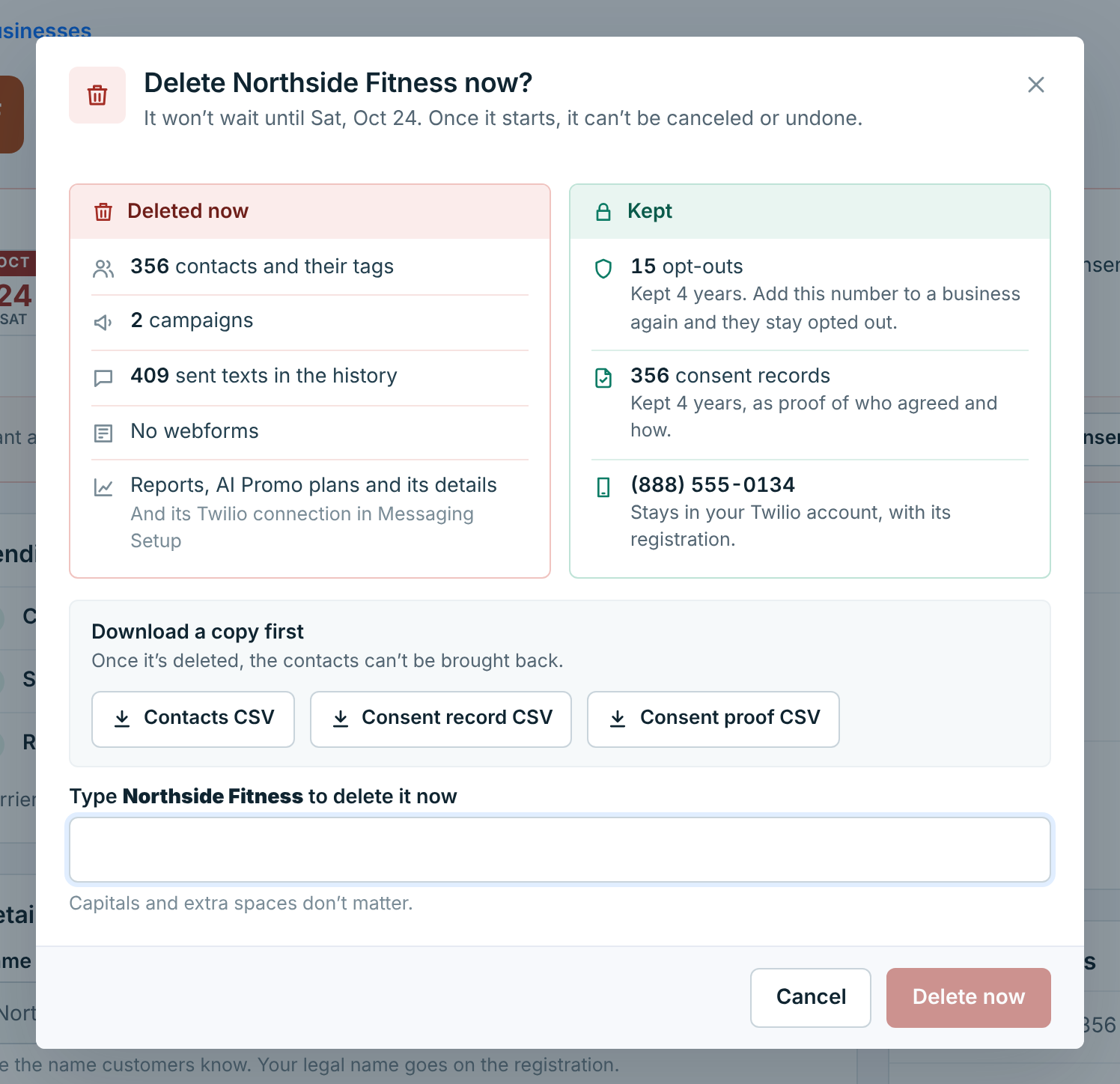
Delete now can’t be canceled or undone. The opt-outs and consent records are still kept for 4 years.
The dialog then follows the delete as it runs and ends on “was deleted”. You can close it at any time; the delete carries on, and the business disappears from the list when it is done.