Exports
Download the numbers behind Reports as spreadsheets, with costs, and what each one holds.
Export saves the numbers behind Reports as spreadsheets (CSV files), to open in Excel, Google Sheets or Numbers. Unlike the client report, exports are for you: they include costs and phone numbers.
Download one#
In Reports, pick the business and dates, then click Export and the one you want. It downloads straight away.
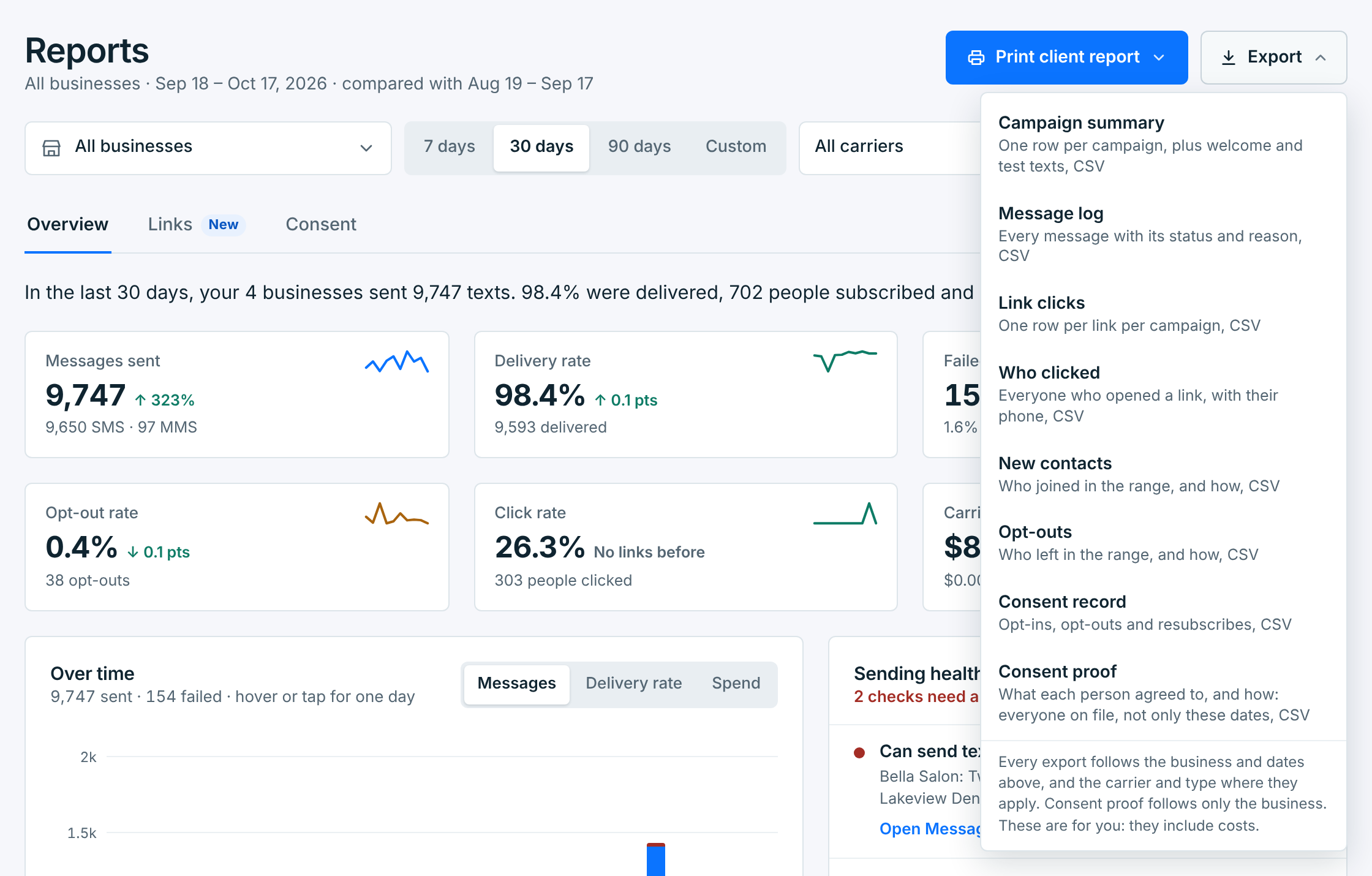
Every export follows the business and the dates at the top, except Consent proof, which ignores the dates: everyone on file at the businesses you picked. The Campaign summary and the Message log also follow the carrier and the type. With All businesses, each file has a Business column first. Files are named for what they hold and their dates, like campaign_summary_2026-09-16_to_2026-10-15.csv.
What’s in each#
| Export | Columns |
|---|---|
Campaign summary |
One row per campaign, newest first: its name, type (SMS or MMS), when it went out, texts sent, delivered and failed, delivery rate, opt-outs, people who clicked (with tracked links) and what it cost. Then one row for each business’s welcome and test texts, so the rows add up to the Overview. |
Message log |
Every text: the number, the campaign, what sent it (a campaign, a welcome text or a test), the carrier, its status and, for a text that failed, the carrier’s code and the reason in plain words. Then its estimated price, the price the carrier billed (empty until the carrier prices it), the price counted, and when it was billed and sent. |
Link clicks |
One row per link per campaign: when it went out, the link and its name, people, click rate, clicks, bot opens, and the first and last click. Only once you’ve sent a tracked link. |
Who clicked |
Everyone who opened a link: campaign, name, number, clicks, and their first and last click. |
New contacts |
Everyone who joined in these dates: name, number, whether they’re still subscribed, how they joined (webform, keyword, import, integration, added by you) and when. |
Opt-outs |
Everyone who opted out in these dates: name, number, when, how (an SMS reply, a carrier report, by you, an import, your app or a deleted business), the carrier and the word they texted (empty for a carrier report). Contacts added already opted out aren’t in it, as on the Opt-outs card. |
Consent record |
Every opt-in, opt-out and resubscribe, oldest first: when, the number, the change, how, the keyword, and what was done about it. See Your consent record. |
Consent proof |
One row per person on file, whatever the dates: how they joined and the proof of it (the words they ticked, the page, the keyword, the file and who confirmed it), and how they opted out, if they did. Deleted contacts who once joined are in it too. See Your proof. |
The Consent tab has its own Download CSV, which follows the change and the number you picked there, and a link’s Download who clicked has only that link’s people.
The message log keeps 180 days, so the Message log export covers the last 180 days at most, and up to 50,000 texts in one file: for more, export fewer days at a time. The other exports cover any dates.