Your consent record
Every opt-in, opt-out and resubscribe, how it happened and what was done about it: your proof of consent.
Every time someone opts in, opts out or comes back, TextScaleHQ writes it down: when, from which number, how, and what was done about it. That’s your consent record. If a carrier, or anyone else, asks you to show that someone agreed to your texts, or that you stopped when they said STOP, this is where it is.
Open it#
Open Reports and click Consent. It follows the business and the dates at the top.
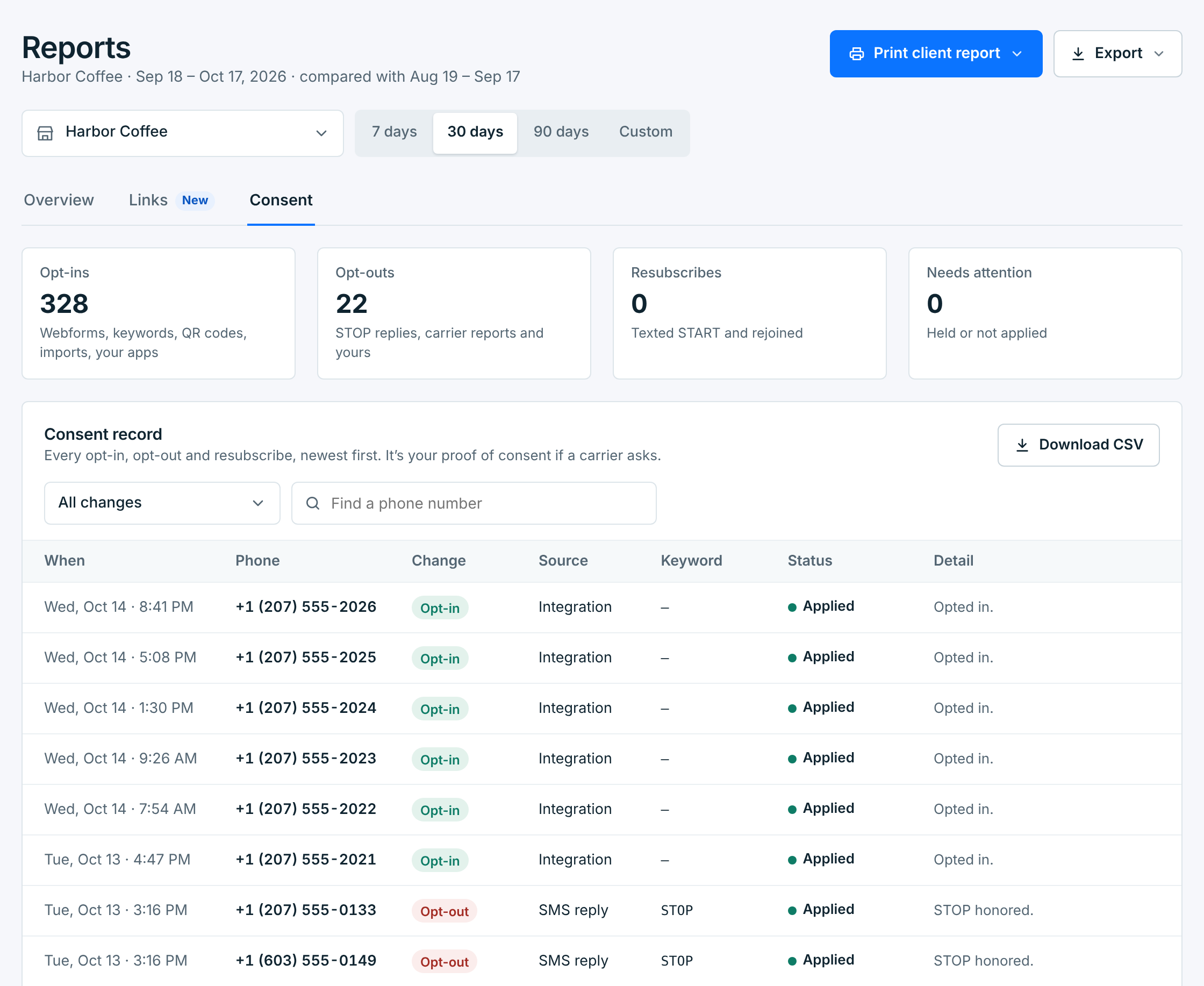
| Card | What it counts |
|---|---|
Opt-ins |
People who joined: by webform or its QR code, by texting a keyword, by import, added by you, or from your apps through Integrations. |
Opt-outs |
People who replied STOP (or another stop word), opt-outs the carrier reported to us, and the ones you made: on Contacts, in an import, or from your apps, plus opt-outs carried over from a business you deleted. Contacts added already opted out aren’t counted here; the card says how many there were. |
Resubscribes |
People who texted START after opting out and were signed up again. A START that came while your plan’s contact limit was full isn’t counted here; it’s under Needs attention. |
Needs attention |
Entries that are held or couldn’t be applied (below). |
The record#
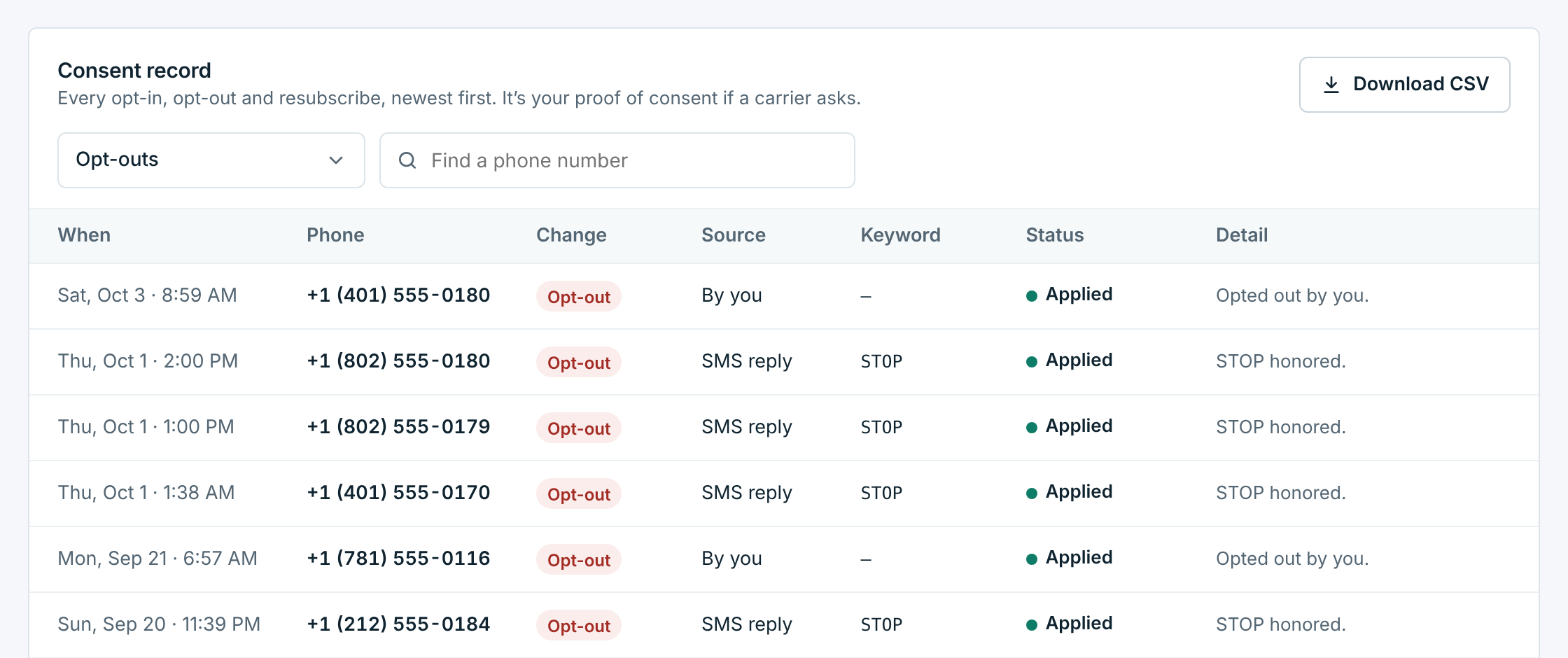
One row per change, newest first, 50 to a page:
| Column | What it shows |
|---|---|
When |
The moment it happened. |
Phone |
The number it came from, or the number that joined. |
Change |
Opt-in, Opt-out or Resubscribe. |
Source |
How: Webform, Keyword, Import, Added by you or Integration for an opt-in; SMS reply, Carrier, By you, Import, Integration or Deleted business (an opt-out carried over from a business you deleted) for an opt-out. |
Keyword |
The word or reply they texted, like STOP or a webform’s keyword. Empty for an opt-out the carrier reported. |
Status |
What was done about it (below). |
Detail |
More about it, like Opted in on the Text Club webform, Texted COFFEE, the Text Club webform’s keyword, STOP honored or Opted out by you. With all businesses, which business. |
To find one person, type their number in Find a phone number. The All changes menu shows only opt-ins, opt-outs or resubscribes:
What the statuses mean#
| Status | Means |
|---|---|
Applied |
Done: the contact was subscribed, or opted out. |
Held for verification |
We’re checking that the reply really came from your carrier before acting on it. It’s applied once it checks out. |
Not applied |
It couldn’t be applied to a contact. The Detail column says why: most often No contact has this number, a STOP from someone who isn’t on your list. That number won’t be texted. A START that came while your plan’s contact limit was full is here too: they’re still opted out, and can text START again once there’s room. |
No change |
It changed nothing, so there’s nothing to do: a second STOP from someone already opted out, or a START from someone who hadn’t opted out, or whose sign-up couldn’t go ahead because the webform or business stopped taking them. The Detail column says which. It’s kept in the record, but not counted in the cards above. |
When any entries need attention, the Consent tab shows how many, and a note above the record says so. An opt-out that’s held or not applied still counts: that number isn’t texted while it waits.
Keep a copy#
Download CSV saves the record as a spreadsheet, oldest first so it reads in order. It follows the dates, the change you picked and the number you searched for, so you can download one person’s history on its own. Every entry is kept for four years.
Carriers ask for proof of consent when they review your number, and after complaints. This record says when and how each person joined or left. What they agreed to stays on each contact: the exact words they ticked, the keyword or the file. To get everyone’s at once, use Export → Consent proof. See Your proof.