Delivery, failures and costs
How delivery is counted, why texts fail and what to do about it, and what your carrier charged.
This guide explains how Reports counts delivery and cost, why texts fail, and what to do about it. For the rest of the screen, see Your reports.
Delivered and failed#
When a text goes out, the carrier reports back whether it reached the phone. Usually that takes seconds; a few take longer.
| Word | Means |
|---|---|
Delivered |
The carrier confirmed the text reached the phone. |
Failed |
The carrier couldn’t deliver it, or refused it. Below, it says why. |
Delivery rate |
Delivered, out of the texts the carrier has reported on. Texts still waiting for their report aren’t in it yet, so a campaign that just went out shows Waiting on receipts for a moment. |
Switch Over time to Delivery rate to see it day by day, with 95%, the healthy line, marked:
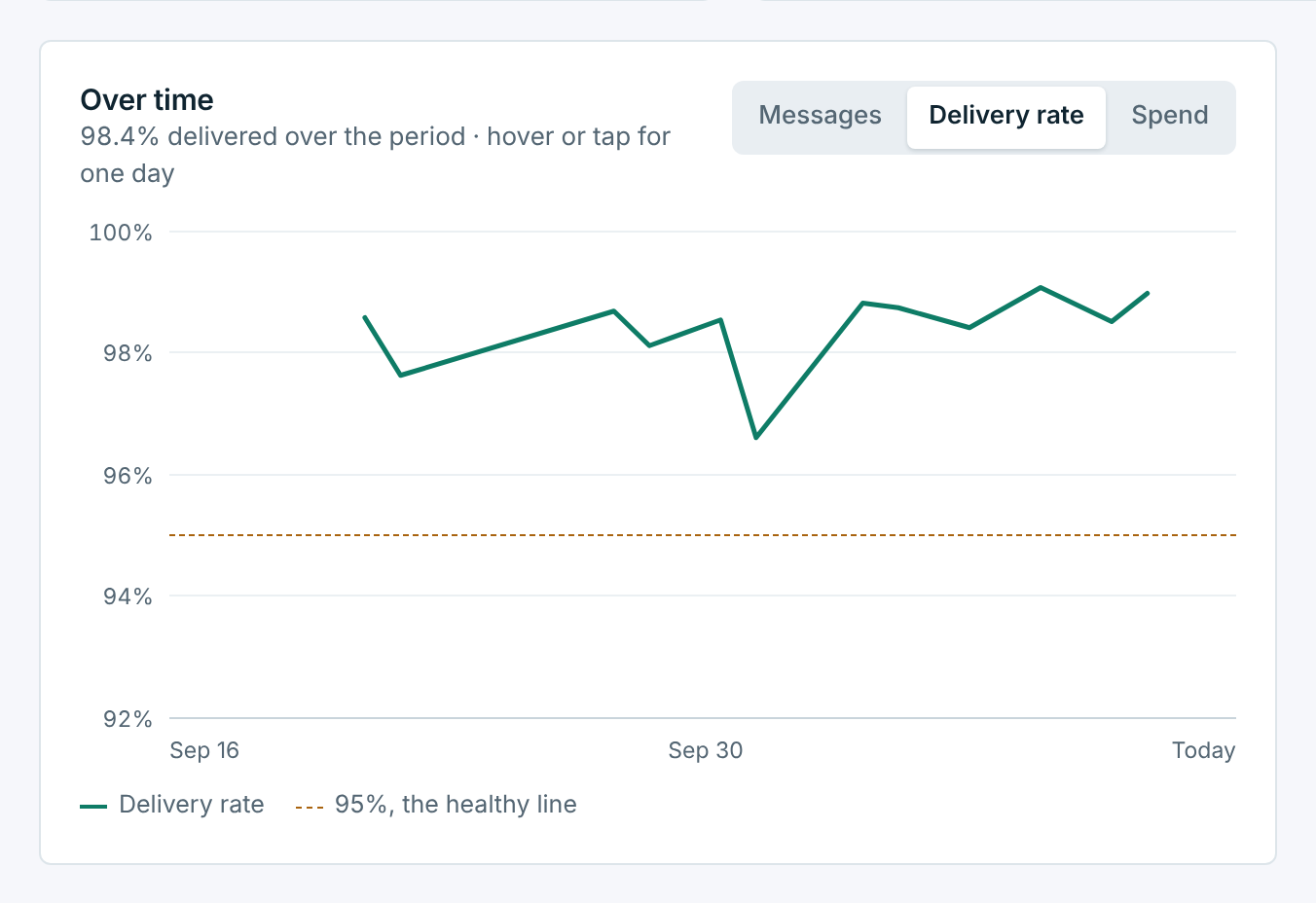
A dip on one day is usually one campaign to an older list. Hover over the day to see it, then open the campaign from Recent campaigns to see who it didn’t reach.
Why messages failed#
This card puts every failed text in these dates into plain words, most common first, with the carrier’s own code under each reason:
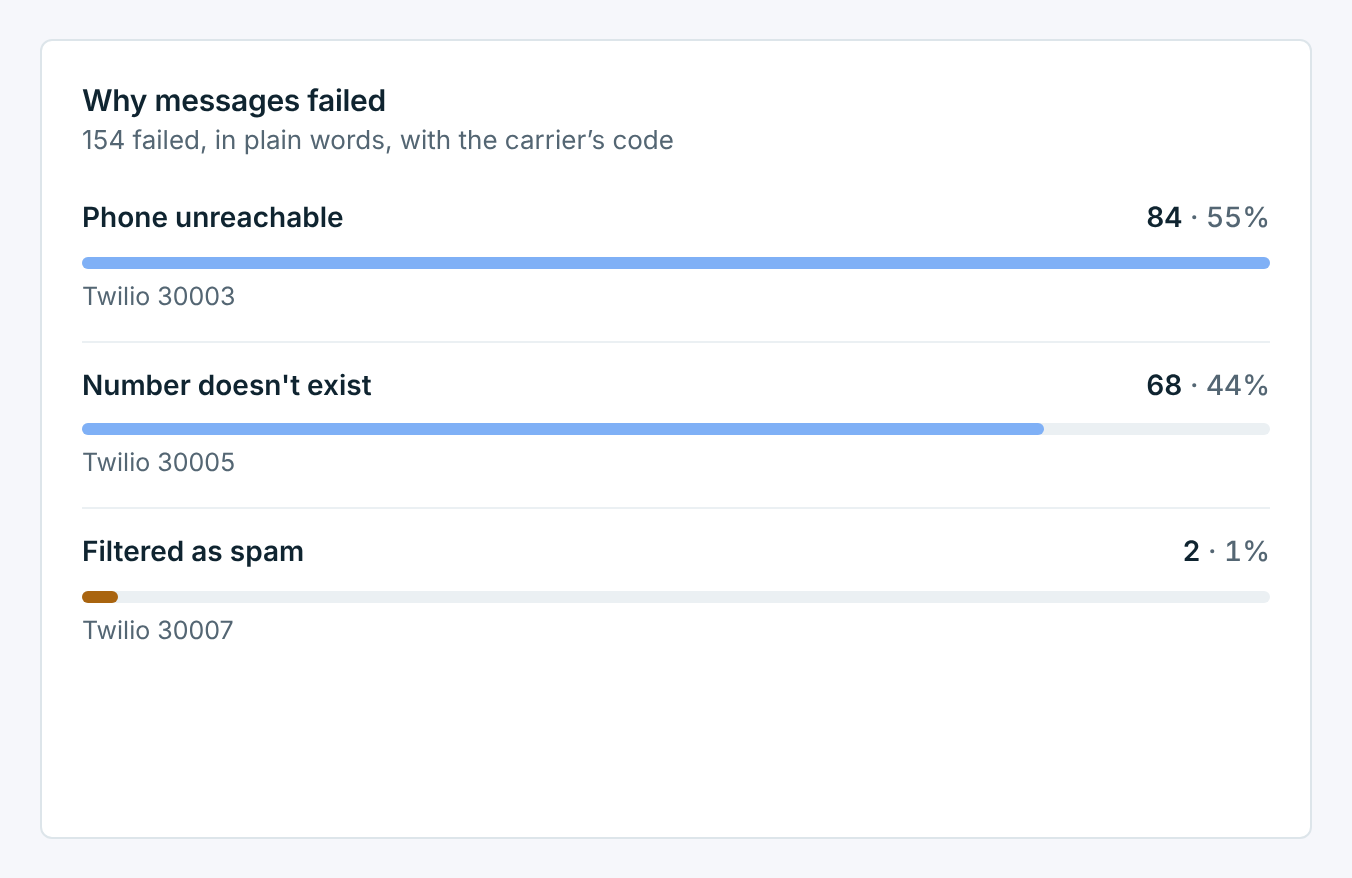
It shows the top four; Show all lists the rest. When there’s something to fix on your side, the reason has a link to where to fix it.
| Reason | What to do |
|---|---|
Phone unreachable |
The phone was off or out of service. Usually temporary; nothing to do. |
Number doesn't exist, Number no longer active |
The number was disconnected or never worked. Remove it from your contacts. |
Landline, Not a mobile number |
The number can’t take texts. |
Filtered as spam |
A carrier blocked the text as spam. Avoid public link shorteners and ALL CAPS, and only text people who agreed to hear from you. |
Toll-free number not verified, Number not registered for 10DLC |
Carriers block texts from a number that isn’t registered yet. See How toll-free approval works. These are also counted under Unverified sending in Sending health. |
Twilio account suspended, Vonage balance ran out |
Something on your carrier account stopped the text. Fix it with your carrier, then check Messaging Setup. |
The reasons come from the message log, which keeps 180 days. For dates older than that, the card says so and covers the part it still has; the numbers in the tiles stay for good.
What it cost#
You pay your carrier directly for every text, on your own Twilio or Vonage account. The Costs card shows what they charged, so you don’t have to log in there:
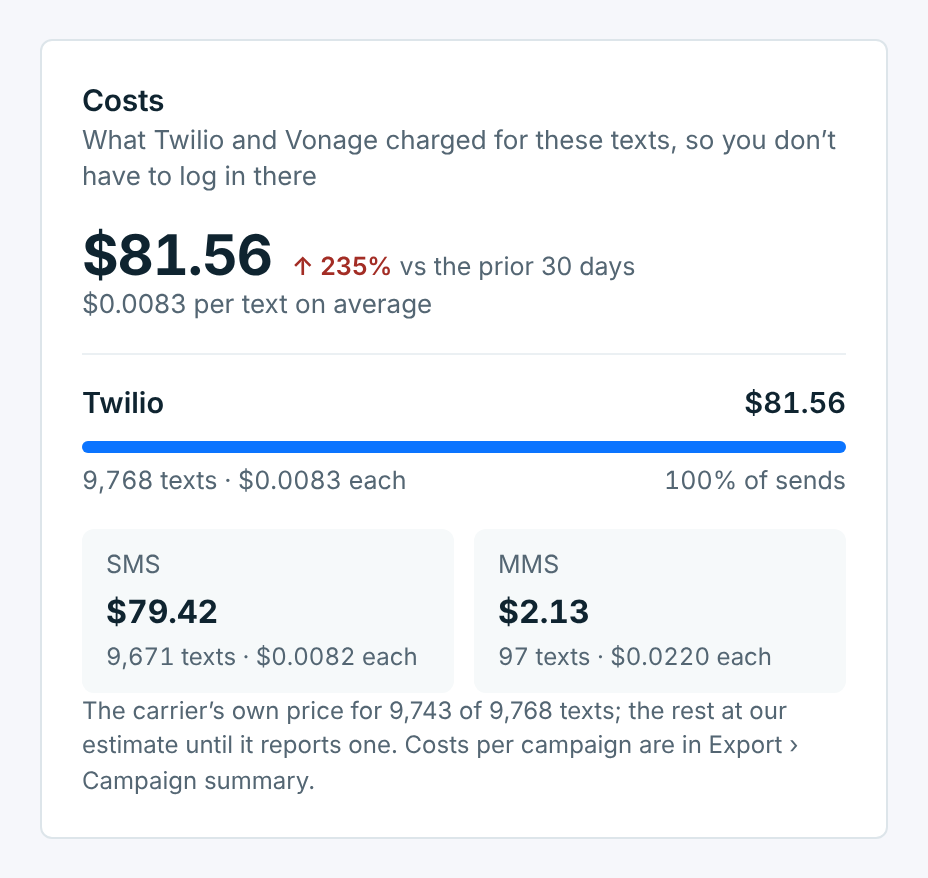
- The total for these dates, against the days before, and the average per text.
- Each carrier you sent through, with its texts and its price per text.
- SMS and MMS side by side when you sent both. A picture message (MMS) costs more than a text (SMS), and a long text is billed as several parts.
Twilio reports each text’s price a little after it goes out. Until it does, that text is counted at our estimate, and the note under the card says how many have the carrier’s own price. Vonage doesn’t report prices, so Vonage texts are always our estimate. Switch Over time to Spend to see it day by day.
Carrier spend is what your carrier charges. Your TextScaleHQ plan is billed separately and isn’t in it. To see what each campaign cost, export the Campaign summary: see Exports.