Forms, Facebook Lead Ads, Shopify and your own code
Typeform, Jotform, Google Forms, Facebook Lead Ads and Shopify through Zapier or Make, and a POST from your own website or app.
Any app that can send a web request can add contacts through your webhook. Most do it through Zapier or Make, so the steps below start in one of those and finish with their guides. Your own website or app can post to the webhook directly.
Whichever you use, the webhook needs the same things: the business ID, the secret, the phone number, and "consent": 1 for people who agreed to texts. See Your webhook.
Form tools#
Typeform, Jotform, Google Forms and most other form tools work through Zapier or Make. In Integrations › your business › Setup, under Connect a tool, click Typeform, Jotform, Google Forms for the short version:
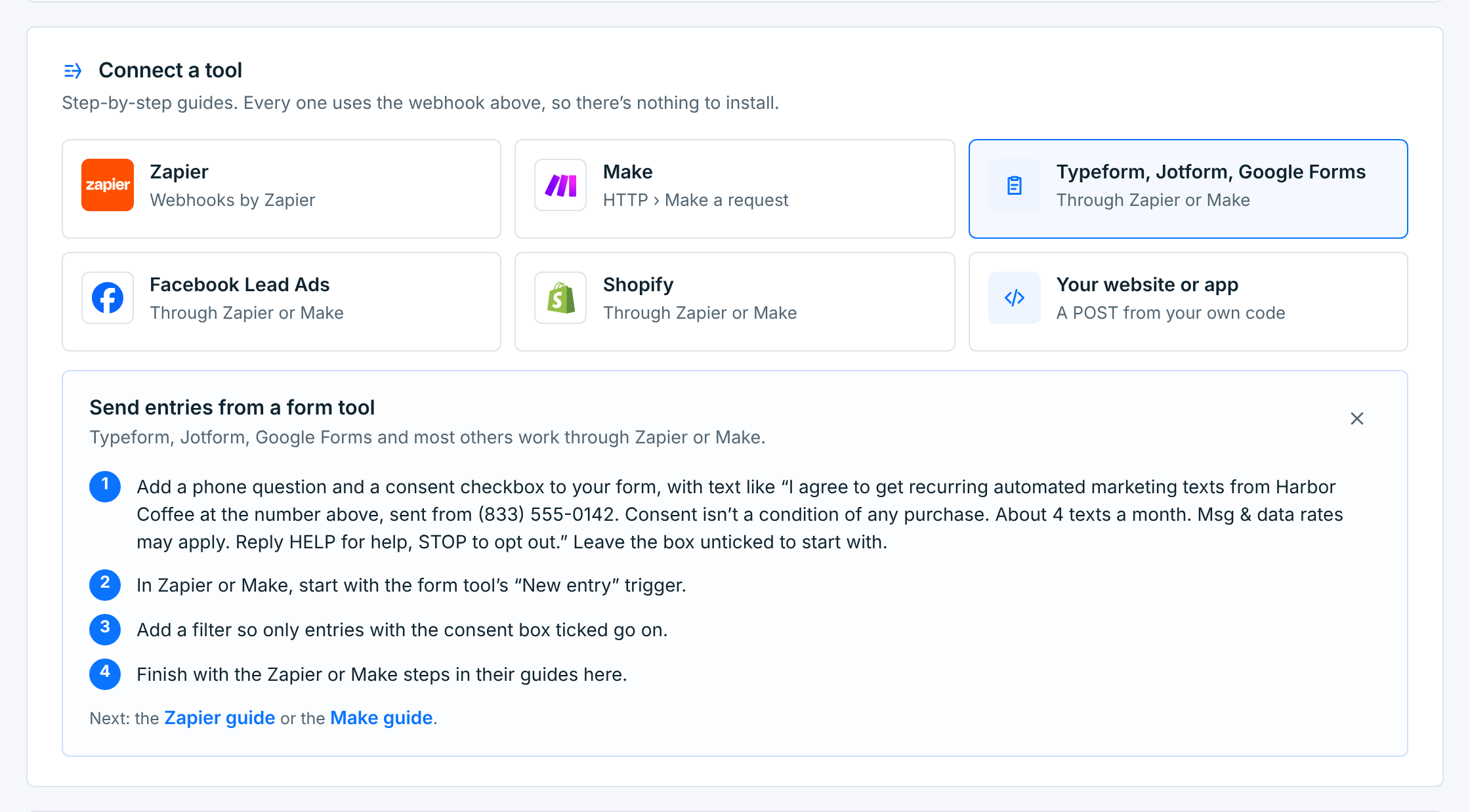
- Add a phone question and a consent checkbox to the form, with your webform’s sentence, filled in with your business’s name, number and texts a month: I agree to get recurring automated marketing texts from Harbor Coffee at the number above, sent from (833) 555-0142. Consent isn’t a condition of any purchase. About 4 texts a month. Msg & data rates may apply. Reply HELP for help, STOP to opt out. Integrations shows them with your business’s name and number. Leave the box unticked to start with.
- In Zapier or Make, start with the form tool’s new-entry trigger.
- Add a filter so only entries with the box ticked go on.
- Finish with the Zapier or Make guide, from the webhook step.
After the filter, everyone who reaches the webhook step agreed, so type "consent": 1 in the JSON rather than inserting the checkbox’s answer. A checkbox sends its own words, like I agree, which the webhook doesn’t count as consent. (1, true, yes and on are what count.)
Don’t need another form tool? A webform does this on its own: sign-up page, consent and welcome text, with no Zapier or Make.
Facebook Lead Ads#
Facebook can’t post to a webhook on its own, so Zapier or Make sits in between.
- Add a custom question to the lead form asking whether they agree to get marketing texts from the business.
- In Zapier or Make, start with Facebook Lead Ads › New Lead.
- Add a filter so only leads who said yes go on.
- Finish with the Zapier or Make guide, mapping the lead’s phone, first name, last name and email.
Shopify#
Shopify’s own notification webhooks send Shopify’s format, which this webhook can’t read. Use Zapier or Make in between.
- In Zapier or Make, start with Shopify › New Customer.
- Add a filter: only customers who accepted SMS marketing at checkout.
- Map the customer’s phone, first name, last name and email.
- Finish with the Zapier or Make guide. A
consent_sourceofshopify checkoutkeeps a clear record.
Your own website or app#
For developers: one POST per contact, from your server. Your website or app under Connect a tool has a ready-made request with your business’s ID:
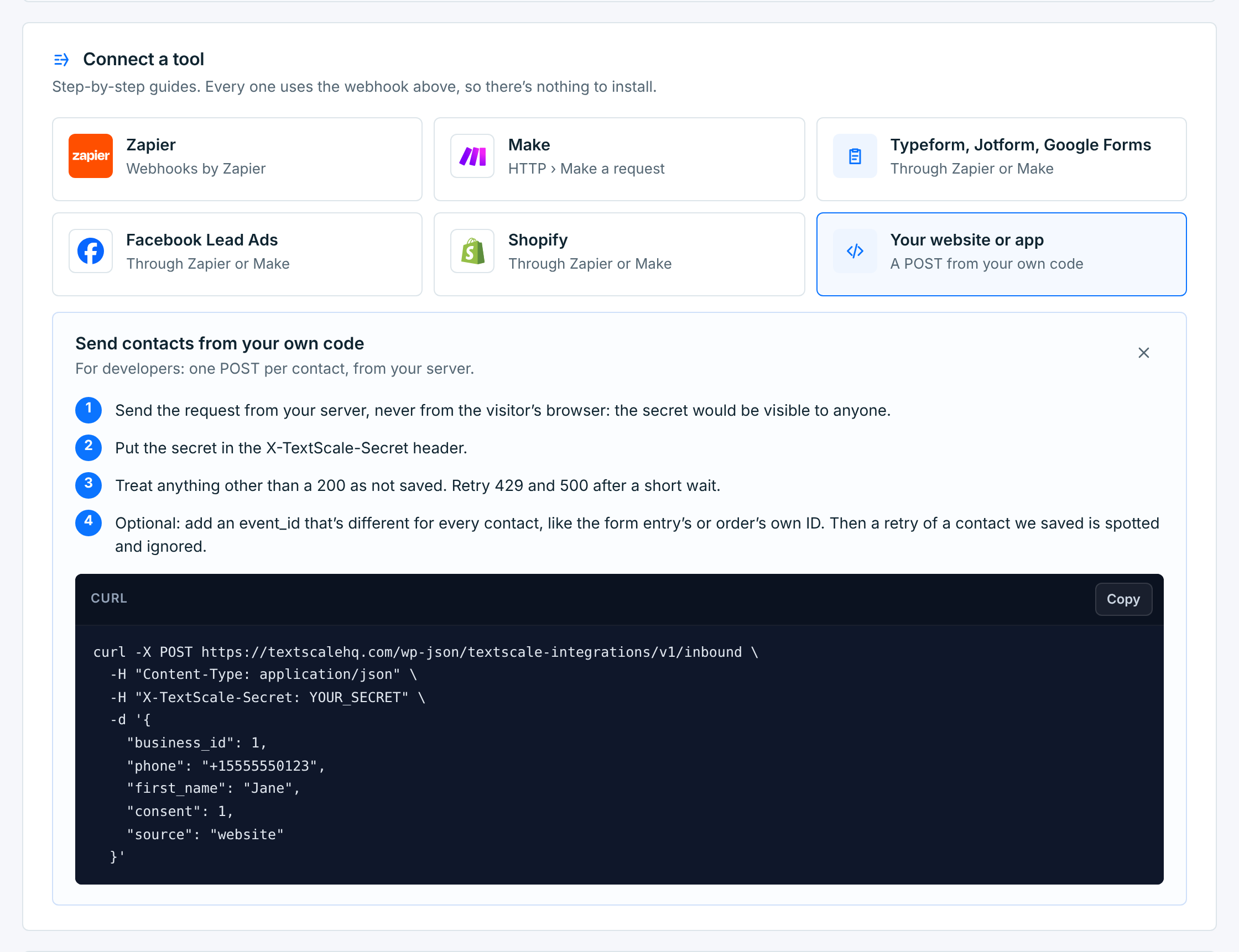
curl -X POST https://textscalehq.com/wp-json/textscale-integrations/v1/inbound \
  -H "Content-Type: application/json" \
  -H "X-TextScale-Secret: YOUR_SECRET" \
  -d '{
    "business_id": 1,
    "phone": "+12075550123",
    "first_name": "Jane",
    "consent": 1,
    "source": "website"
}'- Send it from your server, never from the visitor’s browser. Anything in the browser can be read, and the secret would be in it.
- Put the secret in the
X-TextScale-Secretheader. AnAuthorization: Bearer YOUR_SECRETheader works too. - Treat anything but a 200 as not saved. Send 429 and 500 again after a short wait. See What the webhook answers.
- Optional: send an
event_idthat’s different for every contact, like the form entry’s or order’s own ID. Then a retry of a contact we saved is answeredduplicateand ignored, so retries are safe. Never send the same one for everyone. - To try it without saving anything, add the header
X-TextScale-Test: 1. Every check runs, and the answer says what would have happened.