Pause, copy and delete
Stop a form's signups for now, copy it for another place, or take it down.
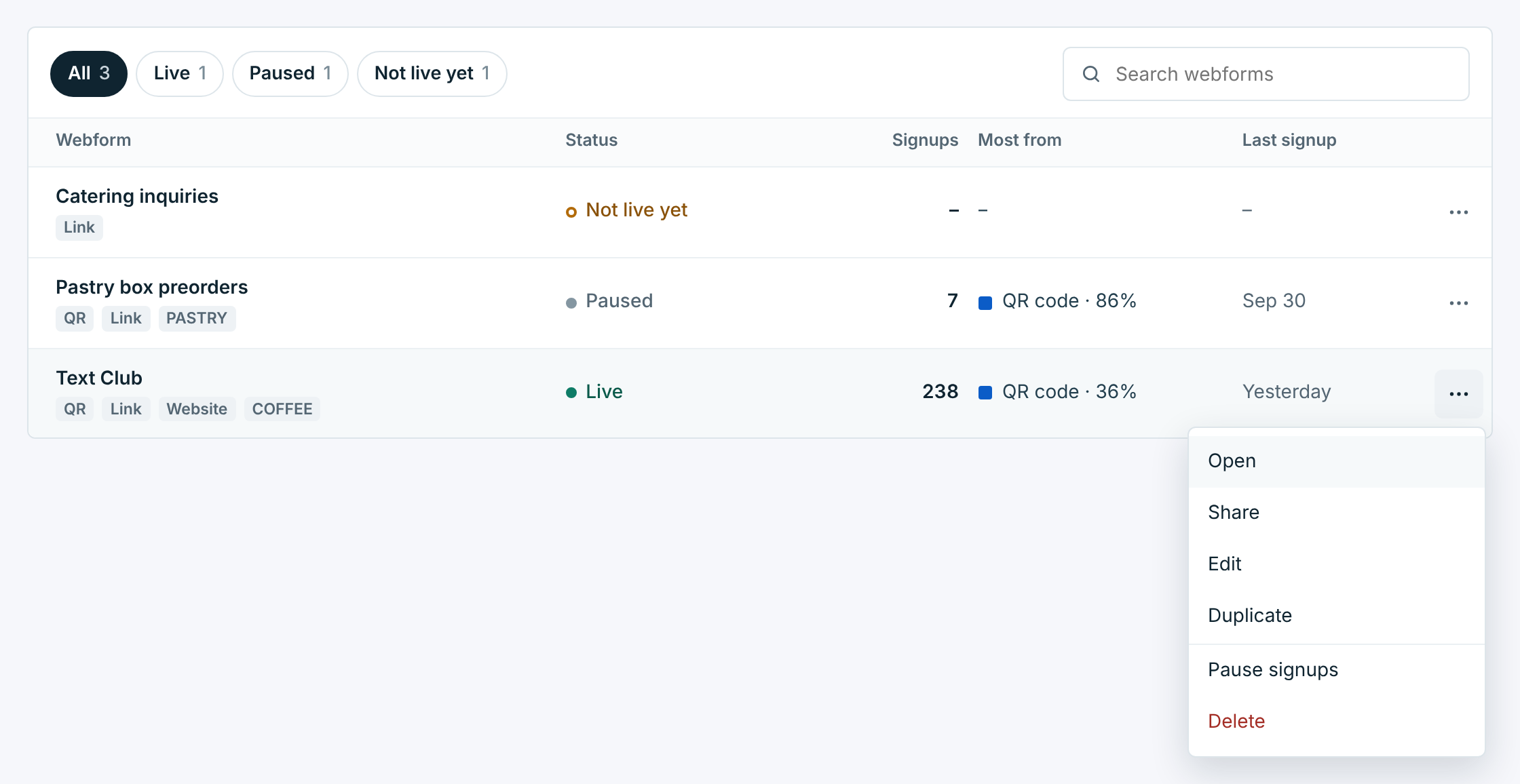
This guide covers pausing a webform’s signups, copying a form, and deleting one. Pause and resume are buttons at the top of a form’s page, and in the … menu on its row in the list. Duplicate and Delete are in either … menu.
Pause signups#
Pause a form when you want it to stop taking signups for now: the offer ran out, the event is over, the season ended. Click Pause signups at the top of its page, or in the … menu on its row.
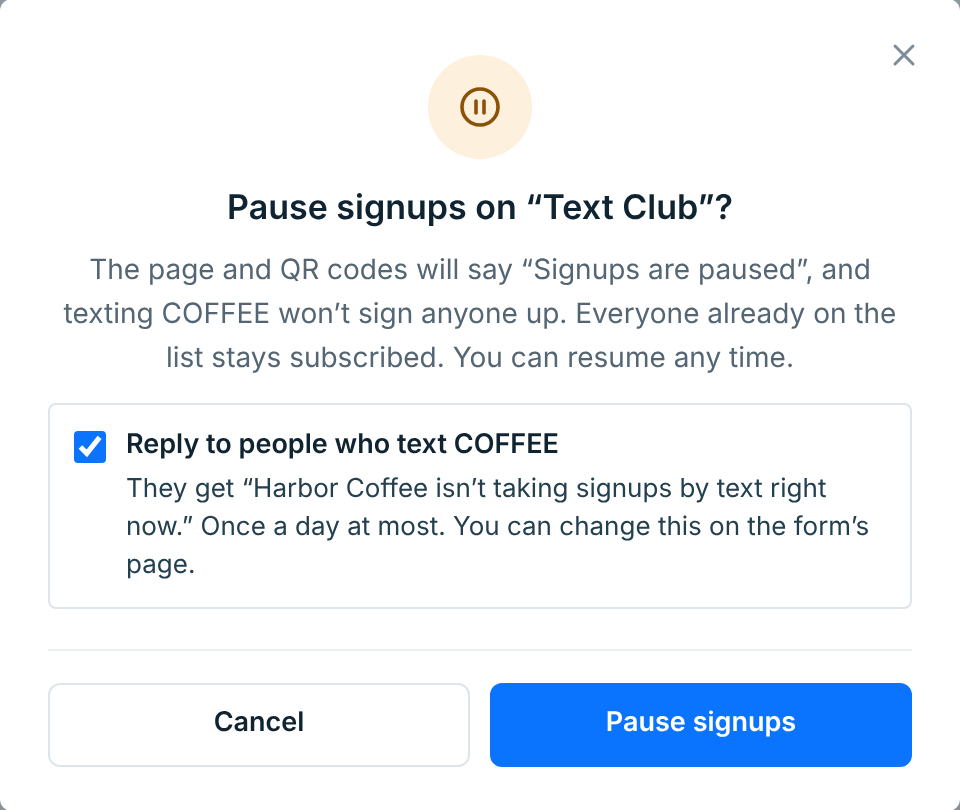
- Its page and QR codes say Signups are paused, and nobody can join there.
- Texting its keyword signs nobody up.
- Everyone who already joined stays subscribed and keeps getting your campaigns.
- Its link, QR code and keyword stay the form’s. Printed signs work again as soon as you resume.
When the form has a keyword, the box Reply to people who text starts ticked. People who text the keyword off an old sign then get “Harbor Coffee isn’t taking signups by text right now.”, at most once a day, so they aren’t left wondering. Someone already on your list gets “You’re already on Harbor Coffee’s list. Reply STOP to opt out.” instead, and someone who opted out gets nothing. Untick the box for no reply.
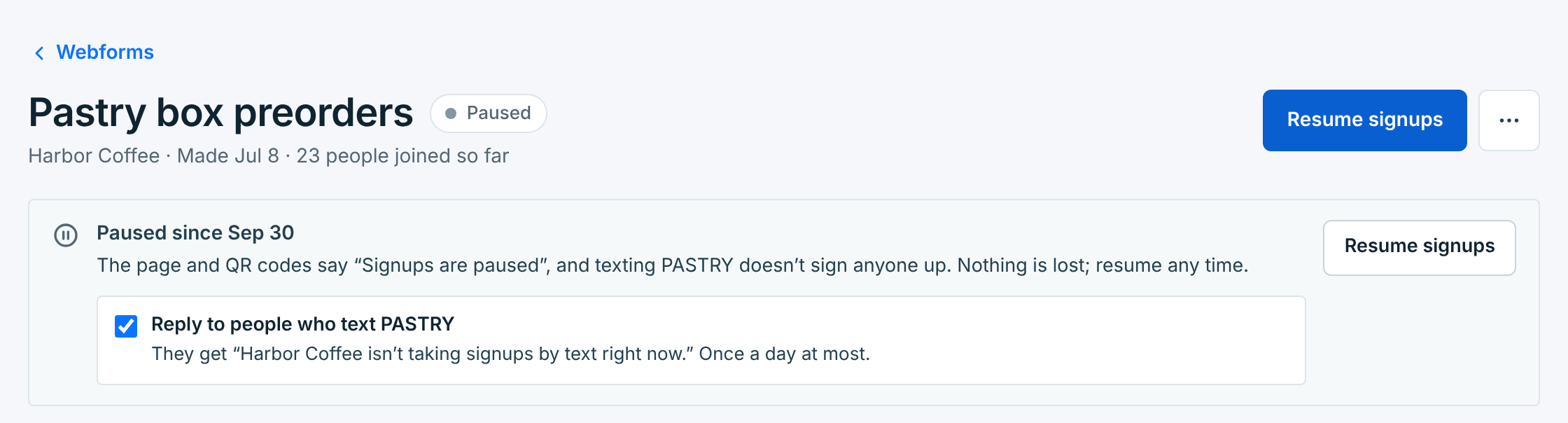
The form’s page says when it was paused, with Resume signups. You can tick or untick the reply box there at any time:
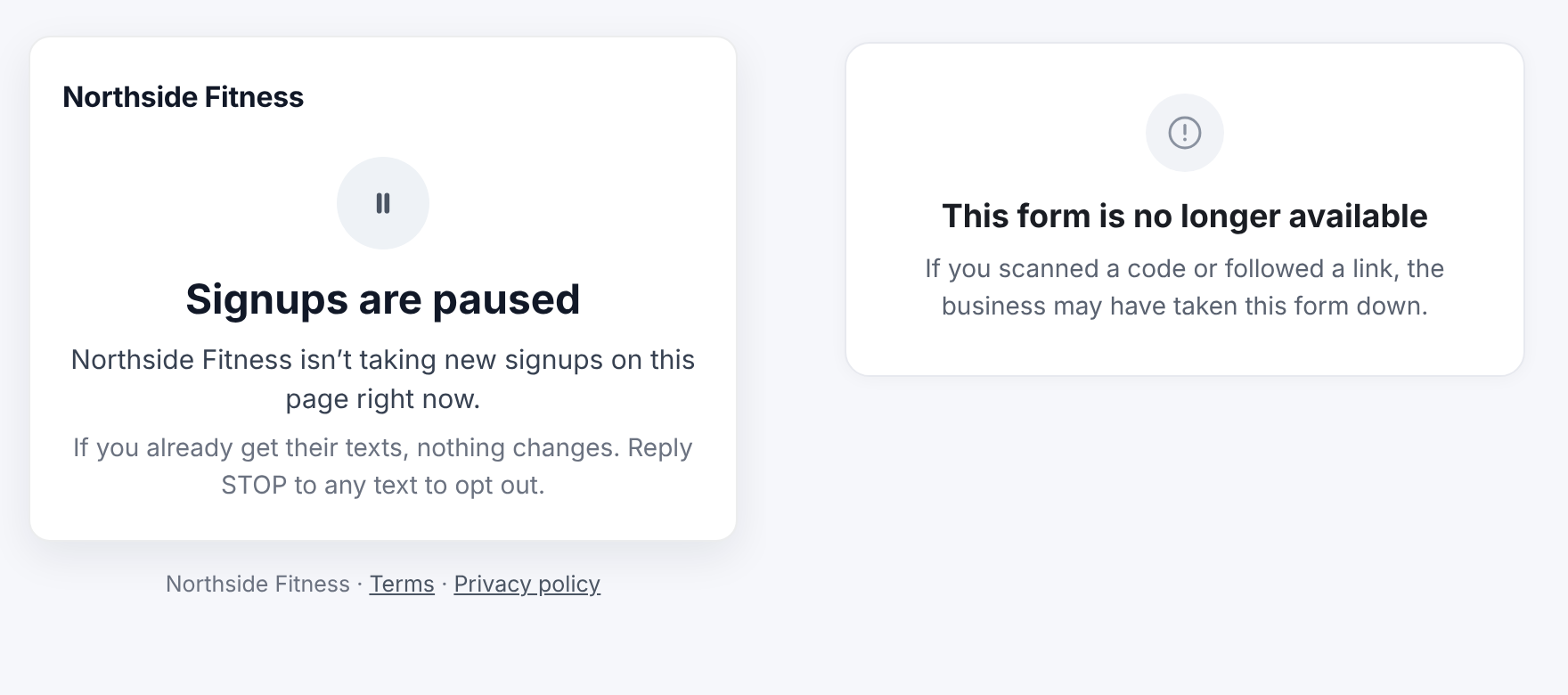
Here’s what visitors see while it’s paused, and what they see after a form is deleted:
When the business is paused#
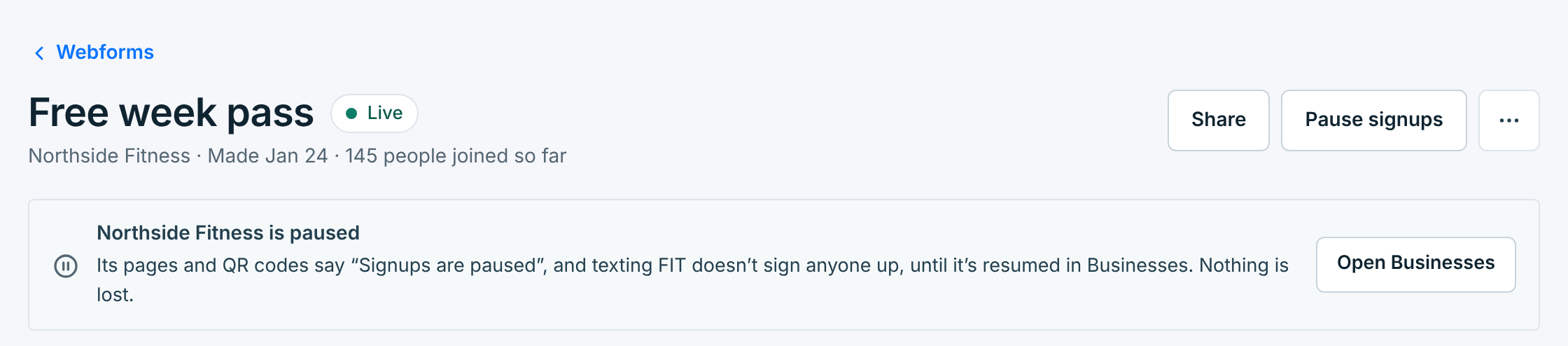
When you pause a business, all its webforms stop taking signups too, even the ones that say Live. Each one’s page says so. Nothing goes out while it’s paused, so texting a keyword gets no reply either. They take signups again when you resume the business on Businesses.
Copy a form#
Duplicate in the … menu makes a copy in the same business, called “Copy of …”, with the same wording, look, consent and tags, but no keywords, because a keyword can only belong to one form. The copy has its own link and QR code, and starts Not live yet:
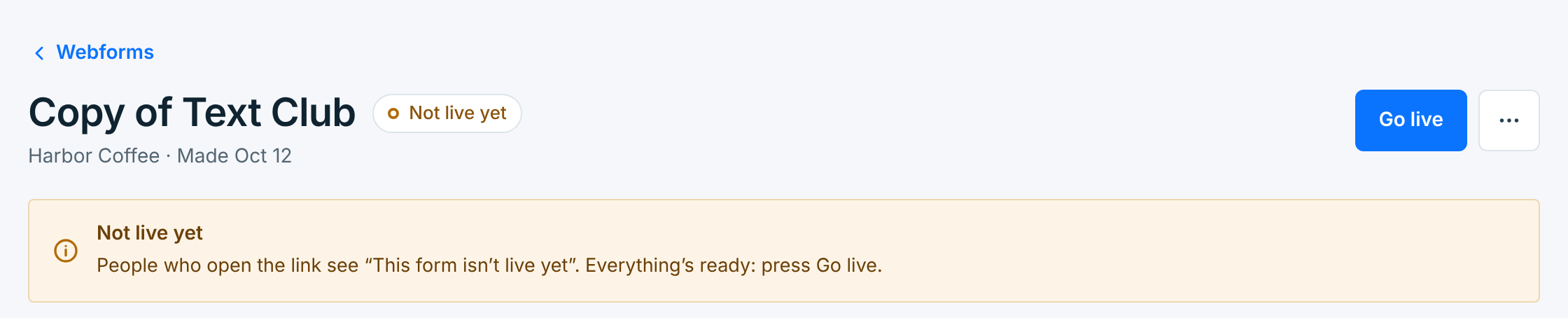
Rename it on the Edit tab, add a keyword if you want one, and press Go live. A copy is the easy way to get one form per place, like Front counter and Website, so Results show which place works.
Delete a form#
Choose Delete in the … menu.
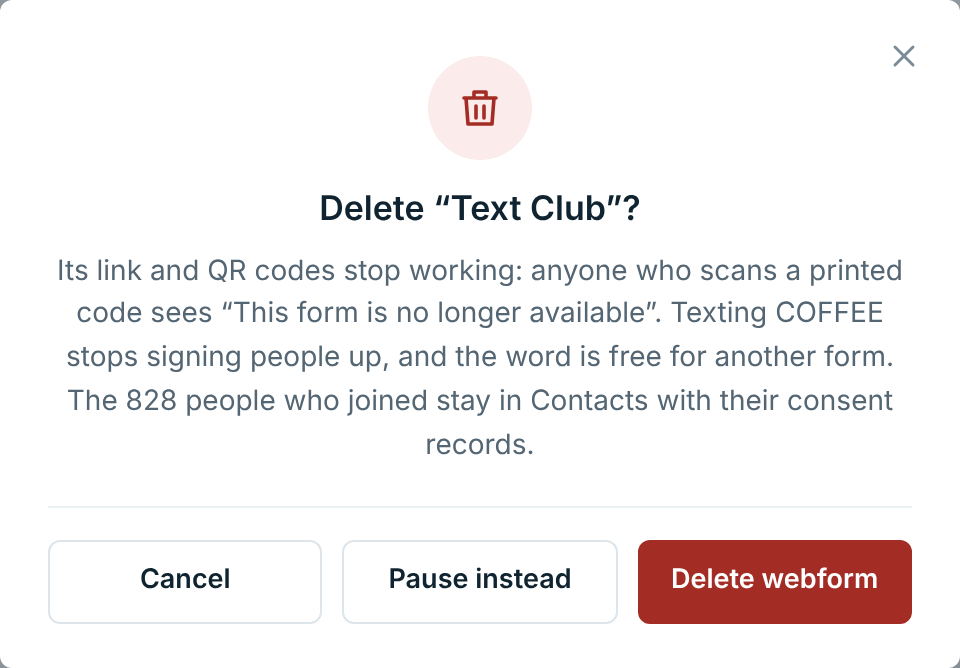
- Its link and QR codes stop working. Anyone who scans a printed code sees This form is no longer available.
- Texting its keyword stops signing people up, and the word is free for another form.
- Everyone who joined stays in Contacts, subscribed, with their consent records.
There’s no undo, and a new form gets a new link and QR code. Every sign and website copy of the old one stops working. If the form is live and you might want it back, click Pause instead.
A form that’s part of a registration in review can’t be deleted until the registration is approved.