Your webforms
The Webforms screen, and a form's results: where people came from and whether they got their welcome text.
A webform is a sign-up page for one of your businesses. People join on the page, by scanning its QR code, through a copy on your own website, or by texting its keyword. This guide covers the Webforms screen and a form’s Results: how many people joined, where they came from, and whether they got their welcome text.
To make one, see Create a webform. To hand it out, see Share and embed and Keyword opt-in.
The screen#
Open Webforms from the sidebar.
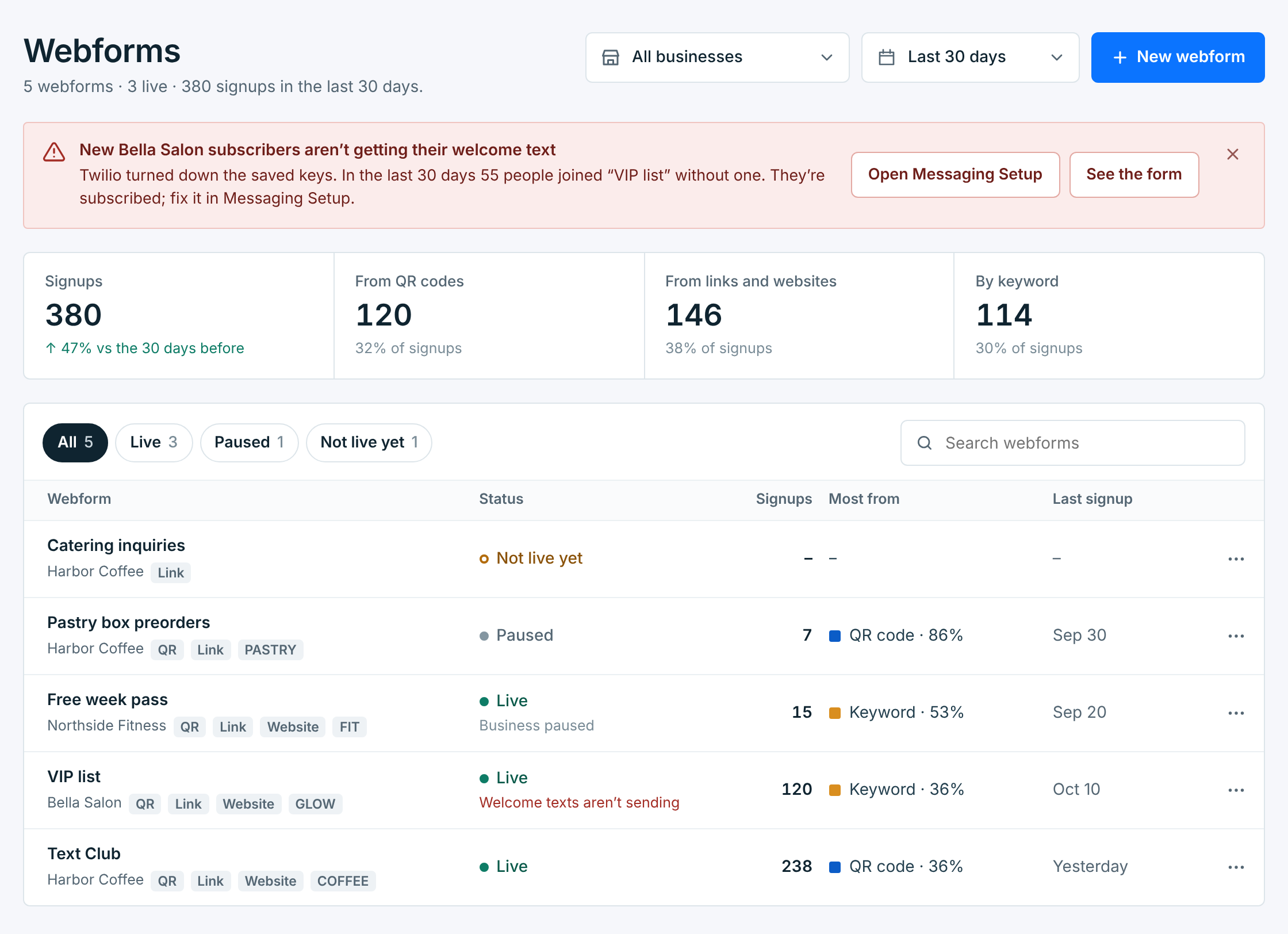
Use the pickers at the top to show one business or all of them, and the last 7, 30 or 90 days. The four cards count signups in that time: all of them, then from QR codes, from links and websites, and by keyword. When something is stopping new subscribers from getting their welcome text, a red note at the top says what it is and where to fix it.
The list#
| Column | What it shows |
|---|---|
Webform |
The form’s name, its business, and how people have joined it in the last 90 days: QR, Link, Website and its keywords. |
Status |
Live, Paused or Not live yet. A line under it flags a problem, like Welcome texts aren’t sending or Business paused. |
Signups |
New subscribers in the time you picked. |
Most from |
Where most of them came from, and its share. |
Last signup |
When someone last joined. |
The buttons above the list show All, Live, Paused or Not live yet. Search finds a form by its name, its business or its keyword. The list shows 25 forms a page; the buttons, their counts and search cover every form, not only the page you’re on. The … at the end of a row opens, shares, edits, duplicates, pauses or deletes it. See Pause, copy and delete.
A form’s results#
Click a form. Its page opens on Results.
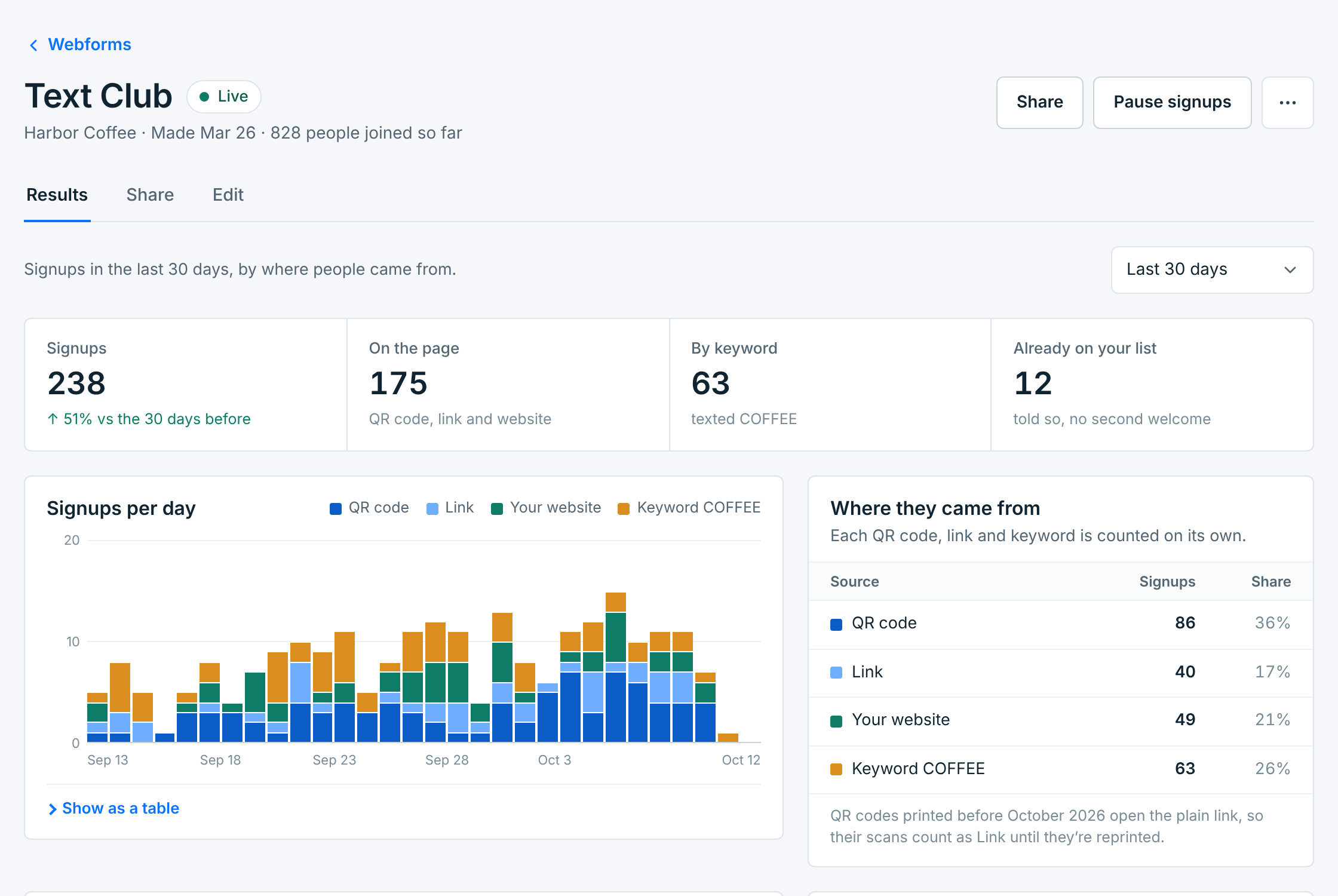
Under the name: the business, when the form was made, and how many people have joined since. Share and Pause signups are at the top, with more in ….
| Card | What it counts |
|---|---|
Signups |
New subscribers in the time you picked. For 7 or 30 days, also the change from the period before. |
On the page |
Those who joined on the page, by its QR code, its link or your website. |
By keyword |
Those who texted one of its keywords. |
Already on your list |
People who filled it in again, or texted the keyword, when they were already subscribed. They’re told so, and they don’t get a second welcome text. |
Signups per day (per week, for 90 days) stacks each bar by where people came from. Show as a table gives the same numbers in rows. Where they came from totals each source:
| Source | Counted when someone joins… |
|---|---|
QR code |
by scanning the form’s QR code, or the one on a sign you printed from Share. |
Link |
by opening the form’s link: from a text, an email, a social profile. |
Your website |
on a copy of the form placed on your own website. |
Keyword |
by texting the keyword to your number. |
QR codes printed before October 2026 open the plain link, so their scans count as Link. Print the code again from Share to count them as QR code.
Latest signups#
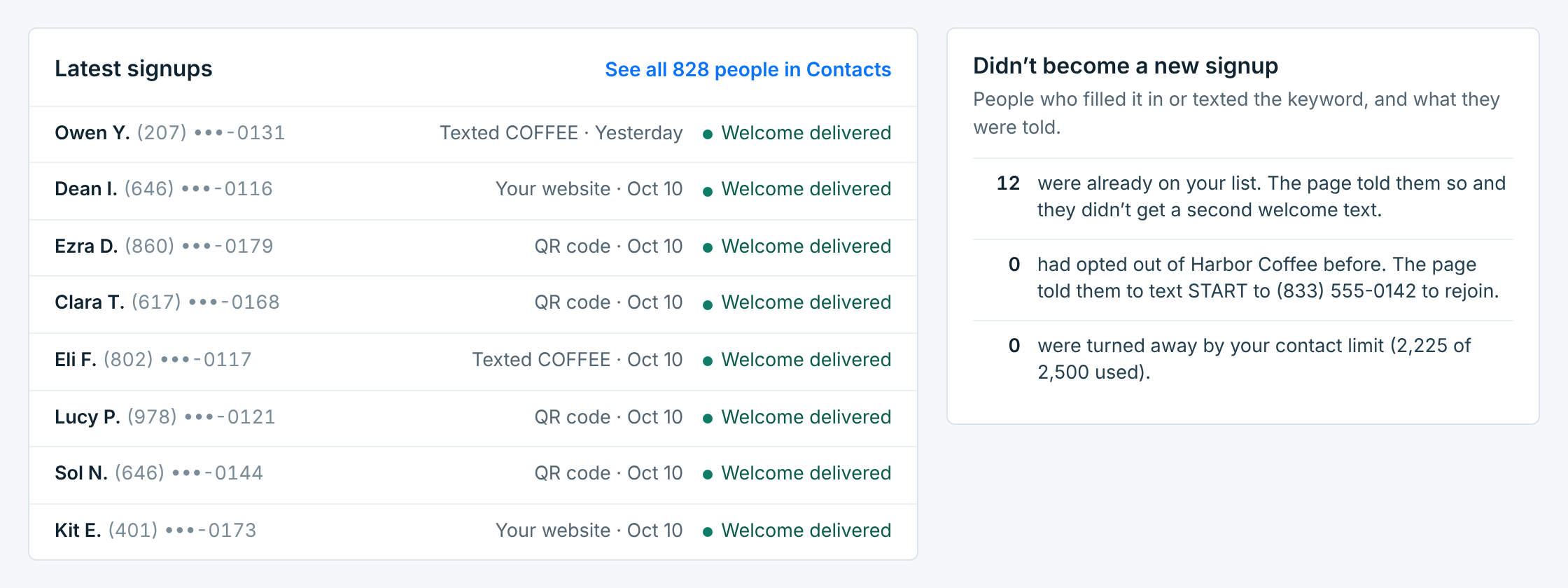
The last eight people who joined, where they came from, and their welcome text:
| Welcome | What it means |
|---|---|
Welcome delivered |
Their carrier confirmed it reached the phone. |
Welcome sent |
It went out. The carrier hasn’t confirmed it yet. |
Welcome not delivered |
It didn’t reach them: the carrier couldn’t deliver it, or it couldn’t be sent from your number. |
Welcome waiting |
More than 200 people joined the business’s sign-up pages within an hour, so the rest of the welcome texts go out over the next hours, between 8 AM and 8 PM in both their time zone and yours. One that’s still waiting after a day isn’t sent. |
No welcome text |
None was sent, for example because they’d already had one from this business, or a waiting one wasn’t sent within a day. |
See all … people in Contacts opens Contacts with just the people who joined through this form, on its page or by its keyword:
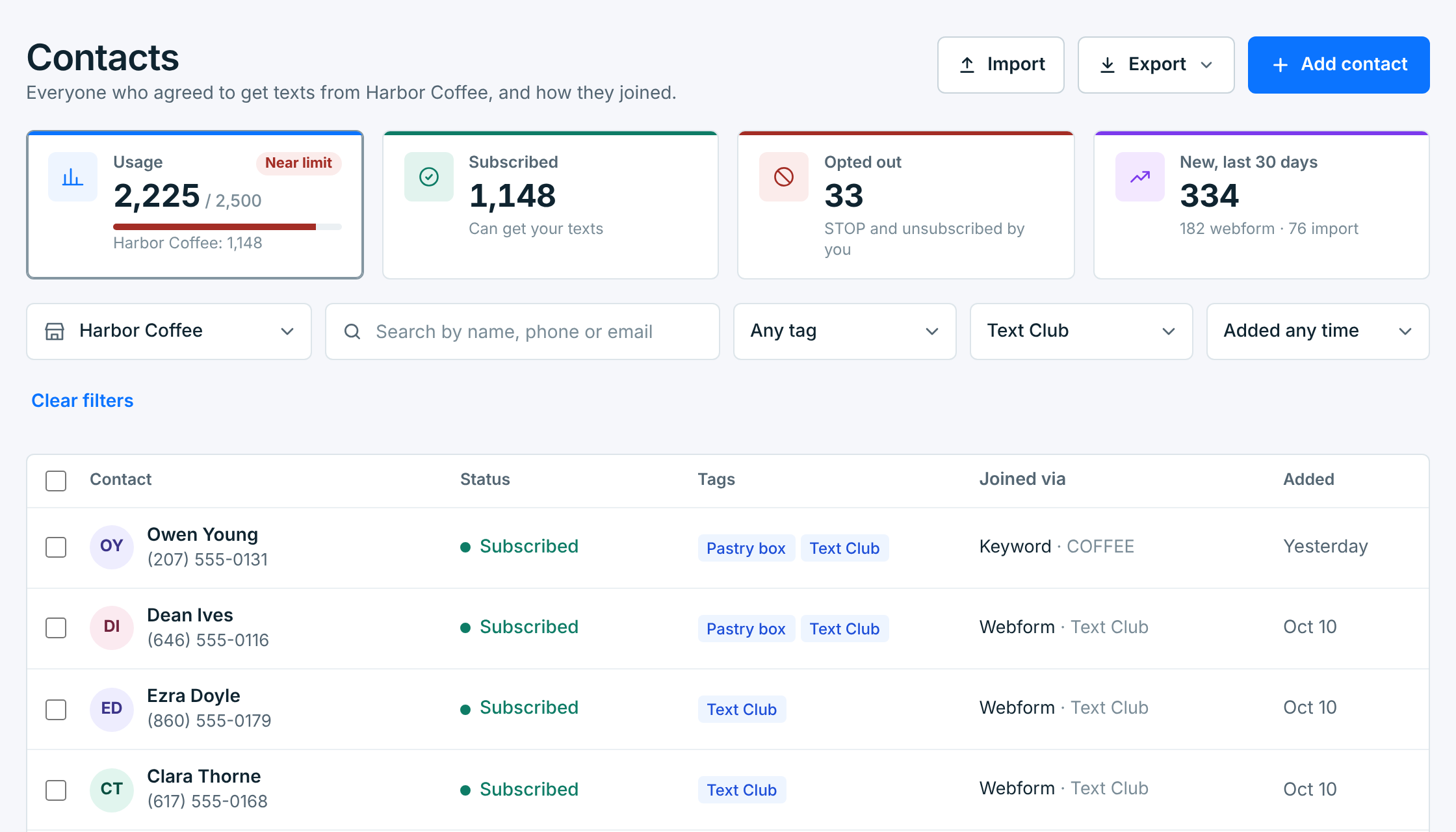
The form is picked in the Joined via filter. Search, the other filters, Select all and Export all keep to its people. Clear filters shows the whole business again.
Didn’t become a new signup counts the people who tried and what they were told: already on your list, opted out before (the page told them to text START to rejoin), or turned away because your plan’s contact limit was full.
When welcome texts aren’t going out#
If the business can’t send, the form’s page says so:
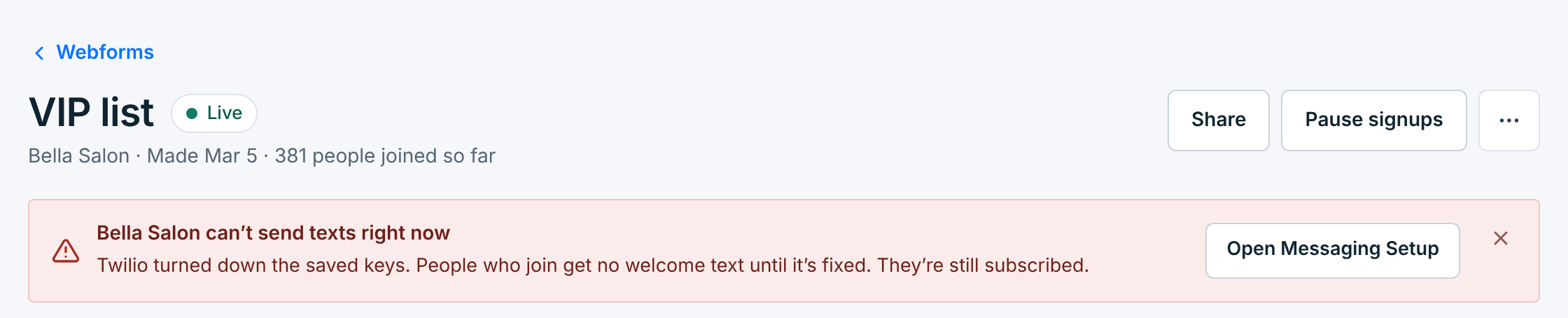
People who join in the meantime are still subscribed, but their welcome text fails and isn’t sent again once it’s fixed. Their row in Latest signups says Welcome not delivered. Fix the problem in Messaging Setup.