A campaign’s results
Who got it, what was delivered and why some weren't, who clicked and opted out, and what it cost.
Every campaign that went out has a page with its results: how many people got it, how many texts were delivered, who clicked and who opted out, what it cost, and a row for each person. Click a campaign on the list to open it.
The numbers#
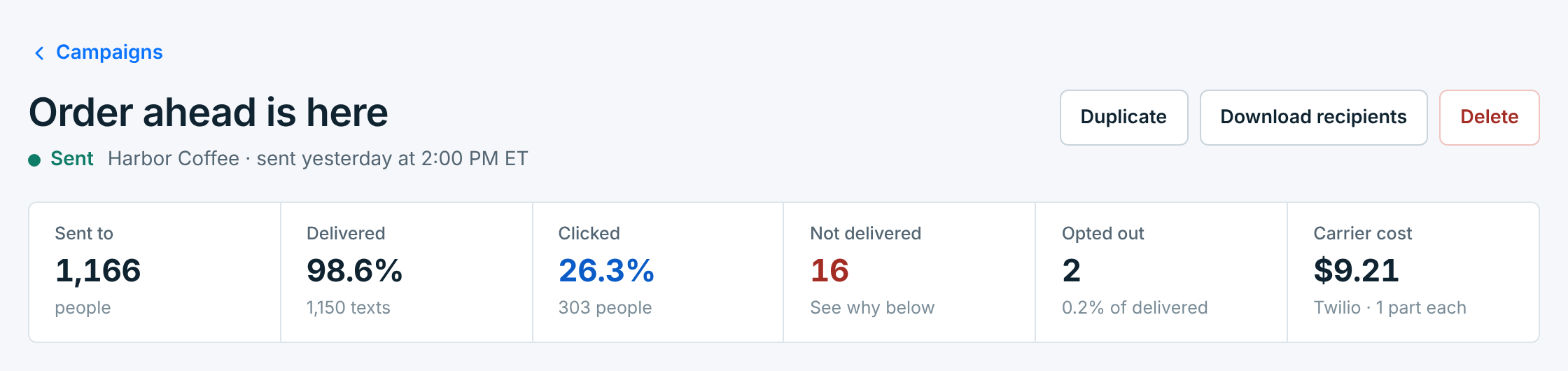
Under the name: its status, its business and when it went out. Duplicate, Download recipients and Delete are at the top.
| Number | What it counts |
|---|---|
Sent to |
The people it went to. |
Delivered |
The share of texts their carriers confirmed reached the phone, and how many. Confirmations usually come within seconds; a few can take longer. |
Clicked |
Only with a tracked link: people who clicked, as a share of the texts delivered. See Links in your texts. |
Not delivered |
Texts a carrier couldn’t deliver. The card below says why. |
Opted out |
People who replied STOP within 3 days of getting it, and their share of the texts delivered. A STOP after that isn’t put down to this campaign. |
Carrier cost |
What your carrier billed for its texts, and how many parts each one took. It’s billed to your own carrier account. |
Why some weren’t delivered#
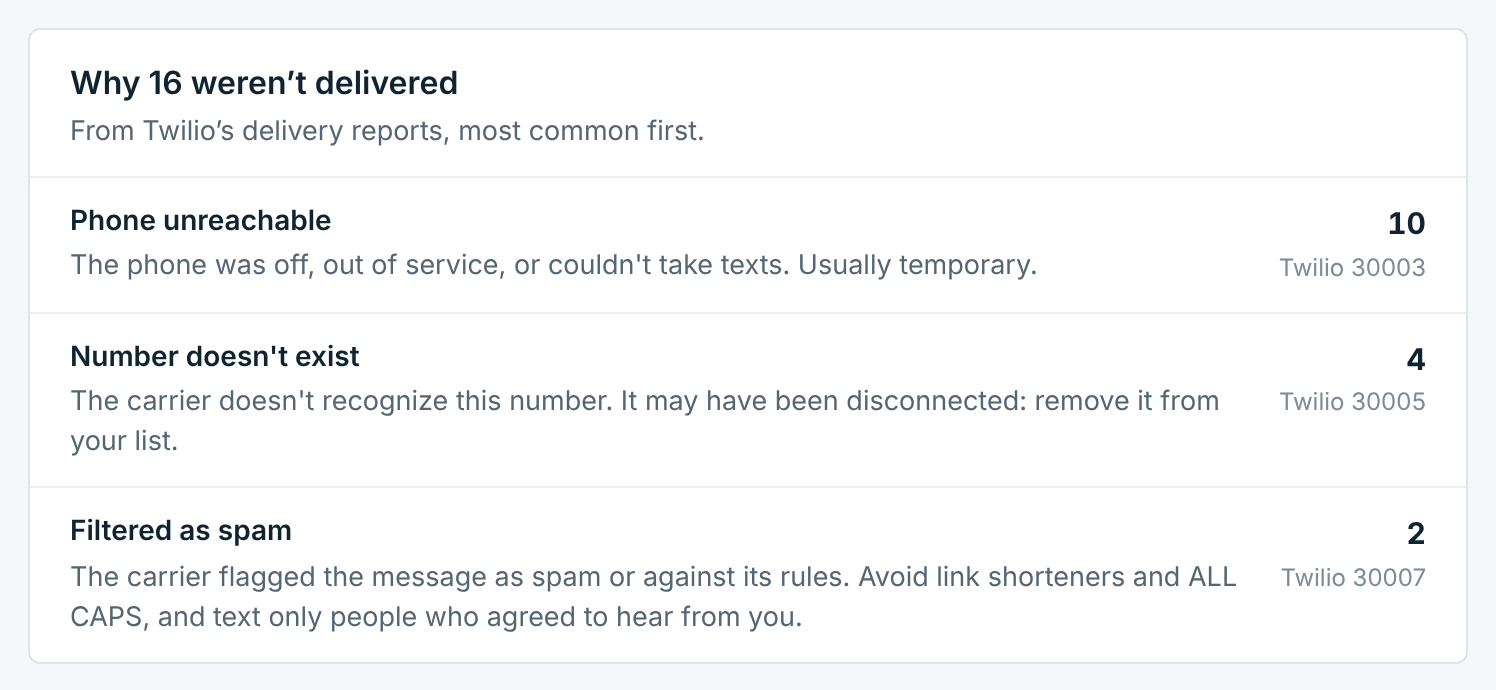
When any texts weren’t delivered, a card groups them by the reason their carriers gave, most common first:
| Reason | What to do |
|---|---|
Phone unreachable |
The phone was off, out of service or couldn’t take texts. Usually temporary; the next campaign often gets through. |
Number doesn't exist |
The number may have been disconnected. Remove it from your list. |
Filtered as spam |
A carrier blocked the text. Avoid public short links and ALL CAPS, and only text people who agreed to hear from you. |
The carrier’s own code is beside each reason, to look up with your carrier if you need to.
Who got it#
A row for each person: whether it was delivered, when, whether they clicked, and whether they opted out. When the 24-hour skip left people out, a line says how many, like 12 left out: they got another campaign from Harbor Coffee in the 24 hours before.
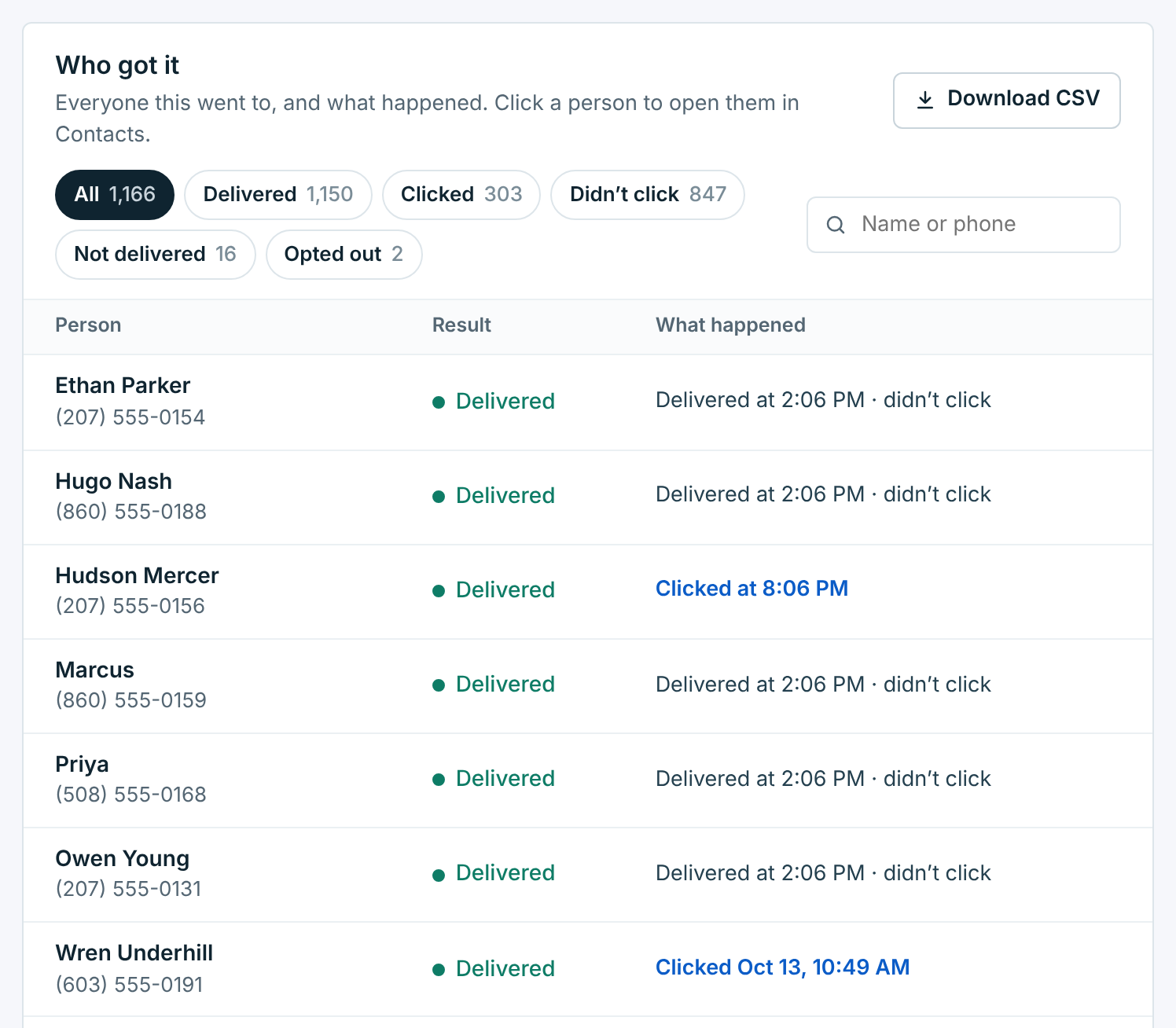
The buttons narrow the list: Delivered, Clicked, Didn’t click, Not delivered and Opted out. Search finds someone by name or number. Click a person to open them in Contacts.
Download CSV (or Download recipients at the top) saves the list as a spreadsheet: name, number, result, what happened, and when it was sent, delivered and opted out.
Who got each campaign is kept for 6 months. The numbers at the top stay for good.
The message#
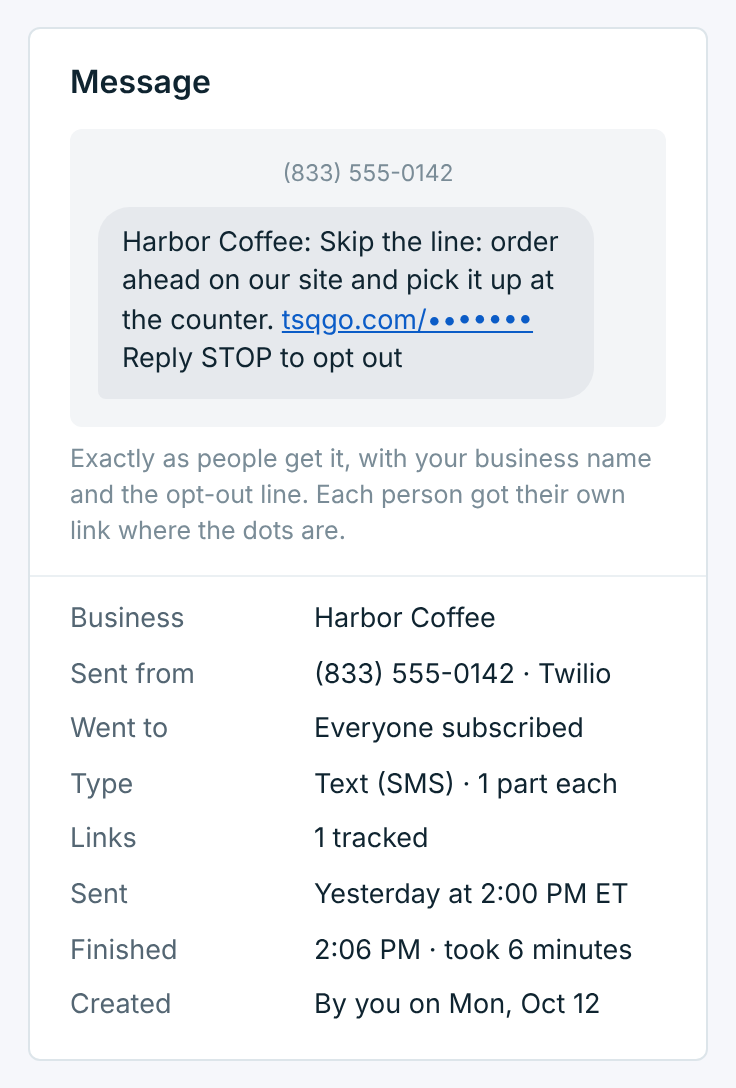
On the right, the text exactly as people got it, with the business name and the opt-out line, and the facts about the send:
| Line | What it says |
|---|---|
Business |
Who it was from. |
Sent from |
The number and carrier it went out through. |
Went to |
Everyone subscribed, the tags it went to and left out, or who it followed up on. |
Type |
Text (SMS) and how many parts, or Picture (MMS). |
Links |
How many links were tracked, or sent as typed. |
Sent and Finished |
When it started and when the last text went out, and how long that took. |
Created |
Who made it, and when. |
Deleting a campaign#
Delete takes a campaign off the list. Its texts stay in Reports, and in each person’s history in Contacts. A campaign that’s sending can’t be deleted; stop it first.