Links in your texts
Short tracked links, who clicked, and texting the people who did or didn't.
When a campaign has a link, each person gets their own short link to it. When they tap it, we count the tap and send them straight on to your page. So a campaign’s results show who clicked, and you can text the people who did, or didn’t, in one step.
How it works#
As the campaign goes out, every link in it is swapped for a short link on tsqgo.com, like tsqgo.com/Ab3xY9q, different for each person. Tapping it opens your page in one step. Short links work for 12 months.
- People, not taps. Each person’s link is theirs, so someone who taps three times counts once as a person who clicked, and three times as clicks.
- Previews and scanners are left out. Some phones and carriers open a link to show a preview or check it for spam. Those are counted apart, as opens, and never as people.
- Shorter texts. A short link is 17 characters. A long page address often costs a whole extra part; the counter and the cost count the short link.
In the composer#
Paste a link into the message. It’s shortened and tracked straight away. A row under the message shows the link and what it will be sent as, and a note says what that saves:
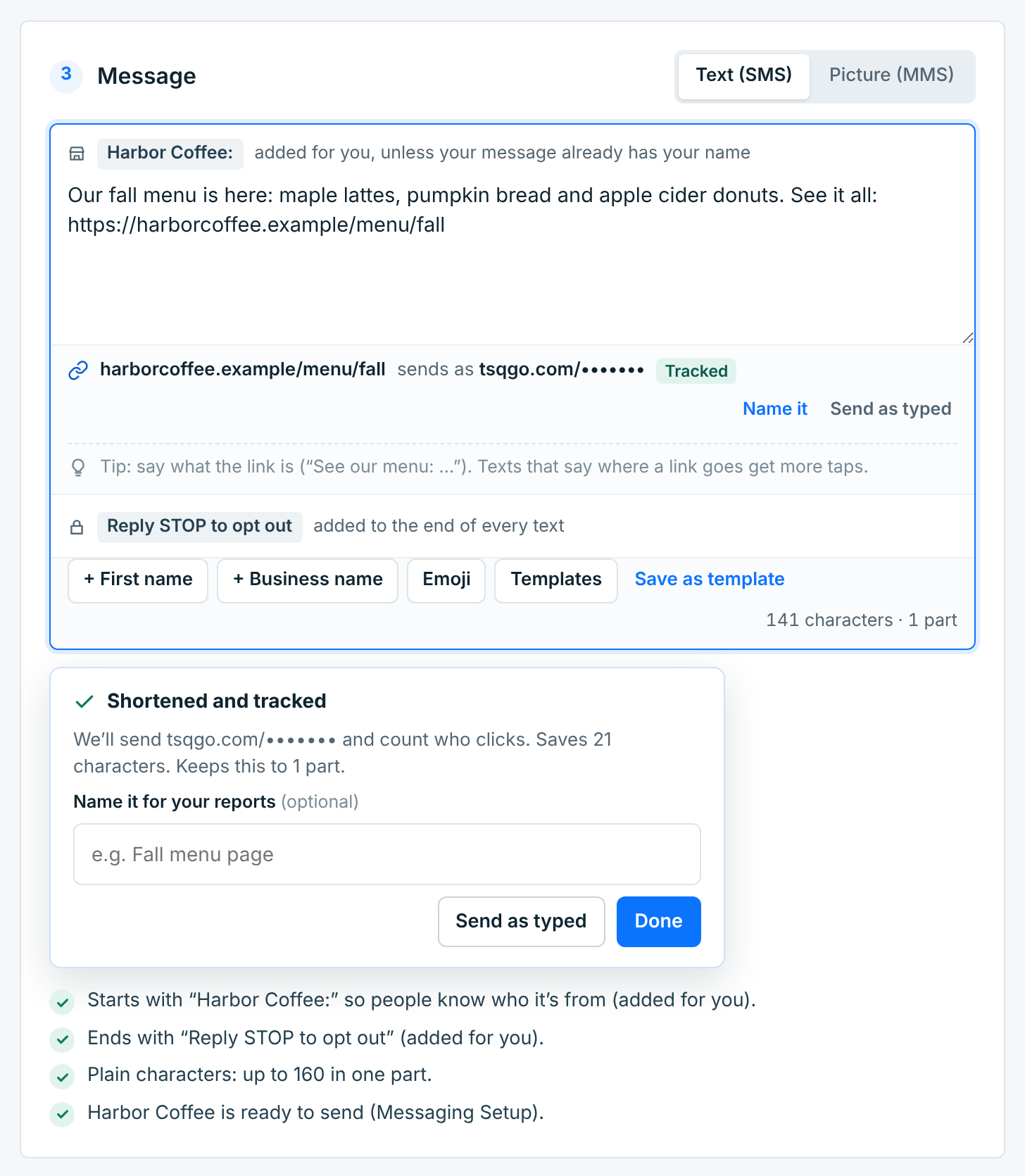
The preview shows each link with dots, where each person’s own link goes. The summary’s Links line counts them.
| Choice | What it does |
|---|---|
Name it |
A name for the link, like “Fall menu page”, typed in the note or with Name it on the row. Results show it instead of the address. People never see it. |
Send as typed |
The link goes out exactly as you wrote it, and nobody’s clicks are counted. Use it for a link that must look a certain way. Track it on the row tracks it again. |
Done |
Closes the note. The link stays tracked. |
Once it has a name, the row shows the name, with Rename:
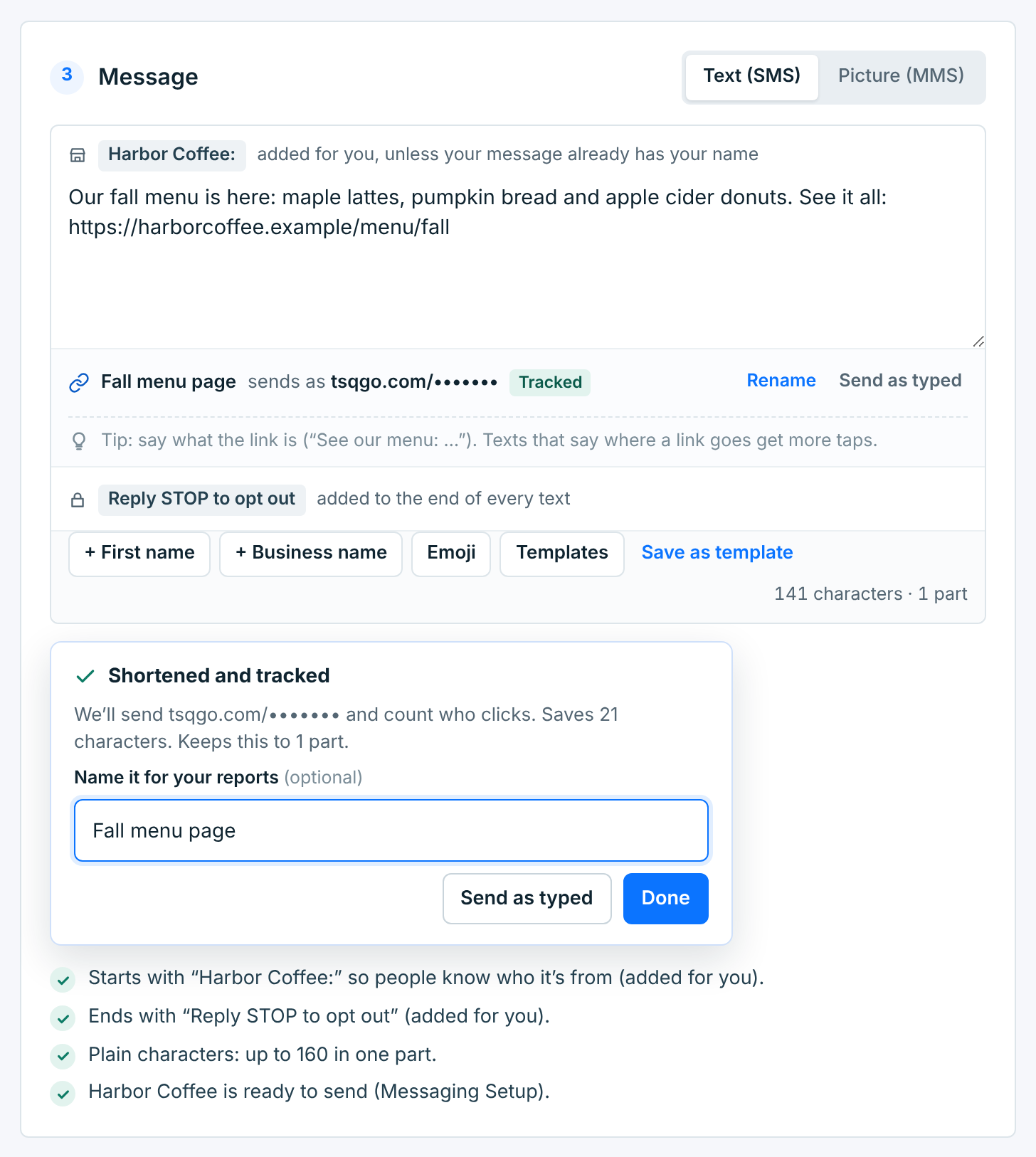
Say what a link is in the text, like “See the menu: …”. Texts that say where a link goes get more taps.
Some links can’t go out as they are:
- Public short links (bit.ly, TinyURL and the like) are always replaced with a tracked link to the page they lead to, and can’t be sent as typed: carriers block texts that use them.
- A link that doesn’t open, one that leads to a blocked site, or one of our own short links pasted back in has to be fixed before the campaign can go out. A draft can keep it until then.
Who clicked#
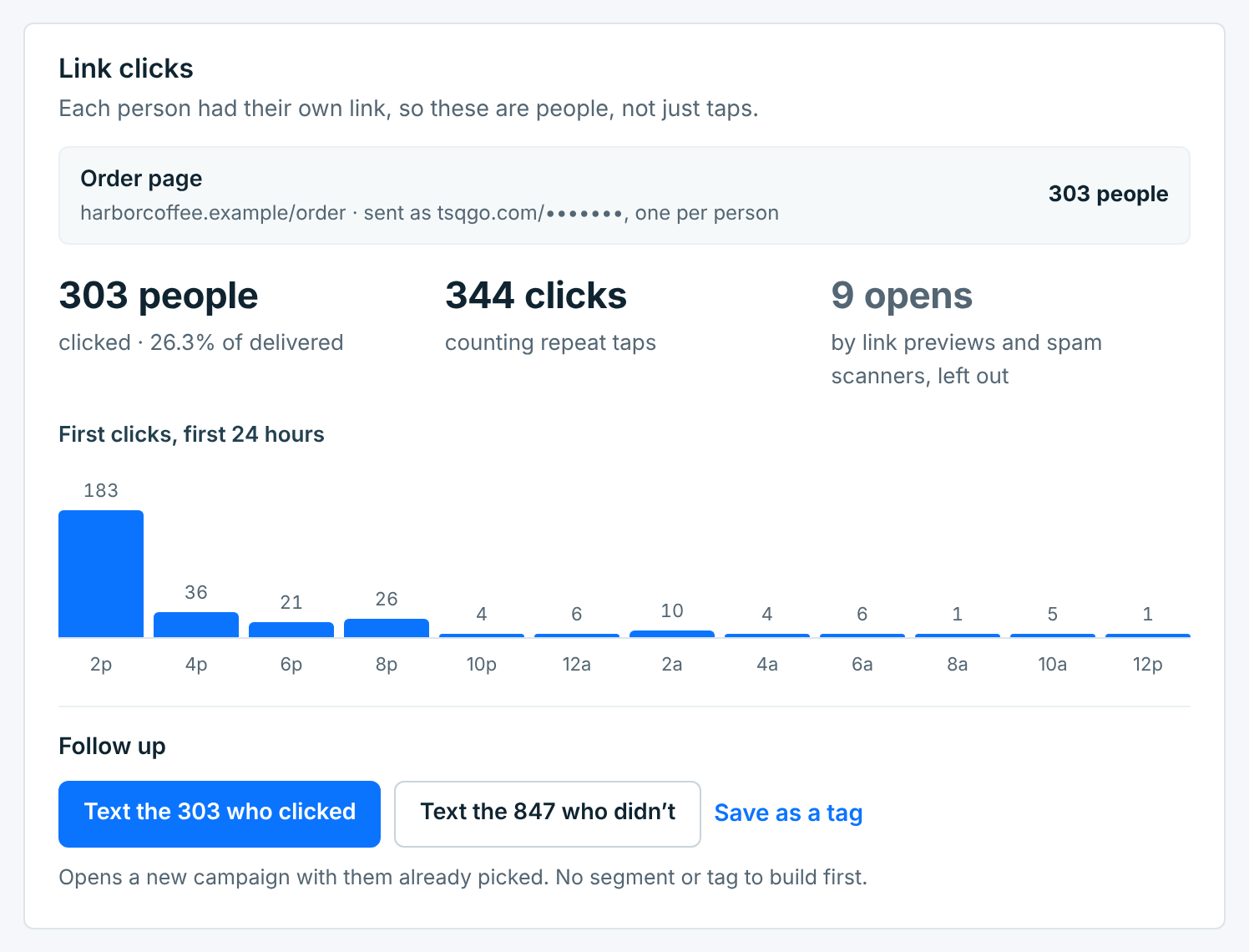
A campaign with a tracked link has a Link clicks card on its page:
| Number | What it counts |
|---|---|
People |
Everyone who tapped a link at least once, and their share of the texts that were delivered. |
Clicks |
Every tap by a person, repeats included. |
Opens |
Link previews and spam scanners. They’re left out of the people and the clicks. |
Each link has its own line, with its name or address and how many people clicked it. First clicks, first 24 hours shows when people first clicked, in two-hour steps from when the campaign went out. Who clicked is kept for 6 months, like who got the campaign; the totals stay.
In Who got it, Clicked and Didn’t click list those people, with when each one first clicked:
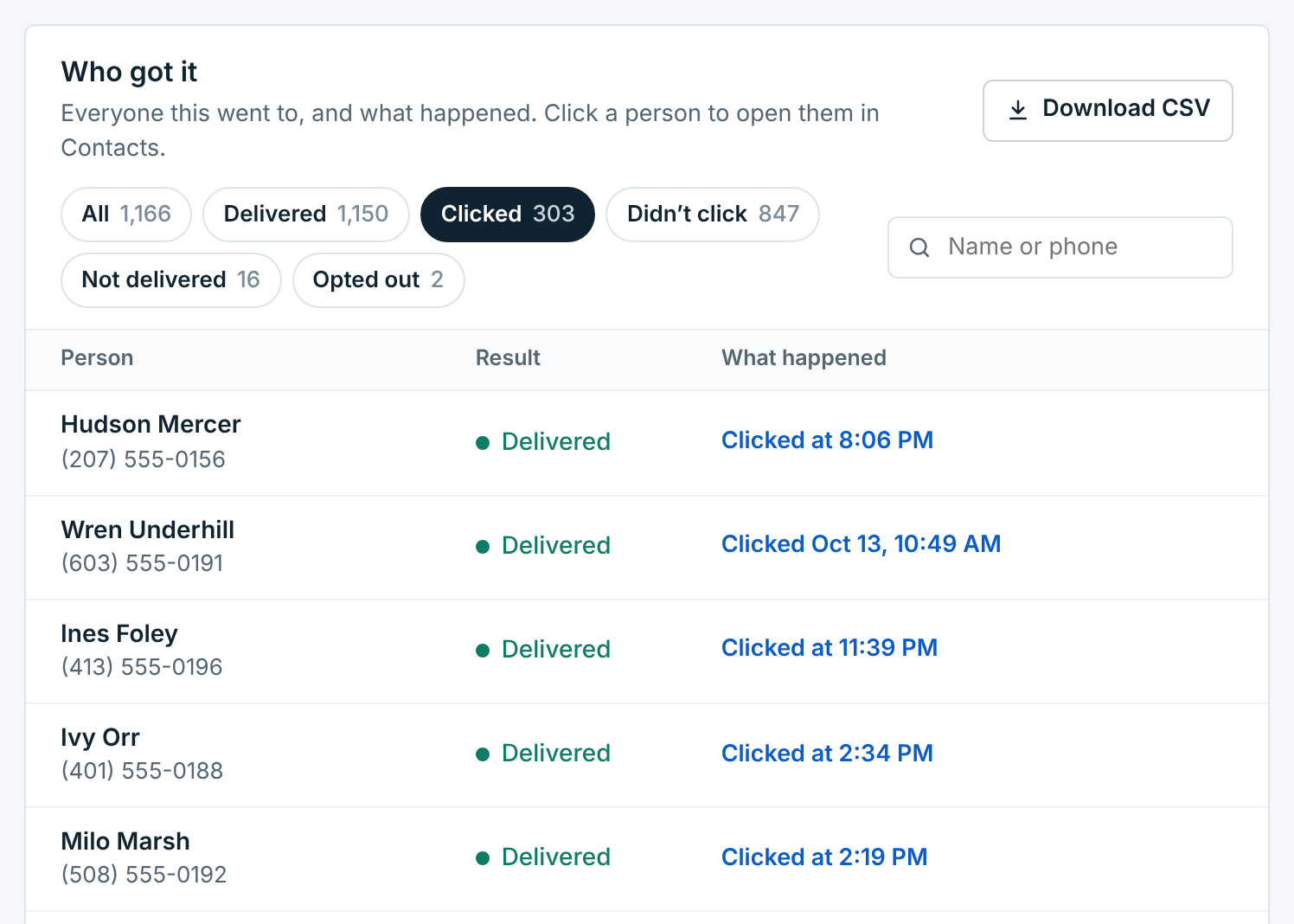
On the Campaigns list, the Clicked column has each campaign’s click rate, and a person’s Texts tab in Contacts shows which links they clicked.
Following up#
At the bottom of the card, Text the … who clicked and Text the … who didn’t start a new campaign to just those people:
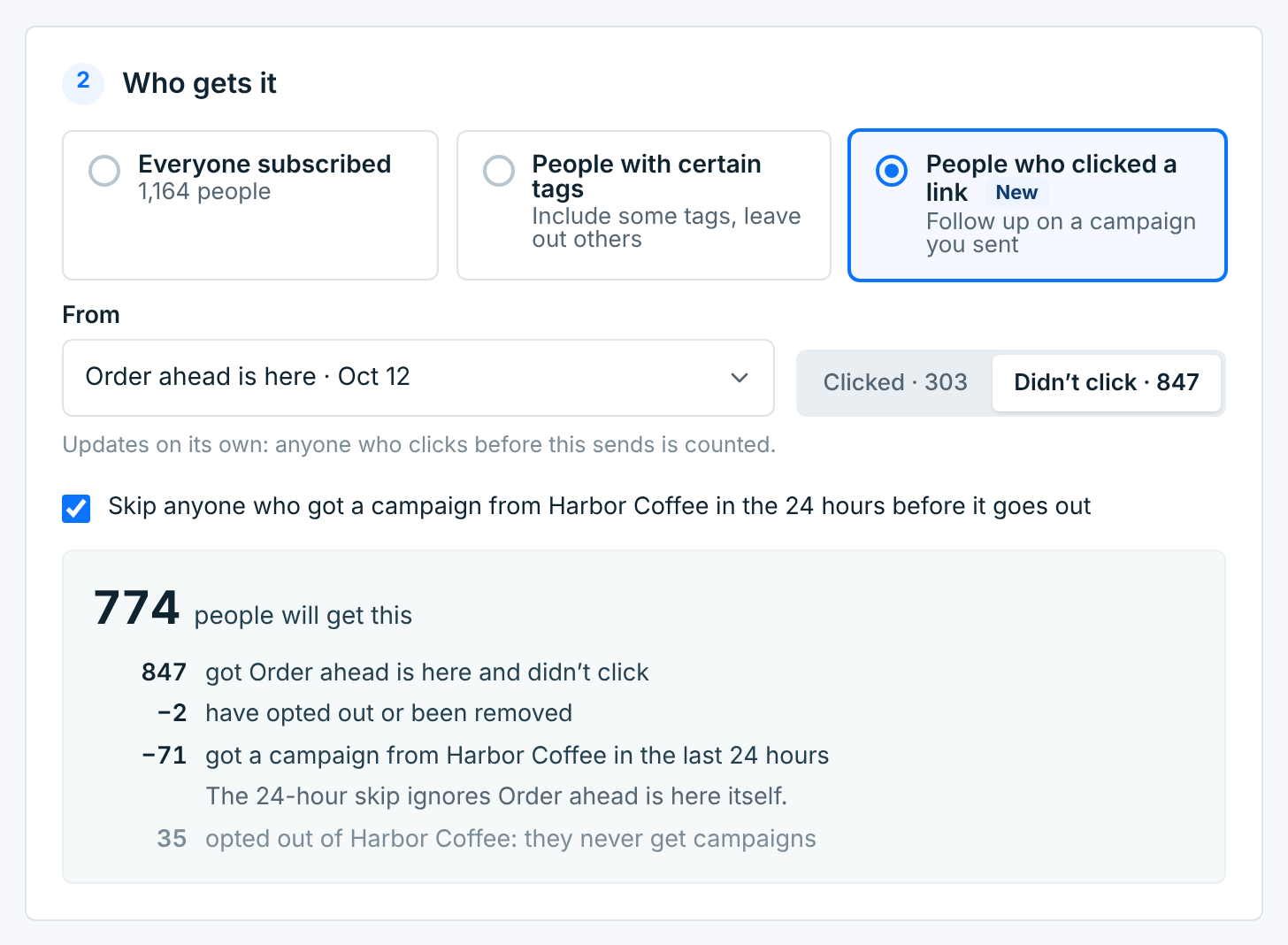
People who clicked a link is picked under Who gets it, with the campaign under From, and Clicked or Didn’t click. You can also start here from New campaign: any campaign from the last 5 months that had a tracked link is in the list.
- Who gets it is counted when the follow-up goes out, so someone who clicks before then moves to Clicked.
- The 24-hour skip doesn’t count the campaign you’re following up on, so you can follow up the same day.
- A follow-up goes out once: it can be sent now or scheduled, not repeated.
Save as a tag#
To keep the people who clicked as a group you’ll use again, click Save as a tag at the bottom of the card and give it a name.
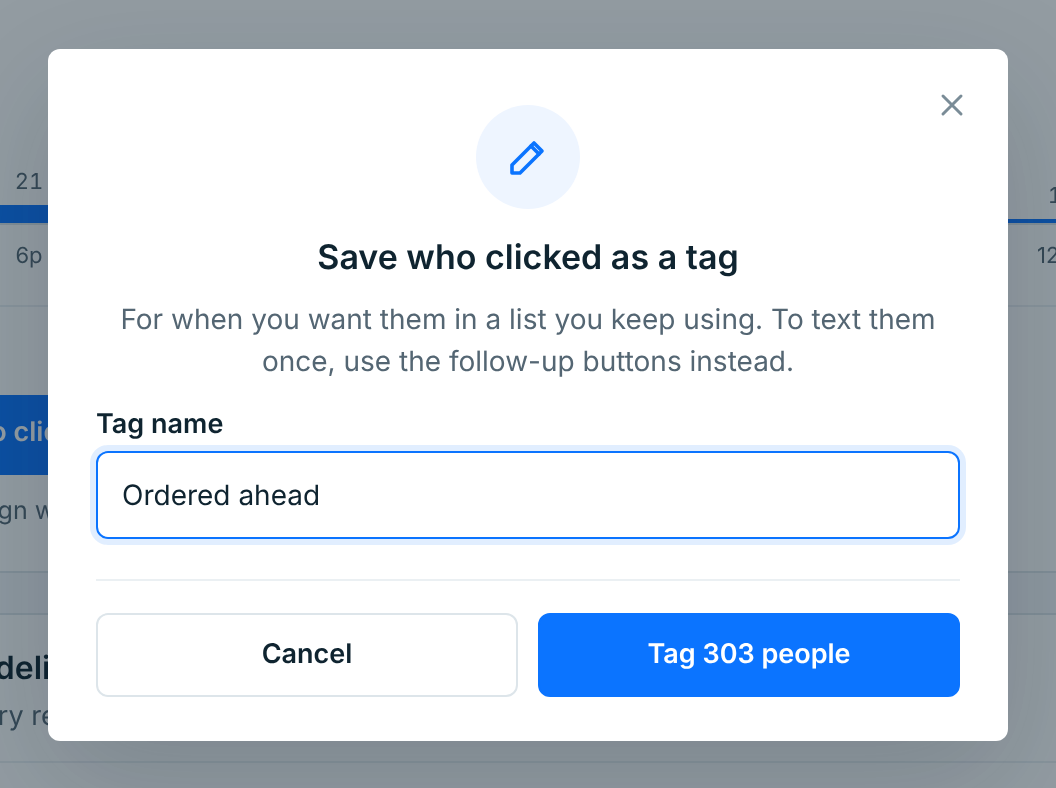
Everyone who clicked gets the tag. People who click later don’t get it on their own; to text whoever has clicked by then, use the follow-up buttons instead. See Your tags.