Get a Twilio or Vonage account
Open an account, upgrade it, and get a toll-free number, with what it costs.
TextScaleHQ sends texts through a carrier account of your own, with Twilio or Vonage. You keep the account, the carrier bills you for your number and your texts at its own rates, and nothing you send goes through an account of ours. This guide gets you an account and a toll-free number. It takes about 10 minutes.
Already have an account? Go straight to Connect Twilio or Connect Vonage.
Twilio or Vonage#
Both work the same way in TextScaleHQ: you paste your keys, we read your numbers, register your toll-free number with the carrier and send through it. Twilio has more help online if you get stuck. Vonage has less console to wade through. You can add the other one to a business later.
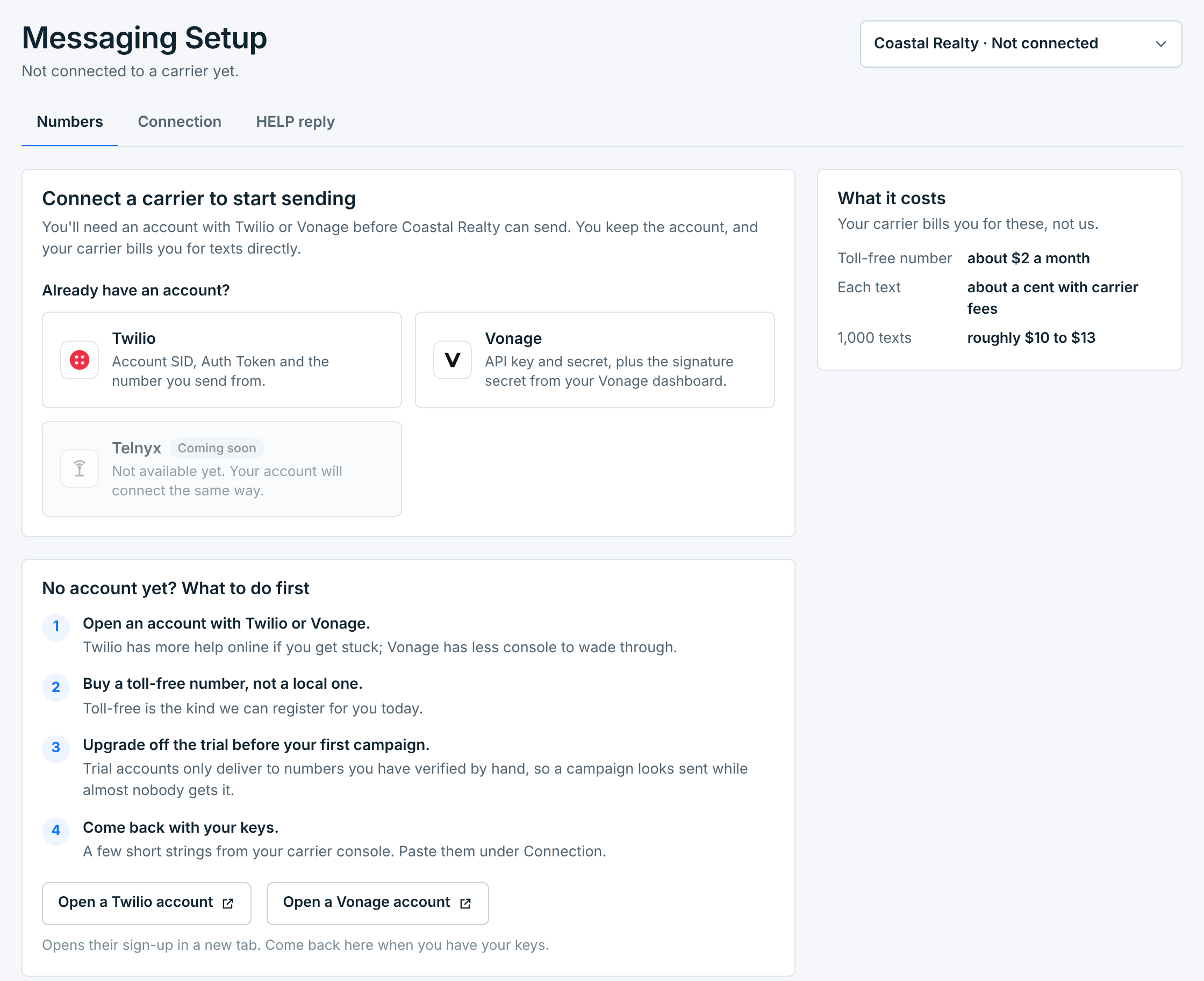
Until a business has a carrier, Messaging Setup shows the choice, the four things to do first, and what it costs:
What it costs#
Your carrier bills you for these, not us. Rough US figures:
| What | About |
|---|---|
Toll-free number |
$2 a month. |
Each text |
A cent, with carrier fees. |
1,000 texts |
$10 to $13. |
The carrier sets its own prices and changes them now and then. When you buy a number in TextScaleHQ, the price shown is the one your account will pay.
Get a toll-free number, not a local one. Toll-free is the kind we register with the carrier for you. A local (10DLC) number works only if its campaign is already approved in your carrier account.
Twilio#
- Sign up. Click Open a Twilio account in Messaging Setup, or go to twilio.com. Their sign-up opens in a new tab.
- Upgrade from the trial. Add a payment method in the Twilio Console.
- Copy your keys. The Account SID and Auth Token are under Account Info, on the first page of the Twilio Console after you sign in.
- Connect. Paste them in Messaging Setup. Connect Twilio walks through it.
- Get a toll-free number, from TextScaleHQ (below) or in the Twilio Console.
Don’t skip the upgrade. A Twilio trial account only delivers to numbers you have verified by hand, and Twilio swaps your words for its own template. A campaign from a trial account looks sent while almost nobody gets it. Twilio also won’t approve a toll-free registration on a trial account.
If your account is still a trial, Messaging Setup says so. Upgrade in Twilio, then click Check again on Numbers.
Buy a toll-free number from TextScaleHQ#
Once Twilio is connected, open Messaging Setup → Numbers and click Get a toll-free number. We read the numbers Twilio has available right now, with the price for your account.
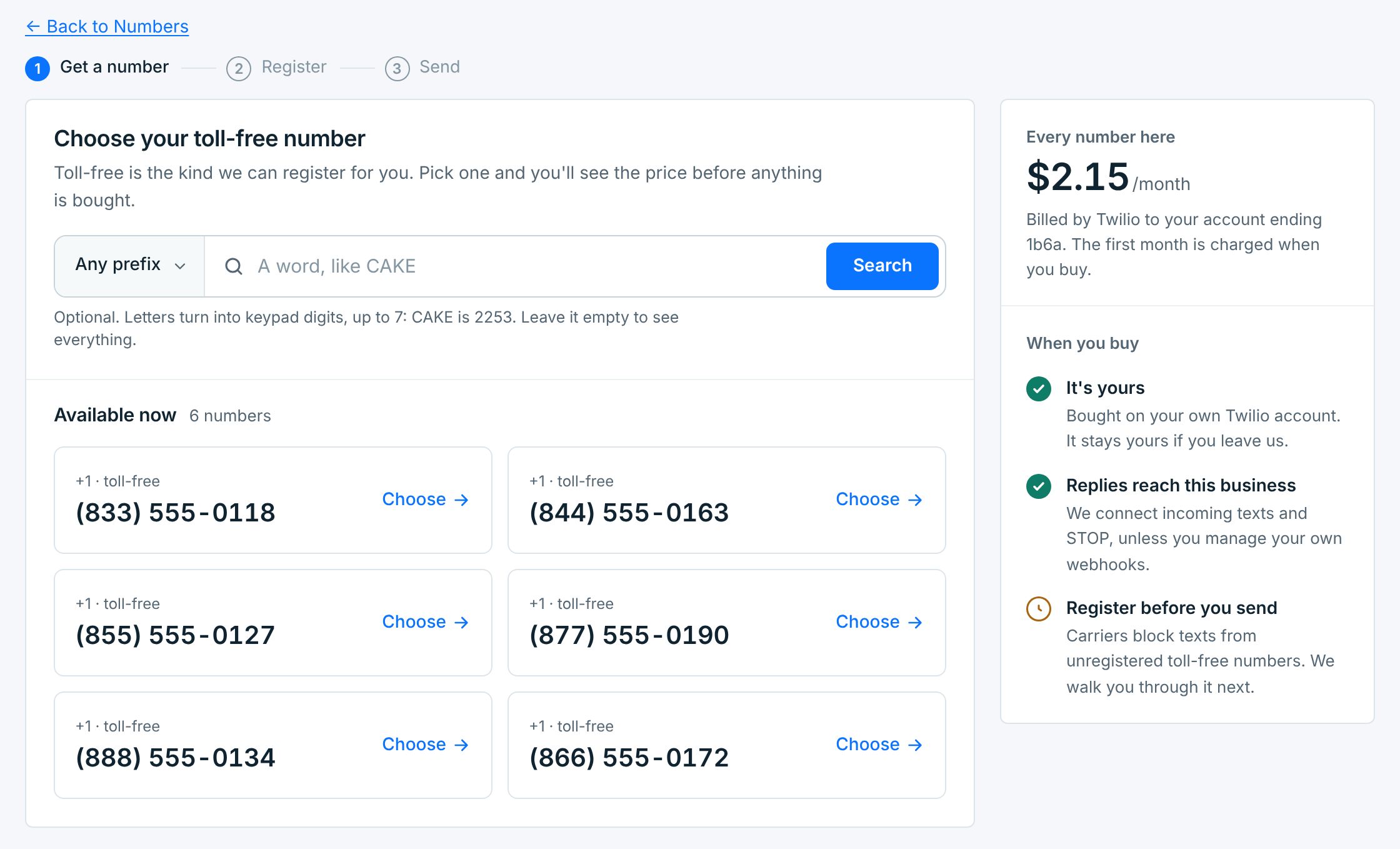
Pick a prefix, or search for a word: letters turn into keypad digits, up to 7 (CAKE is 2253). Leave the search empty to see everything. Click Choose on the number you want.
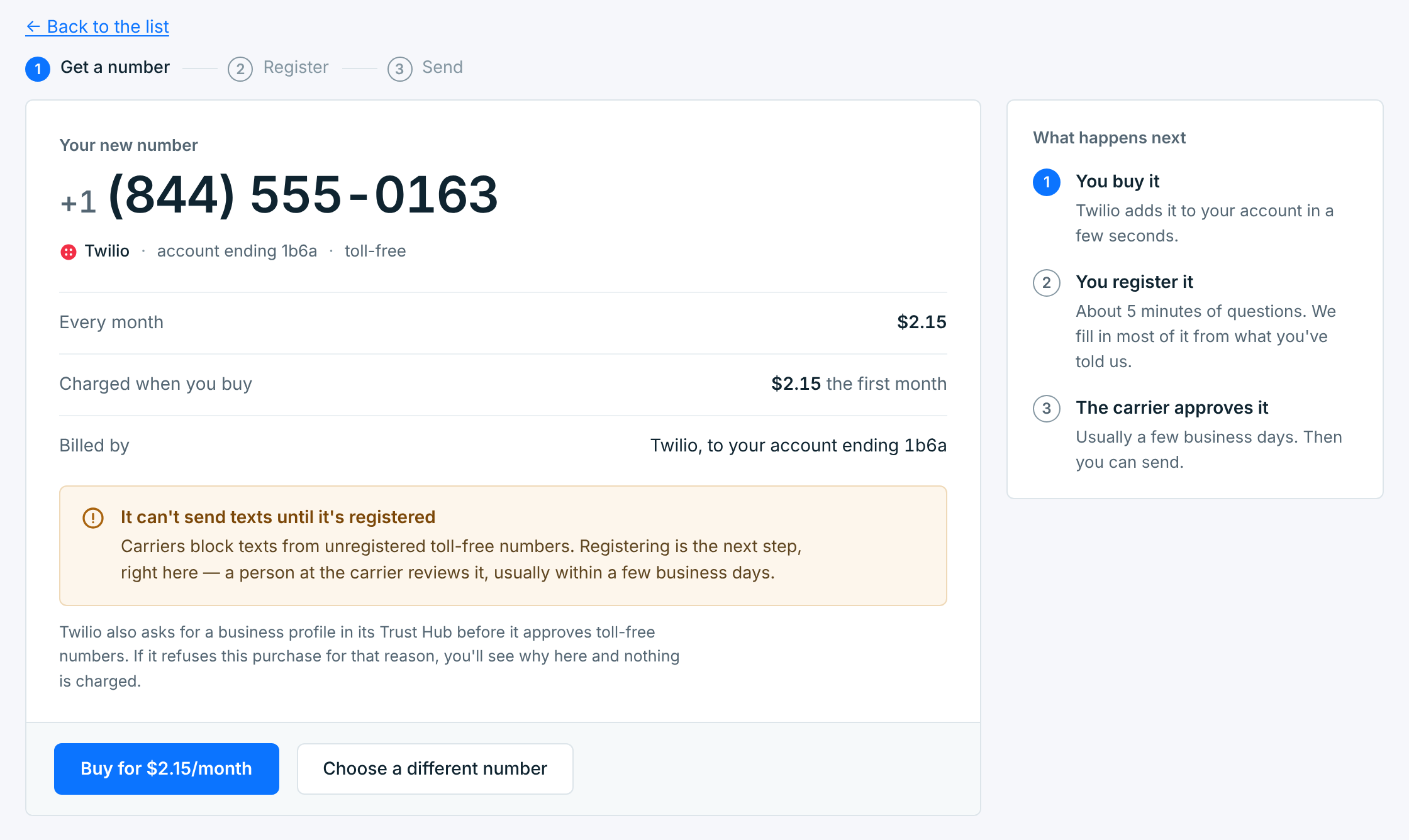
The next screen shows the monthly price, what is charged now and which account pays. Click Buy for …/month. The number goes on your own Twilio account and stays yours if you leave. Its replies are pointed at us straight away, so STOP and HELP work.
The number can’t text until it’s registered. Registering is the next step, right there: see How toll-free approval works.
Twilio asks for a business profile in its Trust Hub before it approves toll-free numbers. If it refuses a purchase for that reason, Messaging Setup tells you why and nothing is charged.
Vonage#
- Sign up. Click Open a Vonage account in Messaging Setup, or go to vonage.com.
- Add a payment method in the Vonage Dashboard before your first campaign.
- Copy your keys. The API key and API secret are at the top of the Vonage Dashboard. The Signature secret is under Settings → SMS API Settings.
- Connect. Paste them in Messaging Setup. Connect Vonage walks through it.
- Get a toll-free number in the Vonage Dashboard.
Find a Vonage toll-free number#
Once Vonage is connected, Get a toll-free number on Numbers lists the toll-free numbers your account can buy, live from Vonage. Type an area code, or leave it blank, and click Search. Prices are in your Vonage account’s currency.
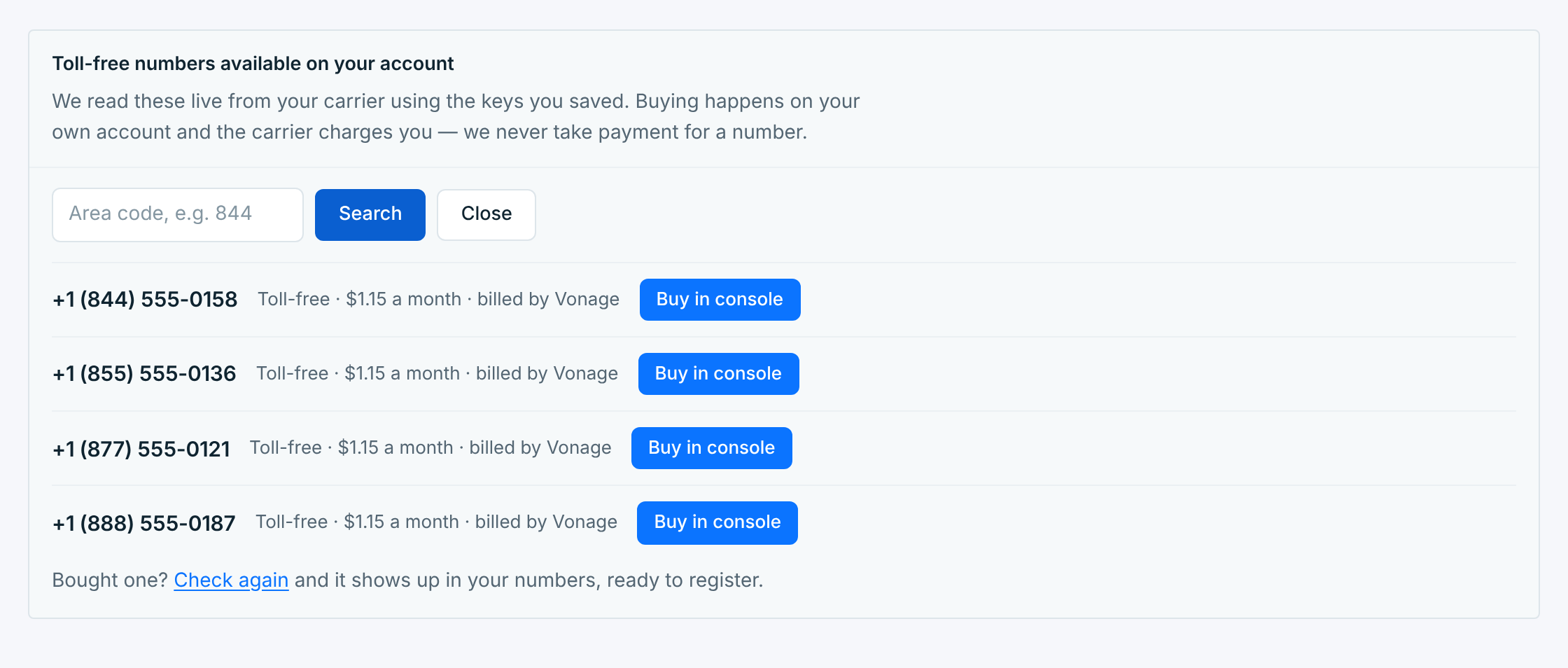
Vonage doesn’t let apps buy numbers for you, so the buying happens in your Vonage Dashboard:
- Click Buy in console next to the number you want. The Vonage Dashboard opens in a new tab.
- Buy the number there.
- Back in Messaging Setup, click Check again under the list. The number shows up on Numbers, with its replies pointed at us, ready to register.