Connect Twilio
Paste your Account SID and Auth Token, choose the sending number, and what to do when Twilio turns the keys down.
TextScaleHQ sends through your own Twilio account. You paste your keys once per business, and we do the rest in your account for you: read your numbers, point their replies at us so STOP and HELP work, and file your toll-free registration. This takes about five minutes.
Before you start#
- A Twilio account that is upgraded from the trial. No account yet? See Get a Twilio or Vonage account.
- Your Account SID and Auth Token. Both are under Account Info, on the first page of the Twilio Console after you sign in.
A number isn’t needed yet. If the account has none, you can buy a toll-free number from Messaging Setup once you’re connected.
Paste your keys#
Open Messaging Setup and pick the business in the selector at the top right. Keys are saved per business, so an agency connects each client separately. On Connection, pick Twilio and paste your keys.
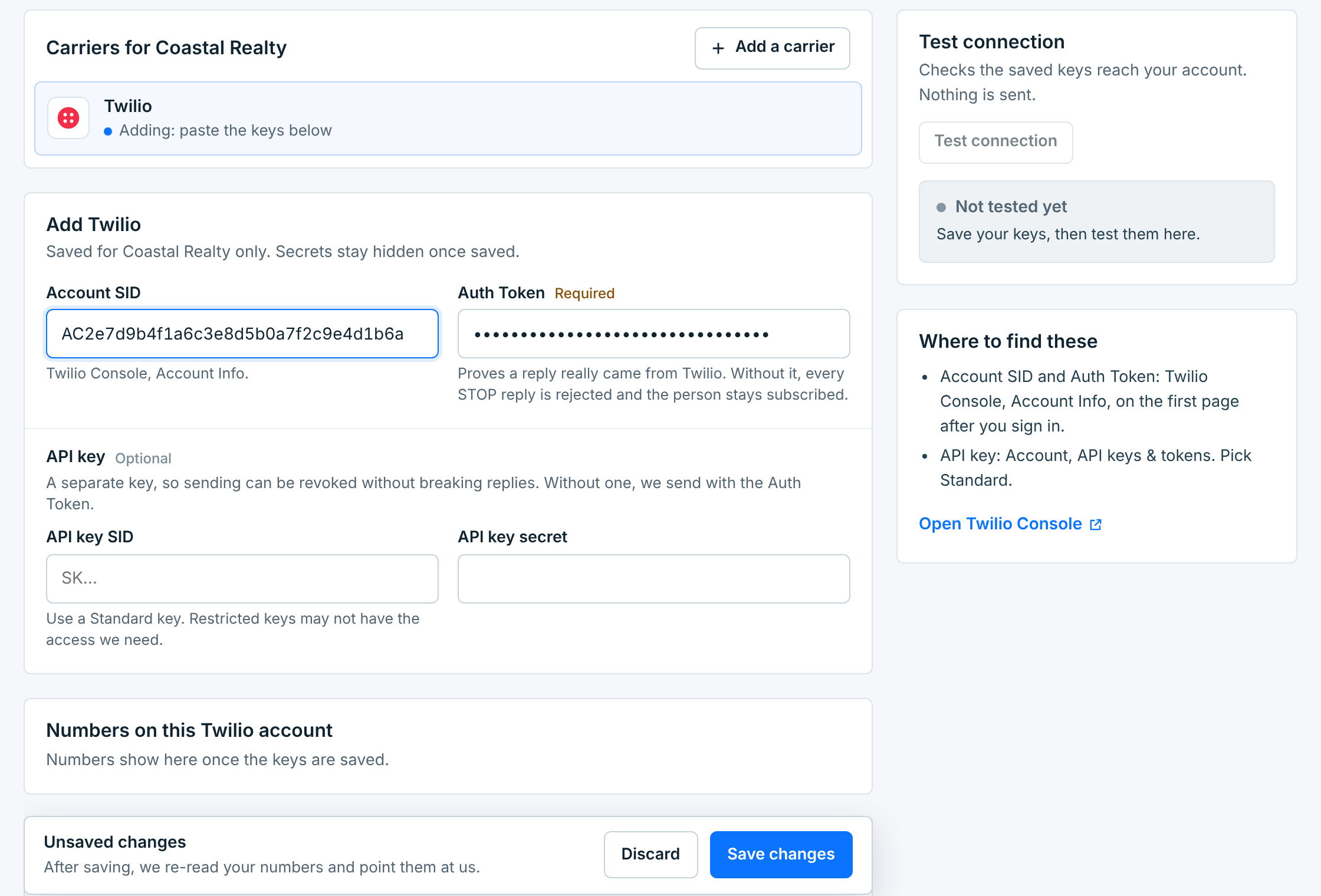
| Field | Description |
|---|---|
Account SIDRequired |
Starts with AC. Twilio Console, Account Info. |
Auth TokenRequired |
Next to the Account SID. It proves a reply really came from Twilio: without it, every STOP is rejected and the person stays subscribed. |
API key SIDAPI key secretOptional |
A separate key for sending, so you can revoke it without breaking replies. Without one, we send with the Auth Token. In Twilio: Account, API keys & tokens. Pick a Standard key; restricted keys may not have the access we need. |
An Unsaved changes bar appears. Click Save changes.
What happens when you save#
Your keys are saved for this business only, encrypted. The secrets stay hidden from then on: the field says Saved. Paste a new one to replace it. Leave it blank to keep the saved one.
Then we read the numbers on your Twilio account and point each one’s replies at us, so replies, STOP and HELP reach this business. Connection now shows the account, the result of a connection test, and every number with its registration:
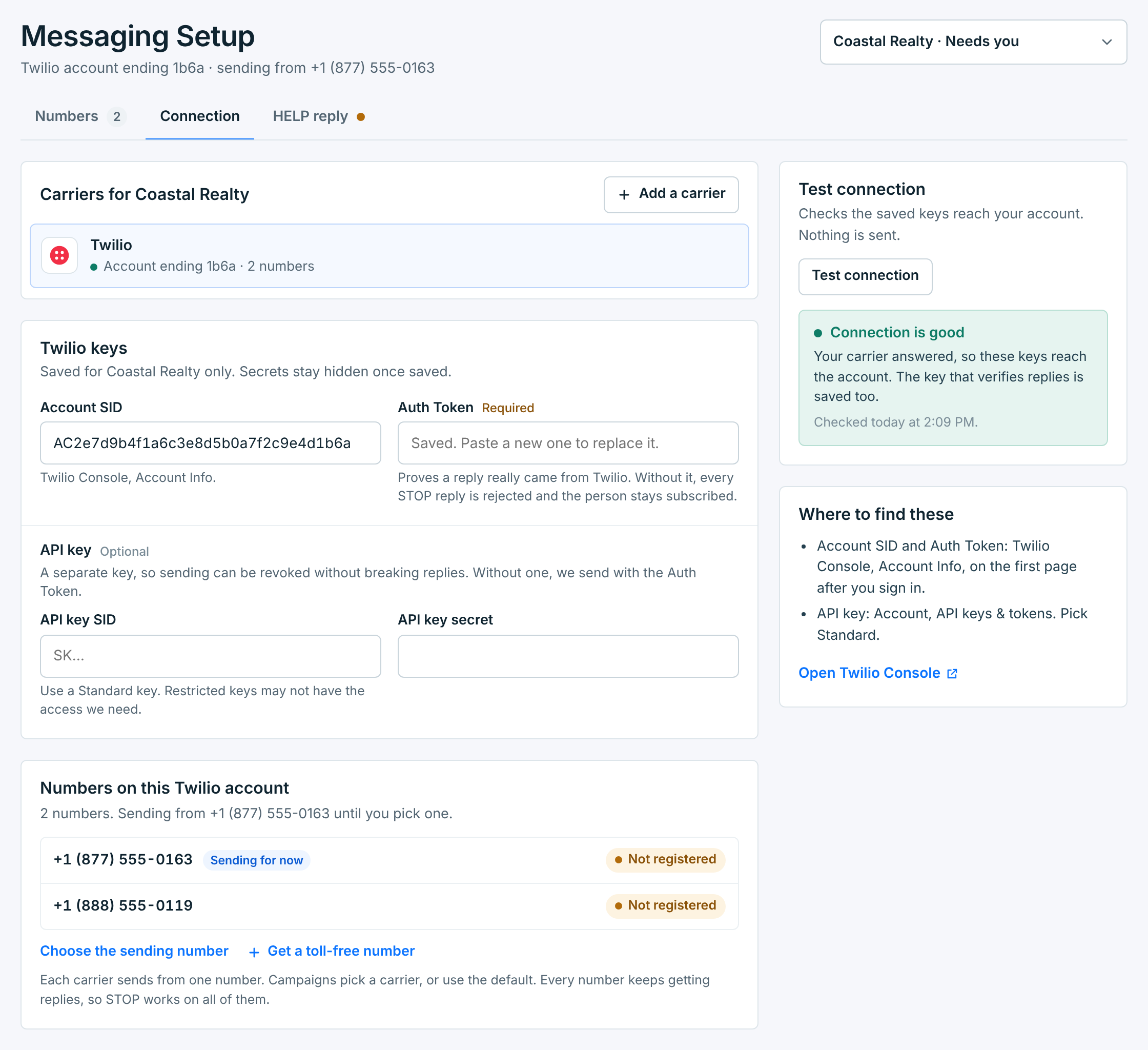
Test connection checks the saved keys still reach your account, any time. Nothing is sent.
One Twilio account can serve several businesses. Give each its own number. A number that is active on one business keeps its replies there: we leave it alone when you save on another.
Choose the sending number#
Each carrier sends from one number per business. If your account has more than one, the first is used until you pick: it shows Sending for now. Click Choose the sending number to pick it yourself.
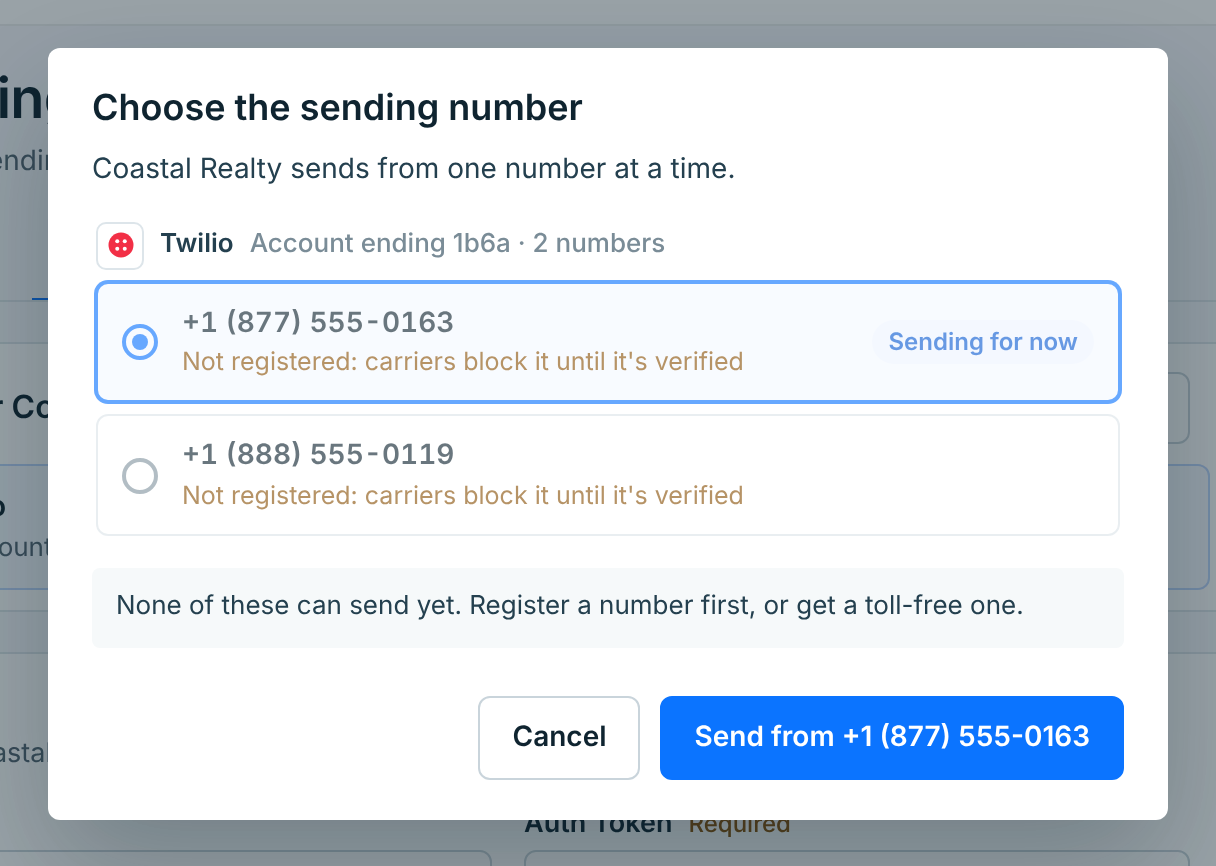
Every number keeps getting replies, whichever one sends, so STOP works on all of them. A toll-free number can’t send until it’s registered; see How toll-free approval works.
More settings#
Most businesses never need these. Open More settings at the bottom of Connection.
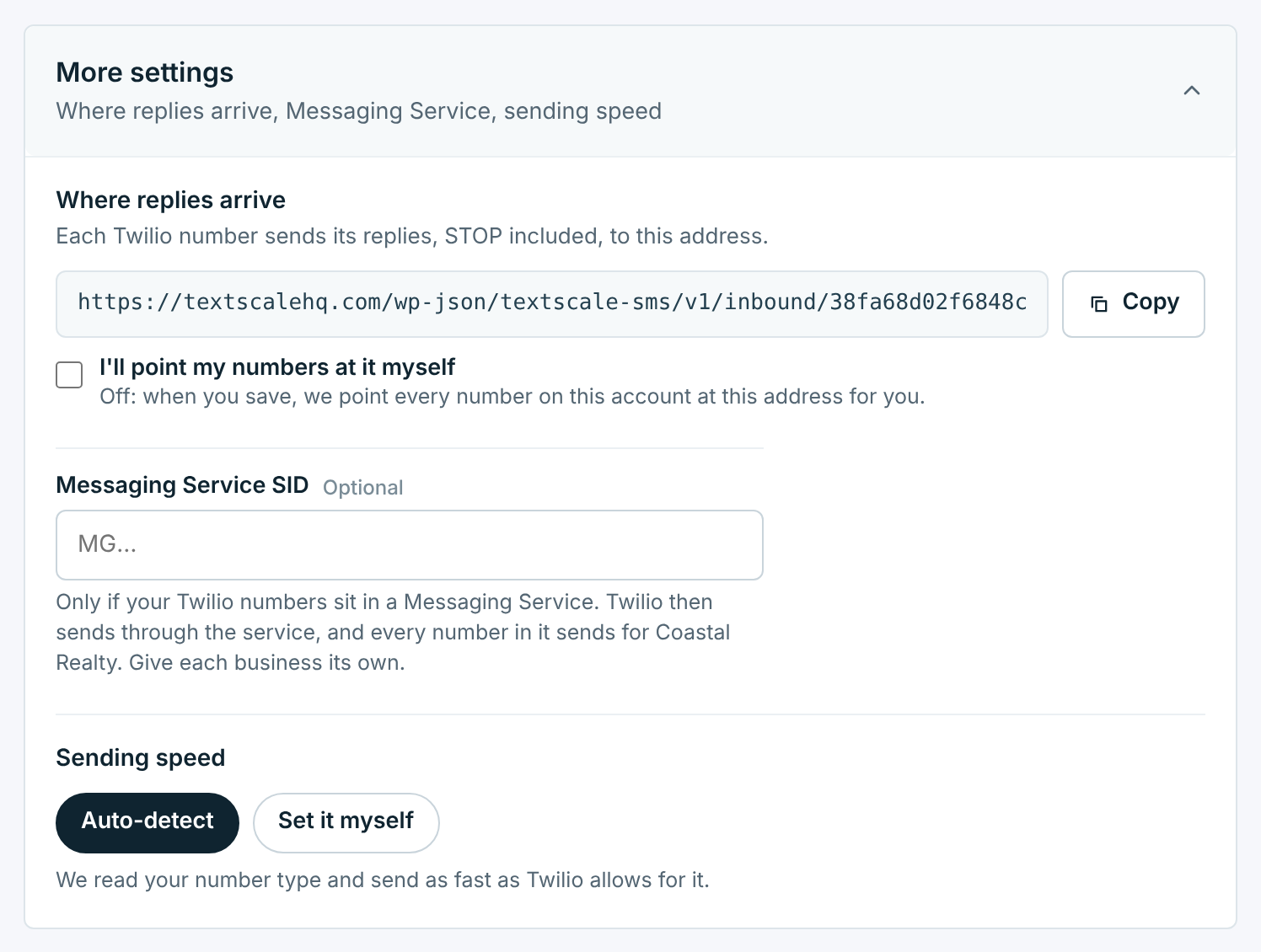
| Setting | Description |
|---|---|
Where replies arrive |
This business’s own address for replies. We point your numbers at it when you save. Tick I’ll point my numbers at it myself if you manage your Twilio webhooks yourself; then copy the address into each number’s A message comes in in Twilio. |
Messaging Service SID |
Starts with MG. Only if your numbers sit in a Twilio Messaging Service. Twilio then sends through the service, and every number in it sends for this business, so give each business its own. |
Sending speed |
Auto-detect reads your number type and sends as fast as Twilio allows for it. Use Set it myself only if Twilio raised your limit: set it too high and Twilio queues or drops texts. |
Delivery receipts need nothing from you. We ask Twilio for one with every text we send.
When Twilio turns the keys down#
If someone resets the Auth Token in Twilio, the saved one stops working. The business shows Can’t send, Numbers says Twilio turned down the saved keys with an Update keys button, and Connection shows what Twilio answered:
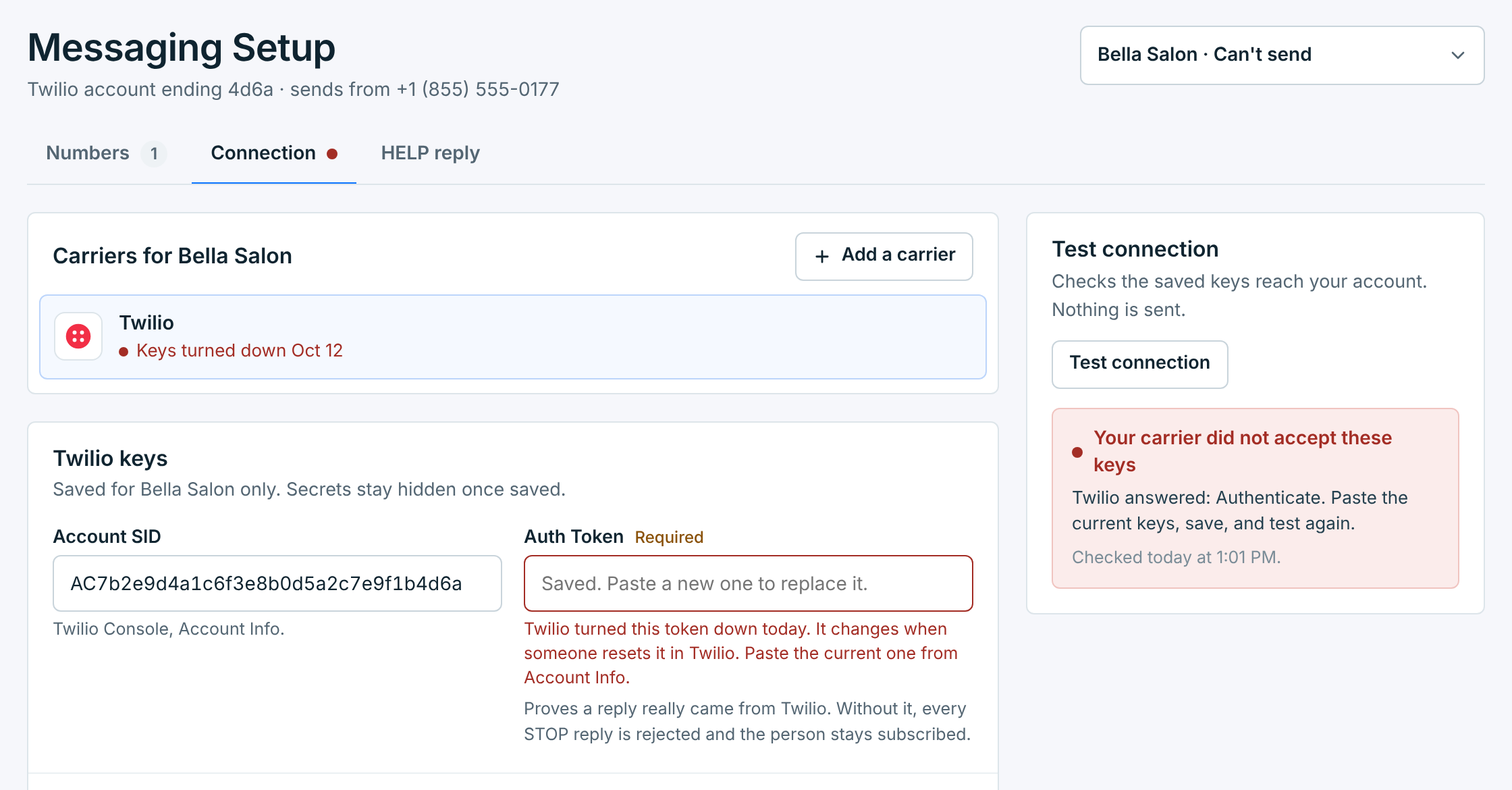
Copy the current Auth Token from Account Info in the Twilio Console, paste it, save, and click Test connection.
Fix this straight away. Until the token works, we can’t check that a reply came from Twilio, so a STOP is rejected and that person stays subscribed.
A Twilio trial account#
If the account is still a trial, the setup list on Numbers says Your Twilio account is still a trial. A trial can’t send the message you write: Twilio swaps in its own template, and it only delivers to numbers you have verified by hand. Click Upgrade in Twilio, add a payment method there, then click Check again.